40
Gain
: Use this option to increase or decrease the range of color input for the entire image,
lower the gain of the corresponding color If minimal amount of red, green or blue appears in
the gray areas. The contrast of the image will become lower as gain increases.
HSG
Use this function to adjust
Hue
,
Saturation
and
Gain
independently, it allows for specied
color adjustments that are more intuitive. This is a useful function to adjust Hue, Saturation and
Gain for Red, Green, Blue, Cyan, Magenta, Yellow and white independently in some applications
such as edge blending…etc.
Noise Reduction
This function provides high-quality images with minimal crawl and cross color noise, you can
set your preferred level from 0 to 15 steps to view a clear image.
Dynamic Black
Set this function as
ON
to improve the black level of the projected images.
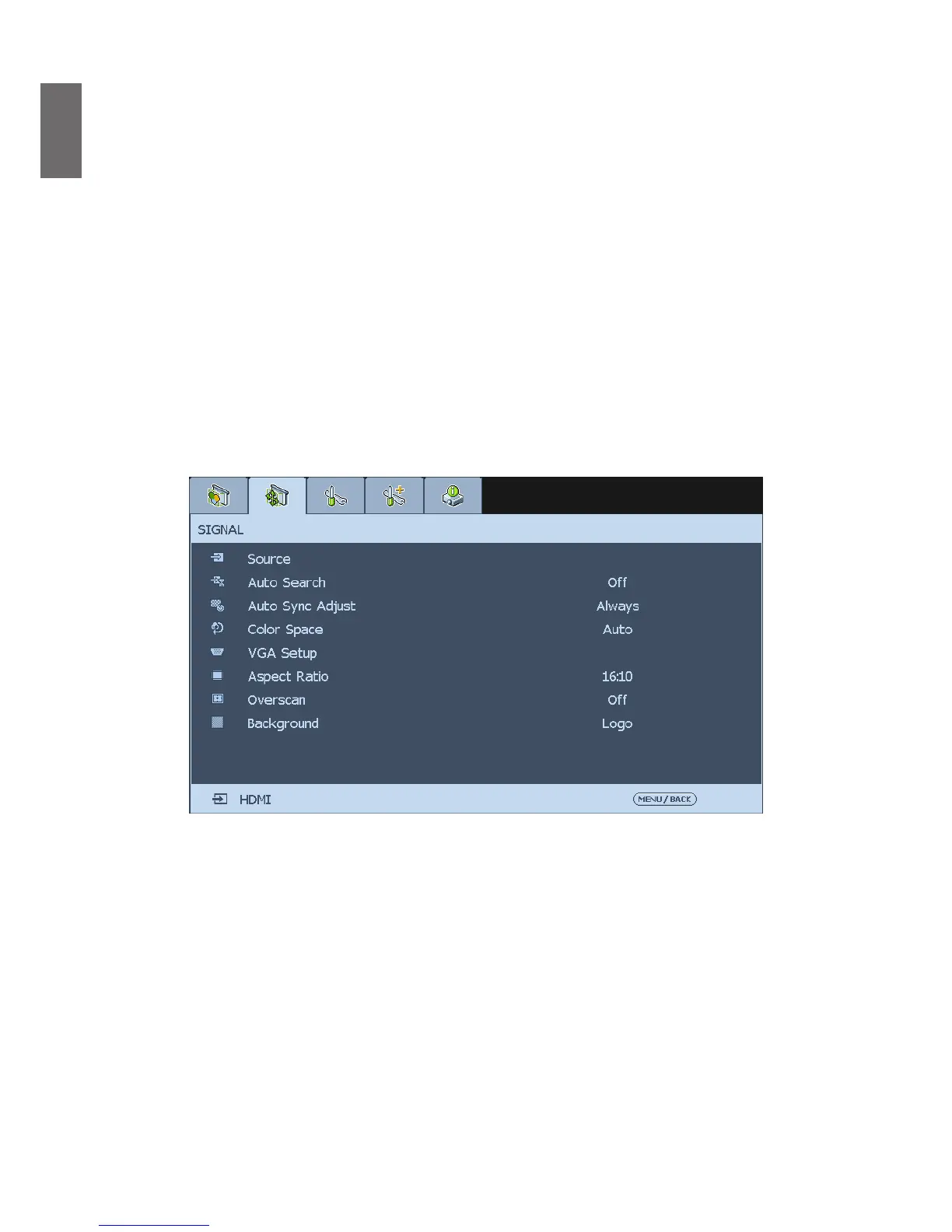
SIGNAL
Source
This function is the same as the Hotkey on your remote controller. You can select the desired
input source via the remote controller or this function.
HDMI:
This is the terminal to input HDMI signals from PC or media device.
DVI-D:
This is the terminal to input DVI-D signals from PC.
COMPUTER 1:
This is the terminal to input RGB signals from PC.
COMPUTER 2:
This is the terminal to input YCbCr/YPbPr or RGB singals (RGBHV) from PC
or media device.
HDBaseT/LAN:
This is the terminal to input uncompressed high-denition video (HD) via RJ-
45 cable.



 To Next Page