45
Security Lock
This function allows you to enable or disable
Security Lock
, this is a useful function to
preventing the unauthorized use of the projector. Set it
On
to lock the OSD control panels
and deny remote control operation, the password is required for the operation. Please refer to
“Preventing the unauthorized use of the projector” on page 20.
When you have set or changed the password, take a memo and keep it securely. If you forget your PIN code, the
projector can no longer be stared. Contact local dealer or service center.
Source Message
The function allows you to turn off “Searching for source” on the projection screen when
projector is searching for the input source. Select
On
to display the message; select
Off
to hide
the message on the screen.
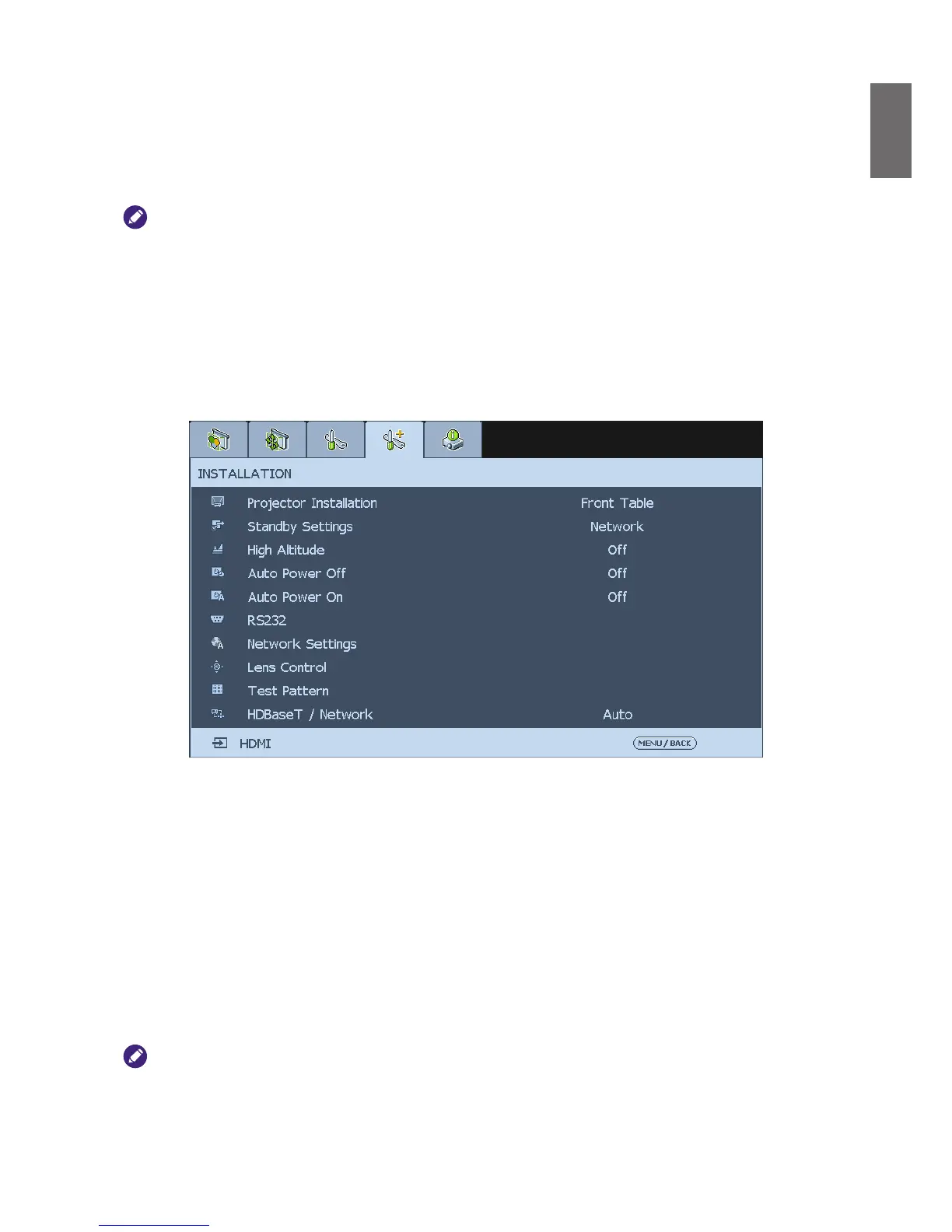
Installation
Projector Installation
This function enables you to set how the projected image is displayed. Select from the following
option for the projector installation.
Front Table
: Standard forward facing projection (Default setting).
Rear Table
: Standard rear projection, enables the projector to produce the image from behind
the screen by reversing the image.
Front Ceiling
: Forward facing ceiling mounted projection, enables ceiling mounted projection
by inverting the image.
Rear Ceiling
: Rear ceiling mounted projection, enables ceiling mounted projection from behind
the screen by inverting and reversing the image.
The cooling fan speed varies with projector installation to ensure the projector's proper heat dissipation. Invalid
projection can lead to the projector overheating or shortened lamp life. Be careful to choose the correct projector
installation when installing your projector.



 To Next Page