72
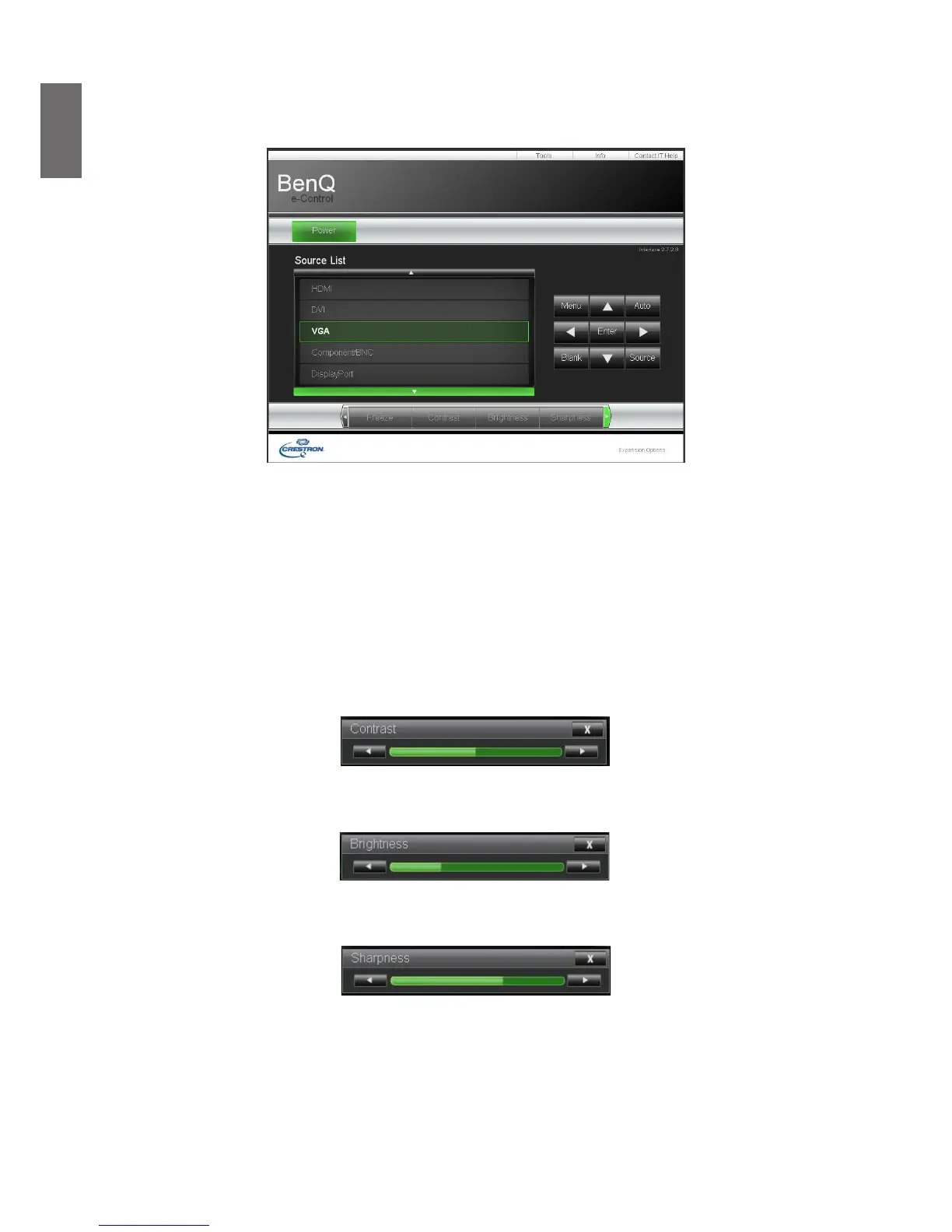
Crestron control page
Click the Crestron option in your projector’s home page to display its control page in a new tab.
Power
: Press to power on or off your projector.
Source List
: Switch among list of available projector input signal sources. Press the
▲
(at top of
screen) or
▼
(at bottom of screen) arrow key to scroll through the list.
Image adjust options
Press the
◄
(to the left of screen) or
►
(to the right of screen) arrow key to scroll through other
adjustment options.
Freeze
: Freeze the current projection screen. The projection screen prompts "
Freeze
" message
once the freeze function is enabled. Press the
Freeze
button again to unfreeze the image.
Contrast
: Press to display the adjustment window, click
◄►
arrow key to adjust contrast.
Brightness
: Press to display the adjustment window, click
◄►
arrow key with the mouse to
adjust brightness.
Sharpness
: Press to display the adjustment window, click
◄►
arrow key with the mouse to
adjust sharpness.



 To Next Page