47
Channel
: You can send RS-232 control commands to your projector through the RS-232 port
or external HDBaseT transmission box connected to its HDBaseT/LAN port. Please set up the
following communication channel before sending control commands:
Local
: Send RS-232 control command through your projector’s RS-232 port. Please set up
proper transmission speed in advance.
HDBaseT
: Send RS-232 control commands to your projector’s HDBaseT/LAN port through an
external HDBaseT transmission box. The transmission speed is automatically set to
9600
.
RS-232 control is only available when
Standby Settings
is set to
Standard
mode, it’s unavailable when
Standby
Settings
is set to
Network
or
Eco
mode.
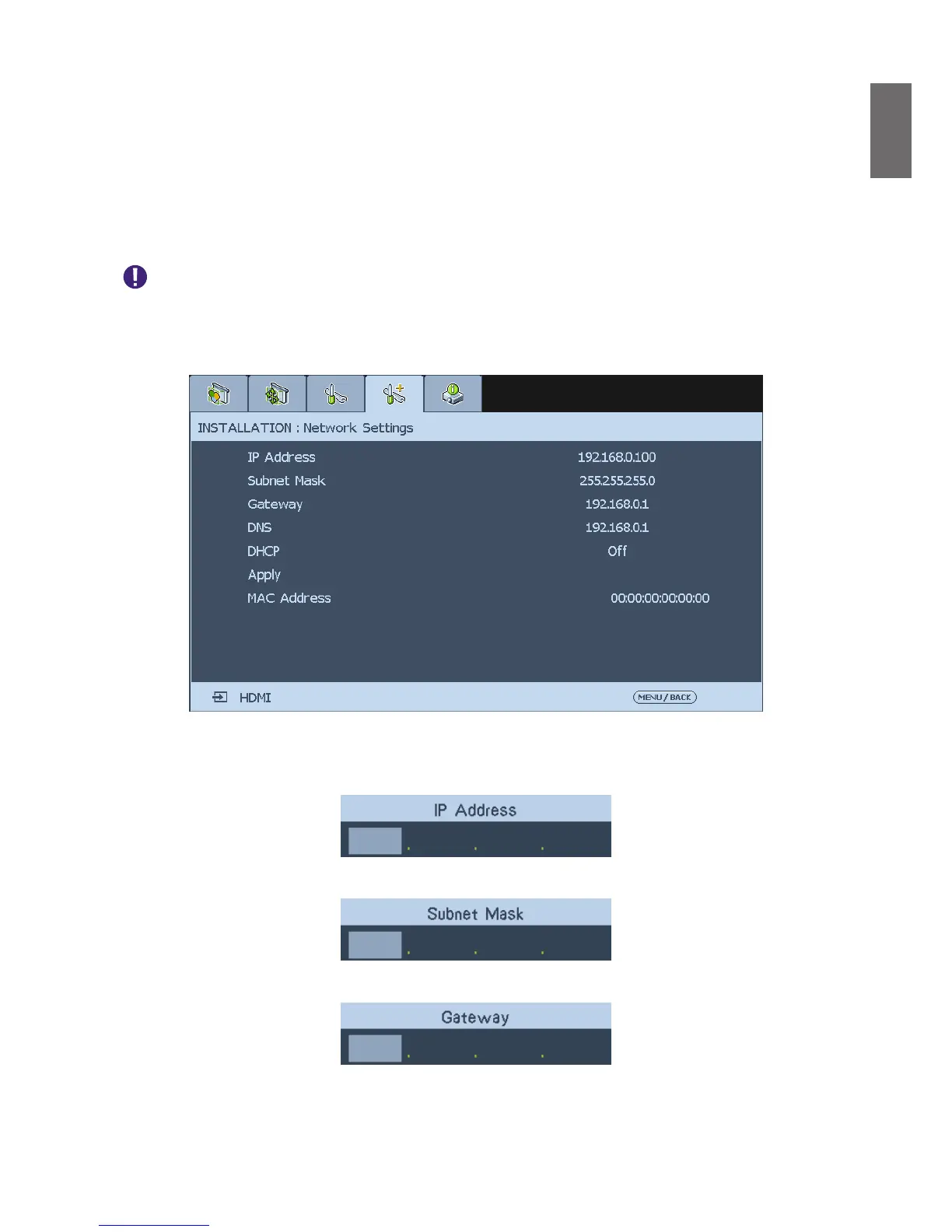
Network Settings
IP Address
: To specify an IP address, press the
Enter
button to show the IP address input
window. Use the
◄►
button to select the number in the address to be changed. Use the
▲▼
button to increase or decrease the number in the IP address.
168192 0 100
Subnet Mask
: Set up IP address of subnet.
255 0255 255
Gateway
: Set up IP address of gateway.
192 1680 1



 To Next Page