48
DNS
: The Domain Name System (DNS) is a hierarchical distributed naming system for
computers connected to the Internet or a private network. Set up DNS address via
▲
or
▼
buttons.
255 1680 1
DHCP
: Set DHCP to
On
or
Off
. If this is set to
On
, the DHCP server of the network domain
assigns an IP address to the projector. That is, the IP address is displayed in the address window
instead of being entering manually. Otherwise, the domain does not or cannot assign an IP
address, and 0. 0. 0. 0 is shown on the IP address window.
Apply
: Select this button to display
Apply
window then select
Enter
button on the window to
conrm the each change you made. It takes several seconds to execute the change in network
settings till the following message disappears.
Setting Network configuration, please wait.
MAC Address
: Display the MAC address of the projector.
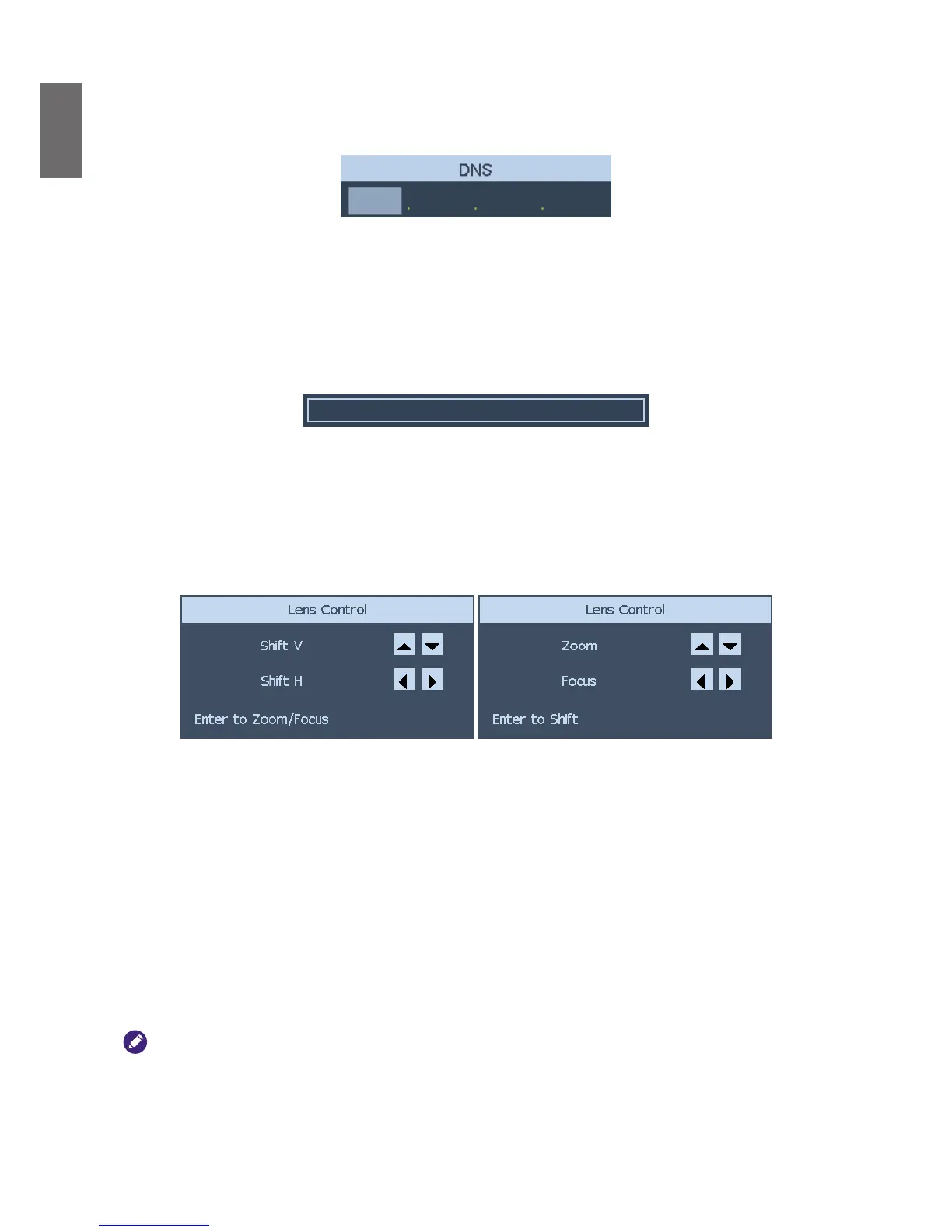
Lens Control
Select this function or press the
LENS SHIFT
button on the remote controller to open
the lens control menu to zoom, focus or shift the lens. Press the
Enter
key to switch zoom/
focus or lens shift menu. Press
◄►
arrow key focus the projected image or shift the lens in
horizontal direction, and
▲▼
to zoom the projection size or shift the lens in vertical direction.
Test Pattern
The projector has a set of test patterns for installation and adjustment. Select
Test Pattern
to
display pattern menu. Use
◄►
or
▲▼
to select the desired test pattern, press the
RETURN
button to exit test pattern or return to pattern menu by pressing the
MENU
button.
HDBaseT / Network
The projector features with HDBaseT receiver and allows you control the projector via RJ-45
cable connected from external HDBaseT transmitter.
Auto
: The projector detects the signal from HDBaseT transmitter or LAN, and switch to the
channel automatically.
HDBaseT
: Select HDBaseT as the channel for LAN control.
• If HDBaseT is selected, LAN control channel is switched to HDBaseT transmitter. LAN control signal must be
transmitted through HDBaseT transmitter, directly connected to the LAN will not be available.
• HDBaseT function enters to lower power mode if the connection is interrupt. If the option is set to Auto, some of
HDBaseT transmitter may not send a signal to active the function, Power On/Off operation via LAN control may
not be operated. In this case, please switch it to HDBaseT.



 To Next Page