41
Auto Search
This function enables the projector to detect the input signal and to switch the input mode
automatically when the project is turned on. Set it to
On
to enable
Auto Search
function or
Off
to disable it.
Color Space
This function enables you to change color space of input signal. In most cases, you can select
Auto
to adopt the color space automatically set by the projector. You can select one the
following options to use specic color space instead:
Auto
: The projector switches to valid color space by detecting input signal.
YCbCr
: Set color space to ITU-R BT.601.
YPbPr
: Set color space to ITU-R BT.709.
RGB-PC
: Set color space to RGB with black set to 0,0,0 and white to 255, 255, 255 (for 8-bit
image).
RGB-Video
: Set color space to RGB with black set to 16, 16, 16 and white to 235, 235, 235 (for
8-bit image) to comply with brilliance value dened in digital component standard.
VGA Setup
Set up VGA signal display's H Total, H Start, H Phase and V Start.
Aspect Ratio
Select aspect ratio for the projected image.
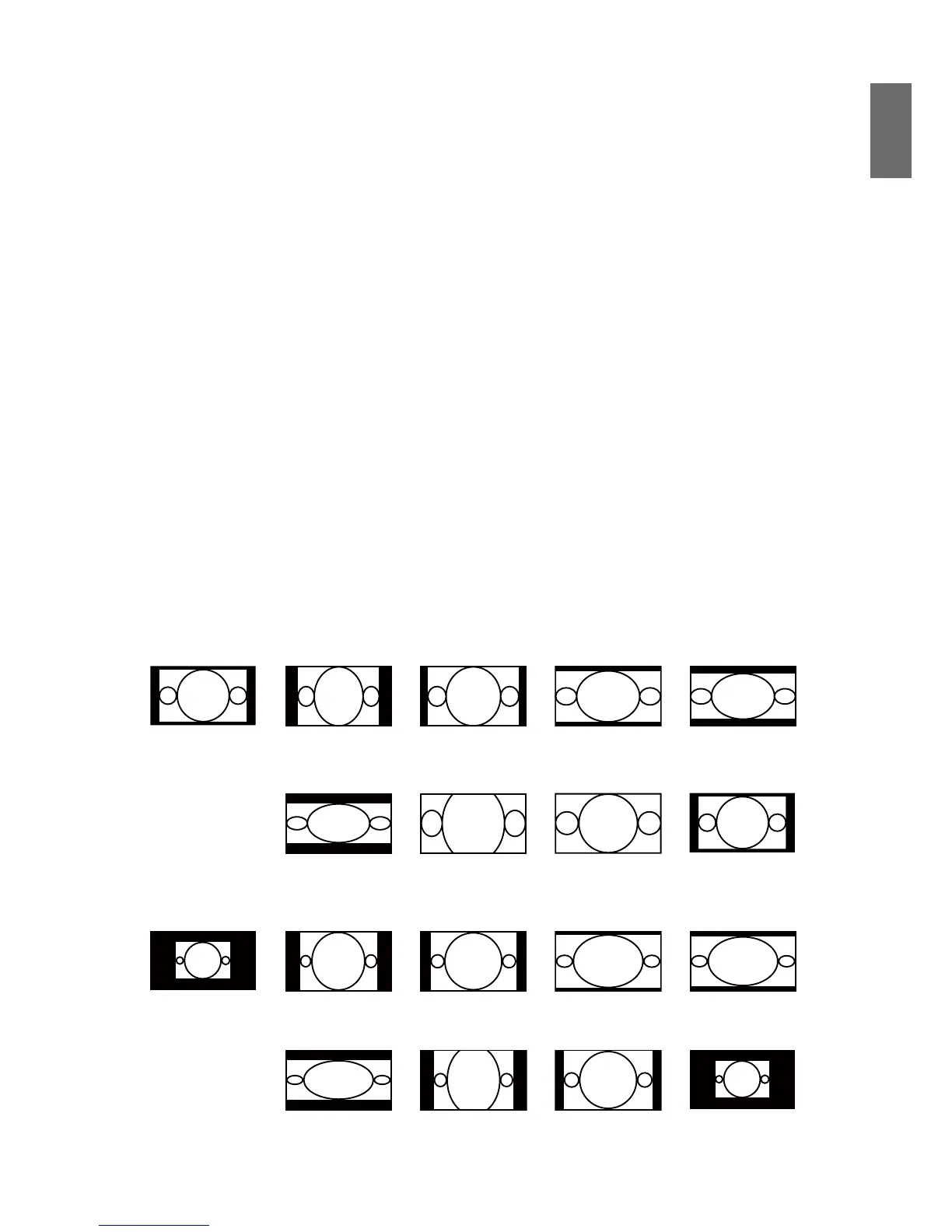
For normal input of 16:10 the aspect ratio will look like the following images:
Normal output 16:10 Aspect ratio of
output screen 5:4
Aspect ratio of
output screen 4:3
Aspect ratio of
output screen 16:9
Aspect ratio of
output screen 1.88
Aspect ratio of
output screen 2.35:1
Aspect ratio of
output screen Letter
Box
Aspect ratio of
output screen Auto
Aspect ratio of
output screen Native
For normal input of ratio 4:3, the aspect ratio will look like the following images:
Normal output 4:3 Aspect ratio of
output screen 5:4
Aspect ratio of
output screen 4:3
Aspect ratio of
output screen 16:9
Aspect ratio of
output screen 1.88
Aspect ratio of
output screen 2.35:1
Aspect ratio of
output screen Letter
Box
Aspect ratio of
output screen Auto
Aspect ratio of
output screen Native



 To Next Page