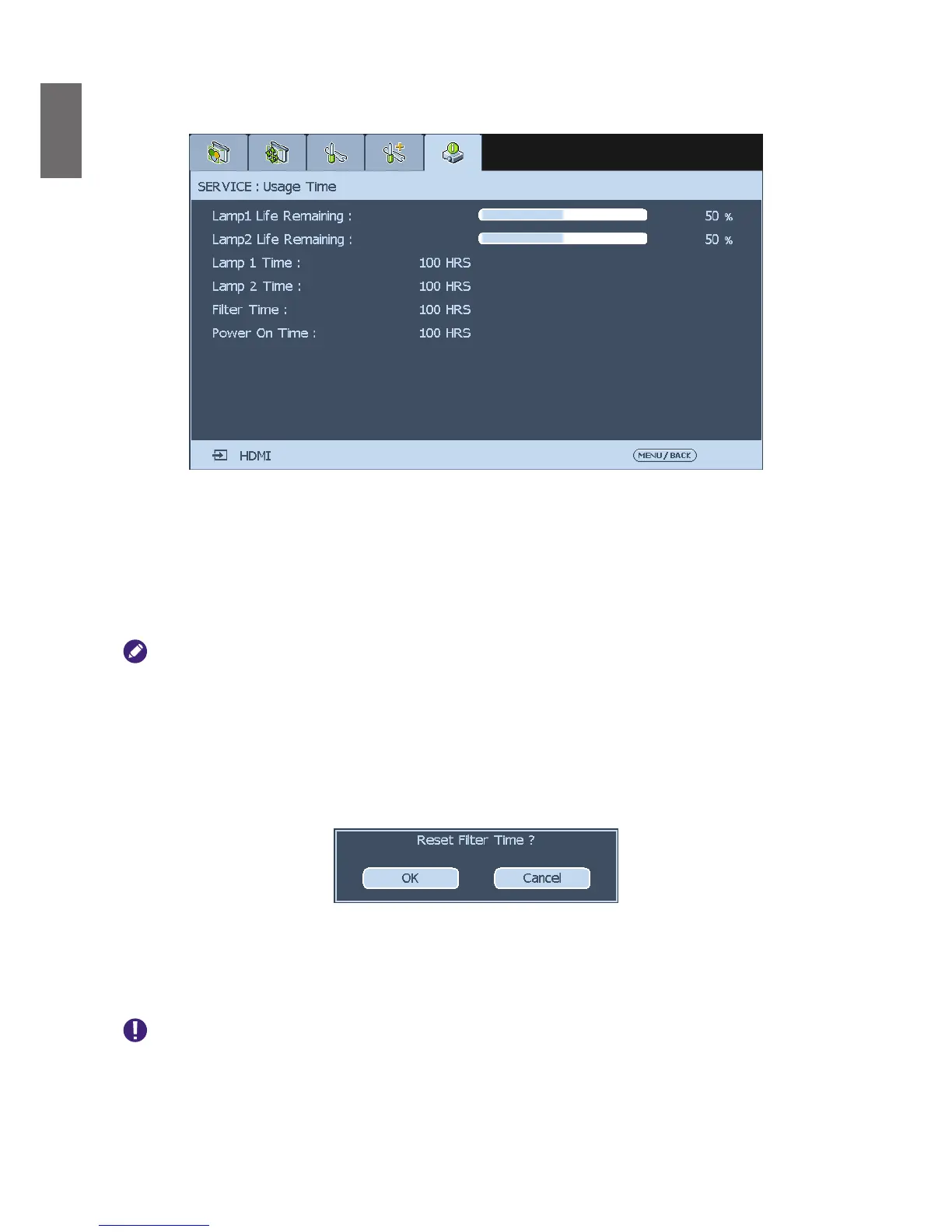
50
Usage Time
Select this option to display lamp usage time.
Lamp 1 Life Remaining
: Display estimated remaining life of lamp 1.
Lamp 2 Life Remaining:
Display estimated remaining life of lamp 2.
Lamp 1 Time
: Display used hours of lamp 1.
Lamp 2 Time
: Display used hours of lamp 2.
Power On Time
: Display the operation hours of the projector.
• Used hours and remaining lamp life are estimated by the used hours of lamp at
Normal
and
Eco
mode. The actual
lamp life may vary with installation and operation conditions.
• After replacing a new lamp, please contact your dealer to reset lamp usage counter.
Filter Timer Reset
The function allows you to reset the lter timer, please make sure to reset the timer after
cleaning or change the dust lter. Press
Enter
or
►
to display the message window and select
OK
to reset the lter timer.
Factory Reset
Select this option to reset menu settings back to factory default including every user dened
value.
Used hours or estimated remaining life of the lamp is not reset when executing
Factory Reset
.



 To Next Page