Motifs in combination with functions
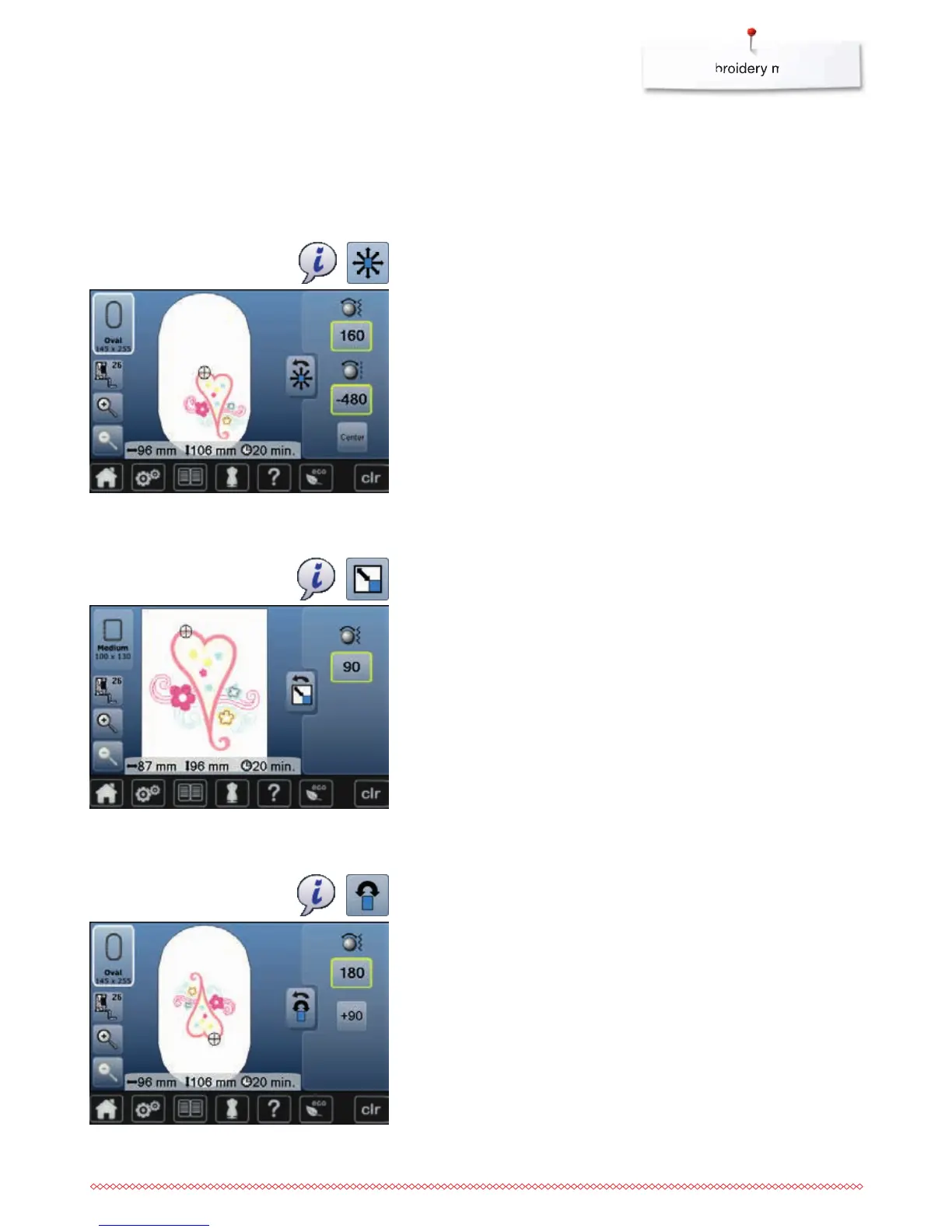
To activate the functions touch the appropriate icon and make alterations with
the stitch width and stitch length knobs.
⦁
turn stitch width knob
►
the motif is moved horizontally
⦁
turn stitch legth knob
►
the motif is moved vertically
►
the alteration is displayed in the icons in 1/10 mm
⦁
turn stitch width and stitch length knob
►
if both icons display the same number, the motif has been moved
diagonally
⦁
touch the yellow-framed icon or the «Center»-icon
►
the motif is repositioned to the center of the hoop
⦁
touch «i»-icon
⦁
touch «Move motif»-icon
⦁
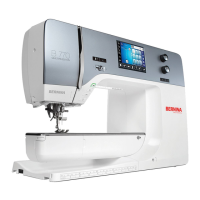
turn stitch width knob to the right
►
the motif is enlarged
⦁
turn stitch width knob to the left
►
the motif is reduced
►
the alteration is displayed in the icon in percent (%)
⦁
touch yellow-framed icon
►
the size of the motif is reset to basic setting
⦁
touch «i»-icon
⦁
touch «Enlarging or reducing motif proportionally»-icon
Move motif
Enlarging or reducing motif proportionally
⦁
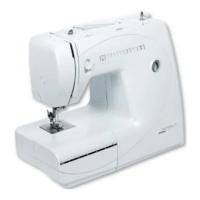
turn stitch width knob to the right
►
the motif rotates to the right
⦁
turn stitch width knob to the left
►
the motif rotates to the left
►
the postion is displayed in the icon in degrees (°)
⦁
touch yellow-framed icon
►
the position of the motif is reset to basic setting (0°/360°)
⦁
touch «+90»-icon 1-4x
►
the motif rotates in 90°-steps (0°, 90°, 180°, 270°, 360°)
⦁
touch «i»-icon
⦁
touch «Rotate motif»-icon
Rotate motif


 To Next Page