Programming buttonhole length
►
the icon is white-framed after a buttonhole has
been selected
⦁
determine the buttonhole length while sewing with
the «Quick reverse»-button or
⦁
program the indicated length directly in the icon
below by touching the icon
►
function becomes inactive after programming the
length
⦁
if a new length is to be programmed, touch the icon
again
Buttonhole length direct entry
Enter the buttonhole length via the stitch width or stitch
length knob. Size in mm.
Manual buttonhole
⦁
sew a manual buttonhole in 5 or 7 steps (depending
on buttonhole type)
⦁
select every step by touching the arrow icons below
the indicated buttonhole
Stitch counter buttonhole
Having sewn the desired length of the 1st bead, then
⦁
press «Quick reverse»-button
Having sewn the desired length of the 2nd bead, then
⦁
press «Quick reverse»-button
►
Display shows «auto»
►
the buttonhole is programmed
Securing
⦁
touch icon before sewing
►
the buttonhole is secured with four securing stitches
at the beginning
⦁
touch icon while sewing a buttonhole
►
the buttonhole is secured at the end
►
the sewing computer stops
Altering the buttonhole
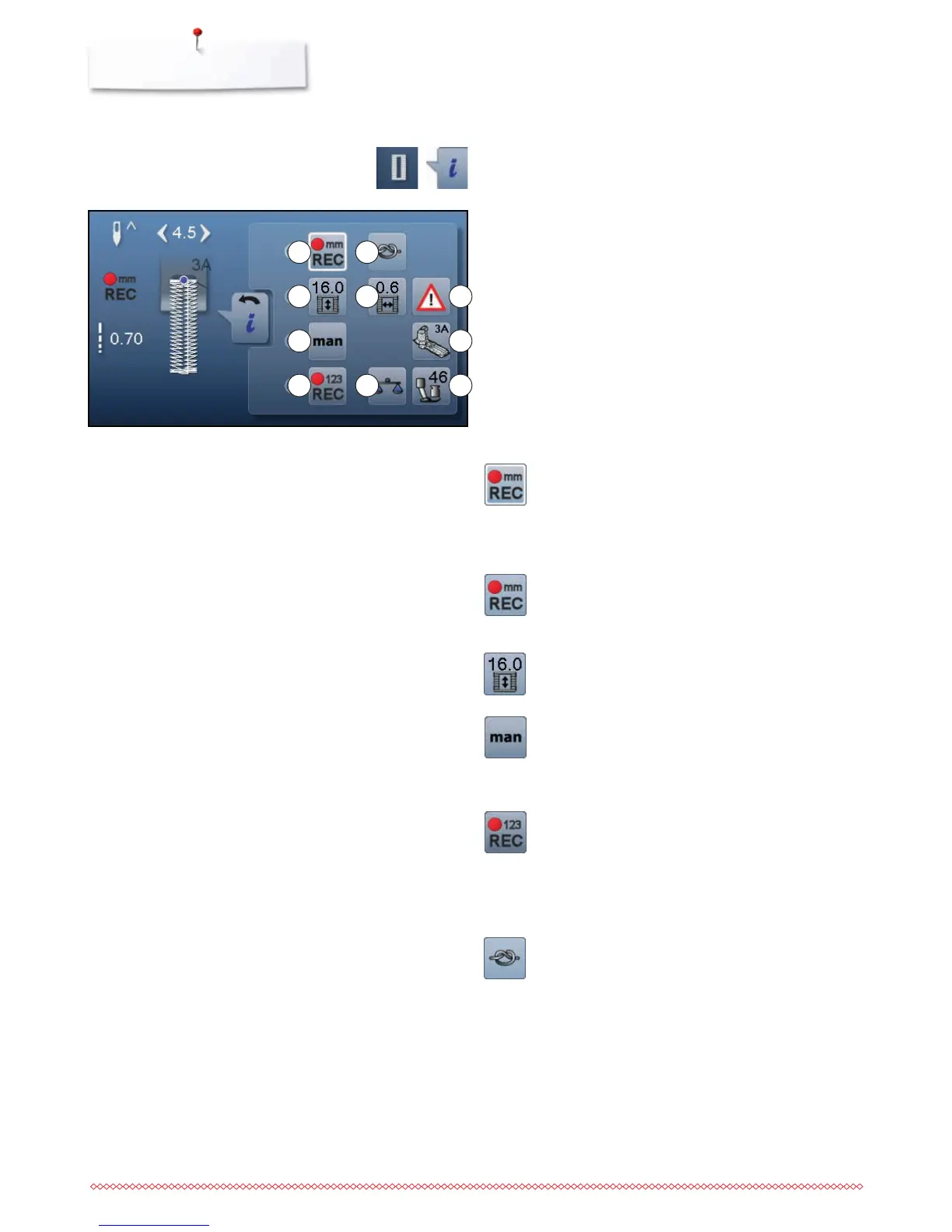
1 Programs the buttonhole length
2 Buttonhole length direct entry
3 Manual buttonhole
4 Stitch counter buttonhole
5 Securing
6 Buttonhole slit width
7 Balance
8 Security program
9 Presser foot indicator
10 Presser foot pressure
⦁
touch «Buttonhole»-button
⦁
select the buttonhole
⦁
touch «i»-icon
Overview Functions Buttonholes
1
2
5
6 8
3 9
74 10



 To Next Page