Cleaning
Cleaning the display and the sewing computer
Wipe with a soft, damp cloth.
Feed dog area
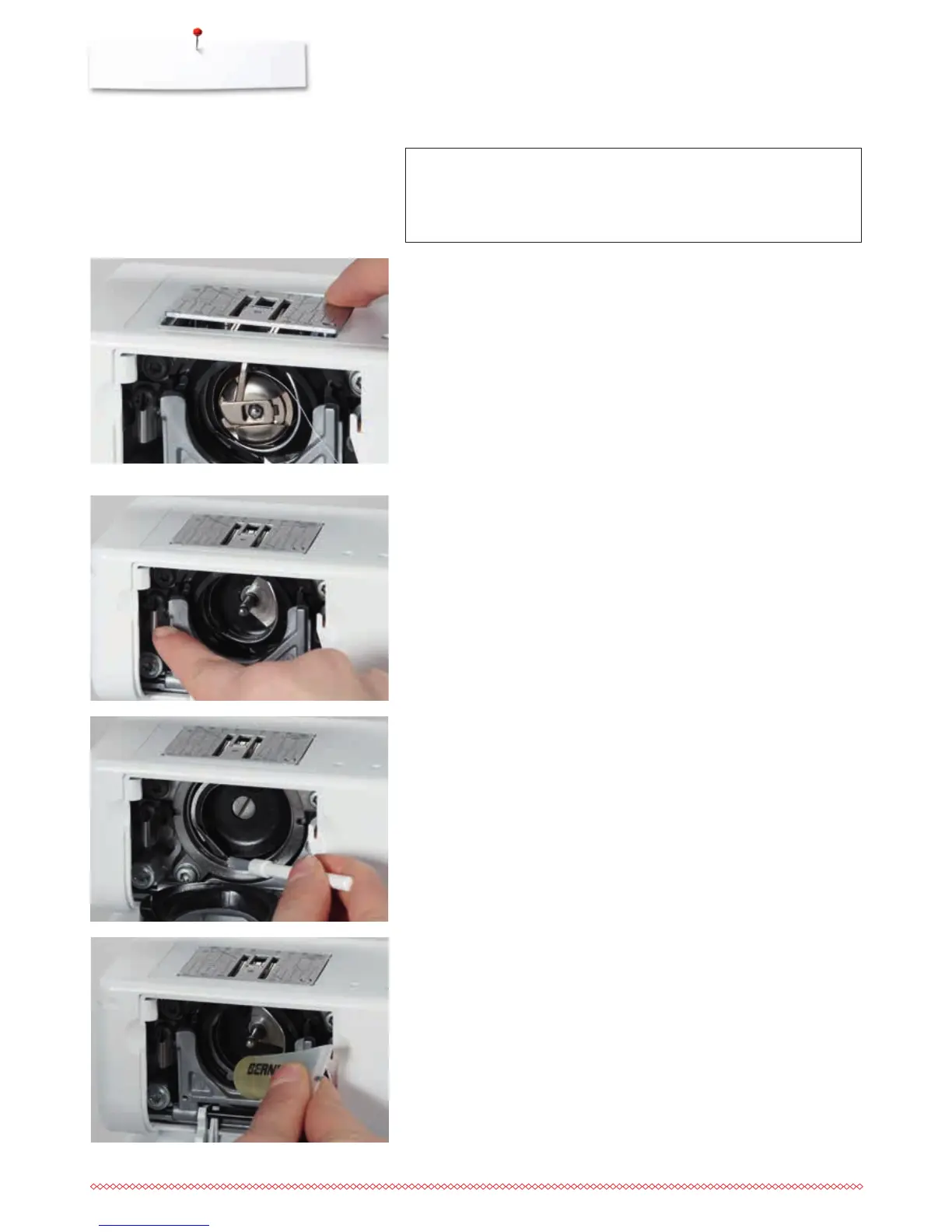
Clean the sewing computer after every use - remove any lint from under the
stitch plate and in the hook area.
⦁
turn power switch to «0» (off)
⦁
pull out plug from electrical outlet
⦁
remove presser foot and needle
⦁
open the bobbin door
⦁
press the stitch plate down at the right back corner until it flips up
⦁
remove the stitch plate
⦁
clean the area with the lint brush
⦁
replace the stitch plate
Lubricating
⦁
turn power switch to «0» (off)
⦁
pull out plug from electrical outlet
⦁
squeeze 1 or 2 drops of BERNINA oil into the hook race
⦁
turn power switch to «I» (on)
⦁
run the sewing computer for a short time (without thread)
►
this prevents the fabric from getting dirty
ATTENTION!
Disconnect plug from the socket before cleaning or lubricating!
Never use alcohol, petrol, white spirit or any type of solvent to
clean the sewing computer!
Cleaning the hook
⦁
turn power switch to «0» (off)
⦁
pull out plug from electrical outlet
⦁
remove bobbin case
⦁
push the release lever to the left
⦁
let down the locking lever and the black hook race cover
⦁
remove the hook
⦁
clean the hook race with a cloth or brush, never use a sharp instrument
⦁
replace the hook, turning the handwheel if necessary until the hook driver is
on the left
⦁
close the hook race cover and secure with the locking lever, the locking pin
must engage
⦁
check by turning the handwheel
⦁
insert the bobbin case



 To Next Page