43
2
1
432
1
Buttonhole foot No. 3A
Heirloom buttonhole No. 63
Programming the buttonhole
1
⦁
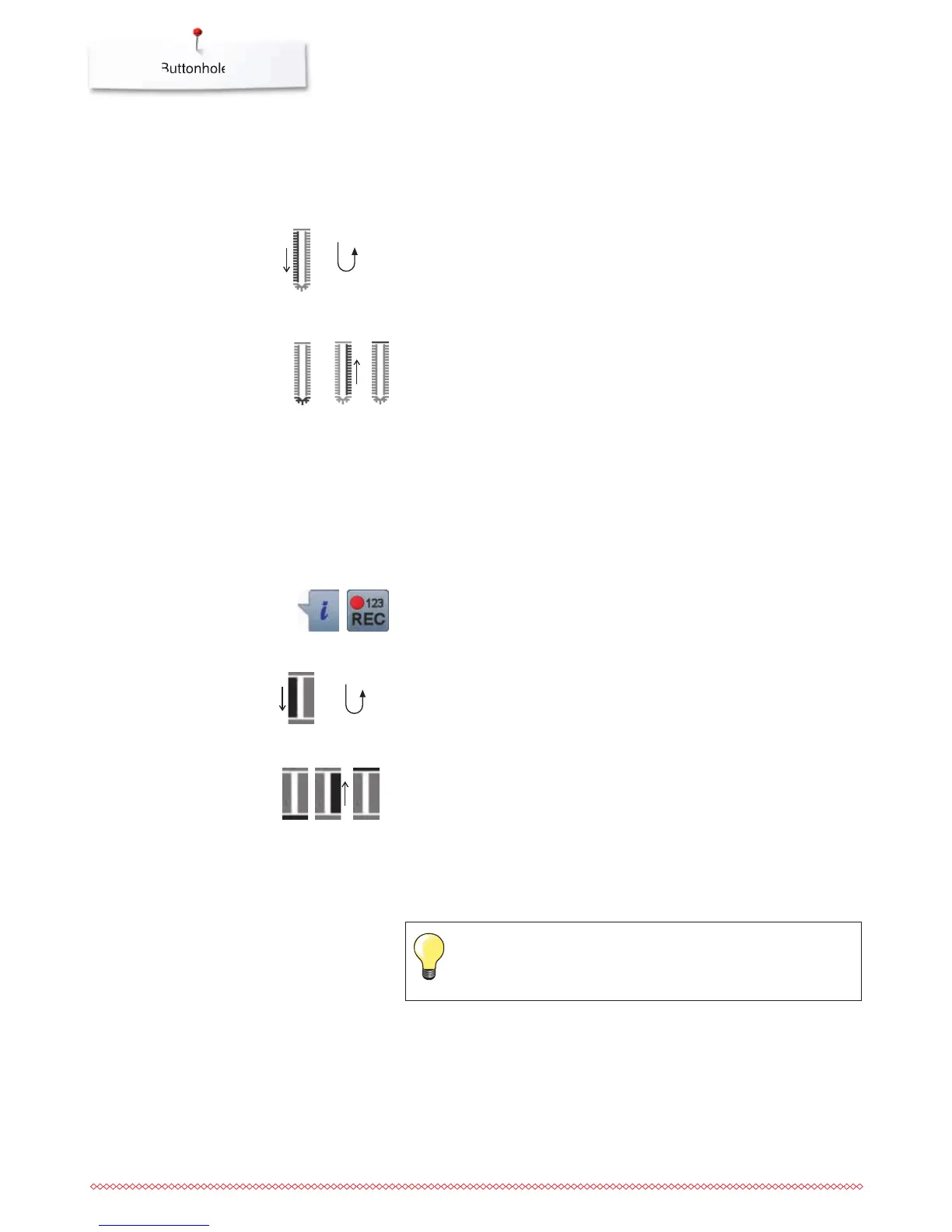
sew first bead forward
⦁
stop the sewing computer
⦁
press «Quick reverse»-button
►
«auto» and the programmed length (in mm) appears in the Display
►
the buttonhole length is programmed
The sewing computer sews the following automatically:
2 the round part
3 the second bead in reverse
4 the bartack and the securing stitches
►
the sewing computer stops and returns automatically to buttonhole
begin
Heirloom Buttonhole
Stitch counter buttonhole
Auto buttonhole
►
all subsequent buttonholes will be sewn to exactly the same length
(no need to press the «Quick reverse»-button)
⦁
the programmed buttonholes can be saved in the long-term memory
(see page 89)
⦁
press «clr»-button
►
the programmed settings are cleared
Buttonhole foot No. 3
All buttonhole types
Programming the buttonhole
1
⦁
sew first bead forward
⦁
stop the sewing computer
⦁
press «Quick reverse»-button
the first bead (left) is sewn forwards, the second bead (right) is
sewn in reverse
2 sew lower bartack and
3 sew second bead in reverse
⦁
stop the sewing at the first stitch
⦁
press «Quick reverse»-button
4 the sewing computer sews the upper bartack, the securing stitches and
stops automatically
►
«auto» appear in the Display
►
the buttonhole length is programmed
►
each subsequent buttonhole will be sewn identically



 To Next Page