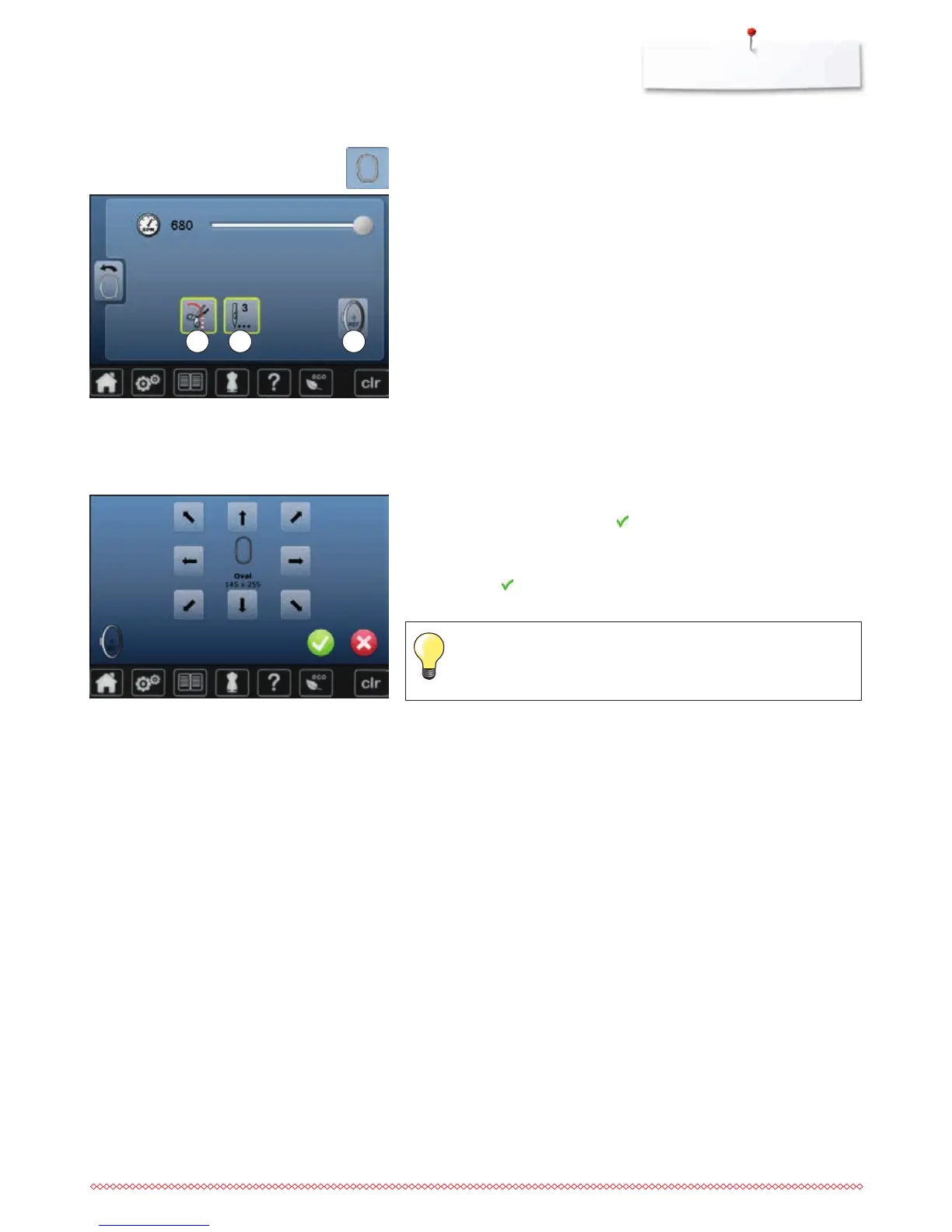
⦁
touch «Embroidery settings»-icon
Adjusting embroidery settings
The embroidery speed can be adjusted in the same way as the sewing speed.
(see page 48)
⦁
touch icon 1
►
activating or deactivating the stop for the manual thread cut after having
started embroidering
⦁
touch icon 2
►
activating or deactivating the securing stitches after having started
embroidering
⦁
touch icon 3
►
to calibrate the hoop
Calibrating the hoop
The hoop calibration adjusts the needle to the center of the hoop. Adjustments
can only be done if the embroidery module and the oval hoop are attached.
This procedure has to be done only once as it is the same for all hoop sizes.
⦁
place embroidery template into the embroidery hoop
⦁
start the adjustment by pressing
►
the hoop is checked and the needle positioned to the center
⦁
if the needle is not positioned exactly in the center of the embroidery
template, it has to be centered by using the arrow icons
⦁
confirm with
►
the adjustment is saved
Place the fabric in the embroidery hoop. The embroidery template is
located well in the hoop.
1 32



 To Next Page