LB 470 Level 7 Main Menu Device Setup
56925BA2 Rev. 03, 11/2017
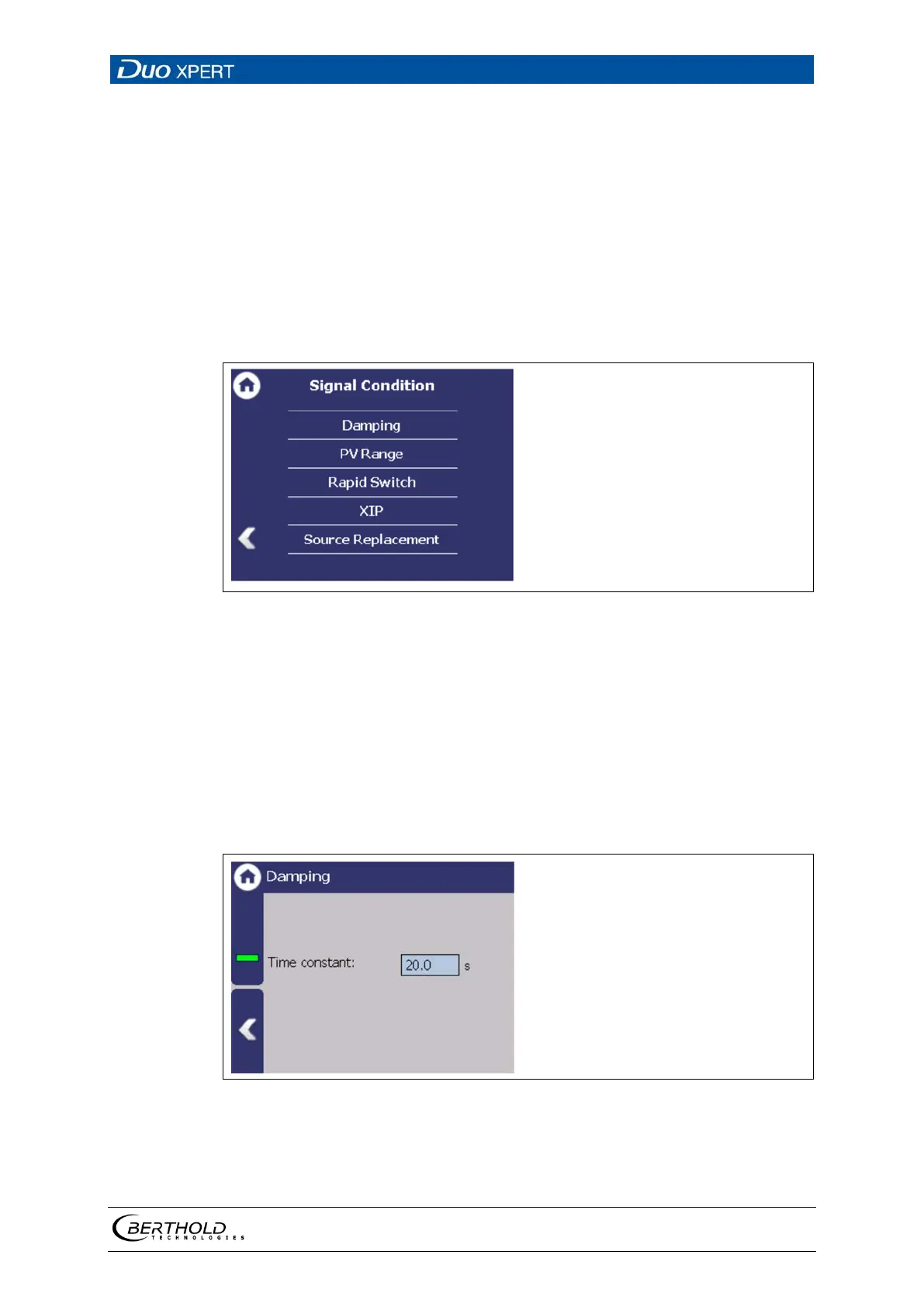
7.3.5 94BSignal Condition
Device settings | Setup | Signal Condition
You can perform the following settings and read information in the "Signal Con-
dition" submenu:
• Damping (time constant)
• PV range
• Rapid Switch
• XIP (X-Ray interference protection)
• Source Replacement
108 Menu "Signal Condition"
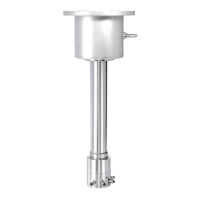
Signal processing: Damping
Device settings | Setup | Signal Condition | Damping
The reaction time of the measured value display (standard display) can be set in
the submenu ″Damping″. The measurement reacts quickly to rapid process changes
(e.g. by agitators) for a small time constant (min. 1 sec). The measurement reacts
correspondingly slower for a larger time constant. However, due to the stronger
filtering, the statistical error is reduced with a larger time constant and the meas-
urement is correspondingly less noisy. A typical time constant for radiometric level
measurements is 20 seconds.
109 Signal Condition (damping)
1. Click on the input field to change the time constant.
2. Confirm the value with the Enter key.
The time constant has been changed.


 To Next Page