LB 470 Level 7 Main Menu Device Setup
56925BA2 Rev. 03, 11/2017
7.2 Menu Access
Device Setup | Access
You can set the user rights via the user levels and assign passwords in the submenu
Access. The system can be protected by a password against unauthorised changes.
The following user levels are available to you:
You can see all important data but cannot make
any changes.
You can change all data necessary for operation
(e.g. calibration).
This user level is only intended for the system
management by BERTHOLD.
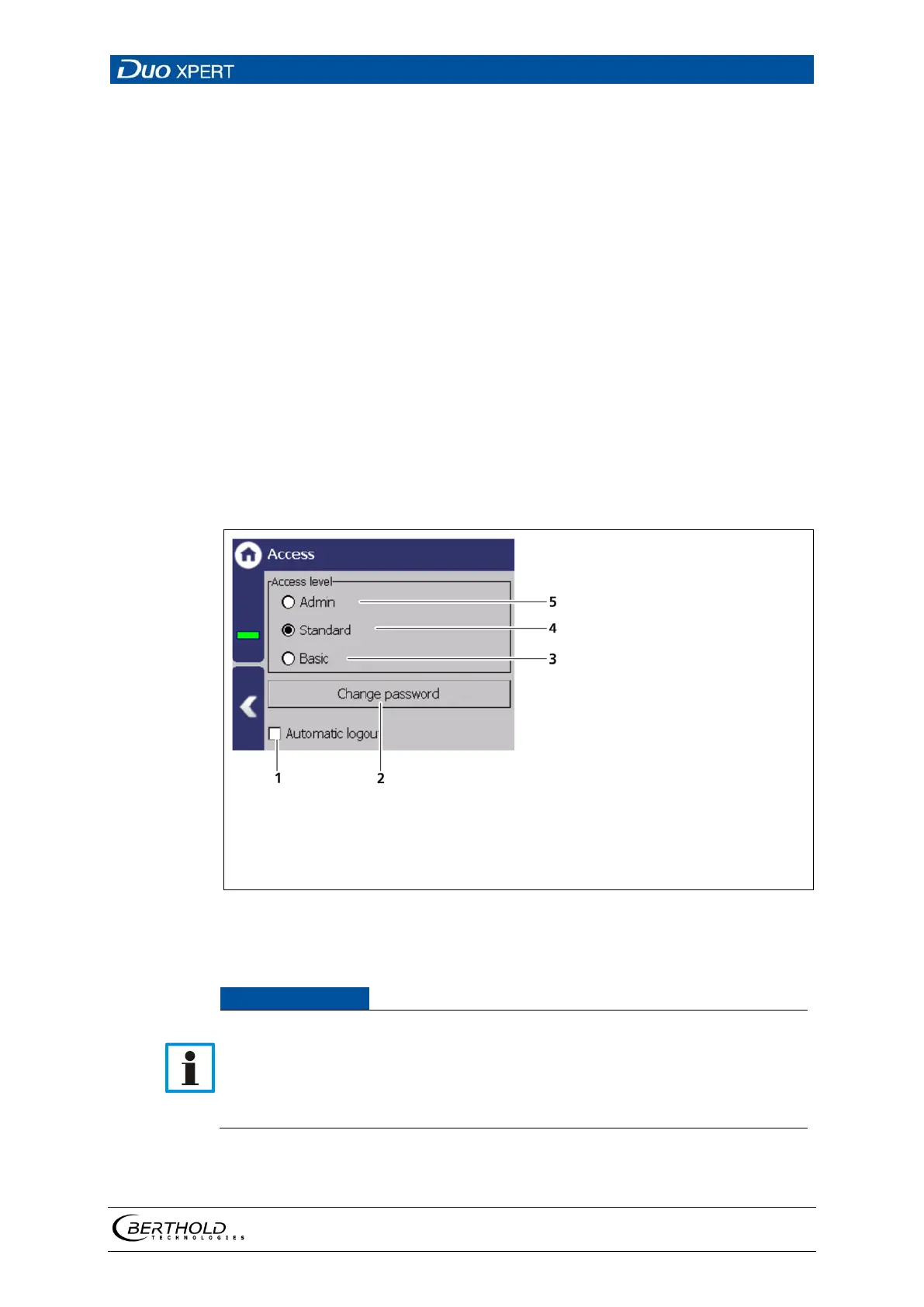
Activating the selection box (Fig. 42 item 1) au-
tomatically resets the access level Standard to
“Basic” when the system changes to the stand-
ard display after the timeout (chapter
7.3.1).
Check box "Automatic logout"
Change <Change password>
User level "Basic"
User level "Standard"
User level "Admin"
42 Access
Incorrect measurement and calibration parameters can be set through unau-
thorised inputs. These can possibly lead to production losses and damage in
the system.
Protect the measuring system from unauthorised entries with a password
and activate the function "Automatic logout".



 To Next Page