LB 470 Level 7 Main Menu Device Setup
56925BA2 Rev. 03, 11/2017
7.4 Menu Backup/Restore
Device settings | Backup/Restore
You can make a backup copy of the configuration data, and perform a recovery in
the submenu Backup/Restore.
134 Menu "Backup/Restore"
7.4.1 Backup
Device settings | Backup/Restore | Backup
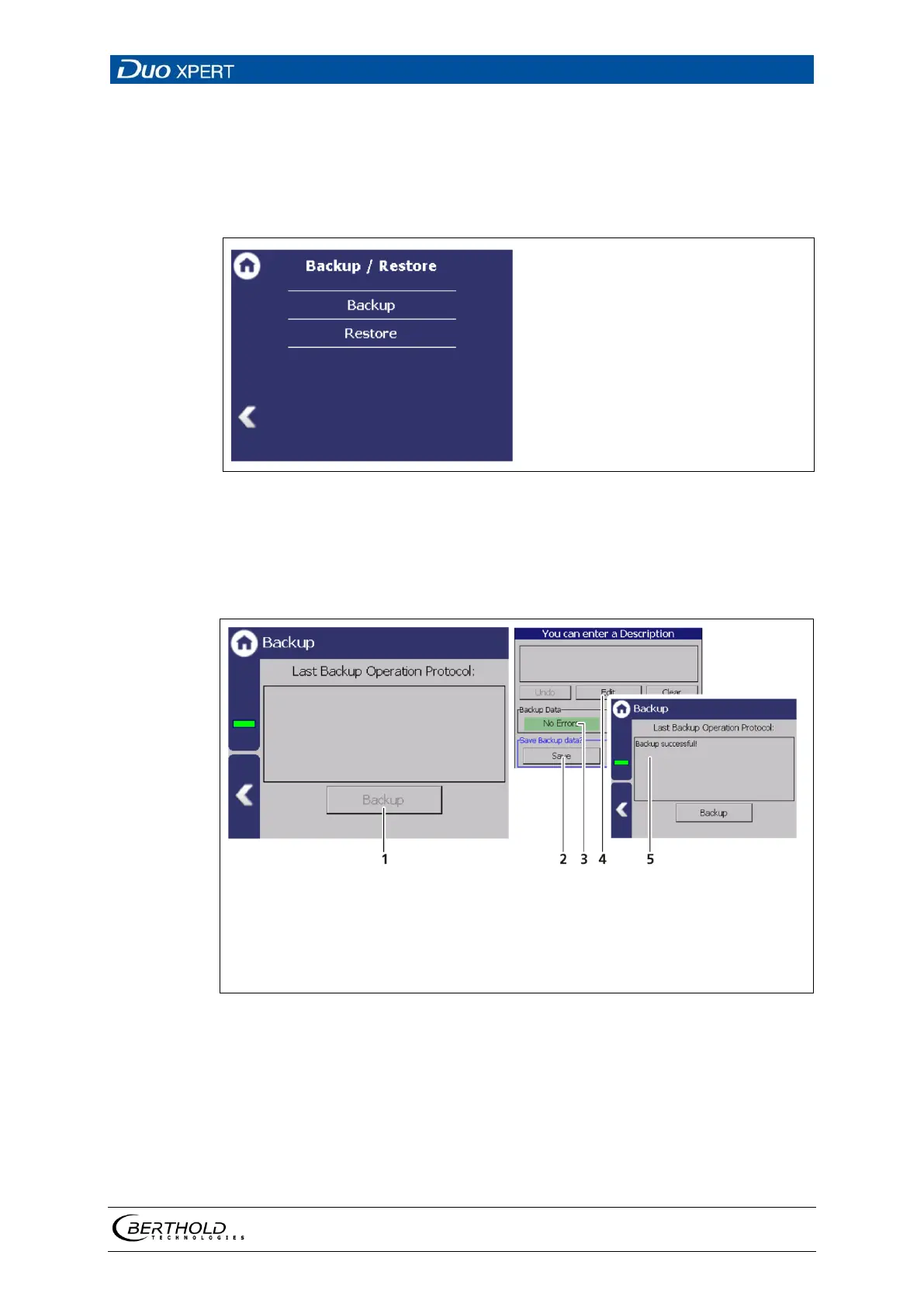
Button <Backup>
Button <Save>
Information about the backup data (error / error free)
Button <Edit>
Button <Clear> to delete all logs
Note
″
″
135 Backup
Perform Backup
1. Connect a USB storage device to the device (Fig. 3, item 5).
2. The USB storage device is recognised by the system after a few seconds and
the button <Backup> (
Fig. 135, item 1) can be clicked.
3. Click on the button <Backup> (Fig. 135, item 1).



 To Next Page