6 Operation of the Software LB 470 Level
56925BA2 Rev. 03, 11/2017
6.2 EVU standard display
Changing the language of the user interface is described in chapter 7.3.1 Sys-
ten | Interface.
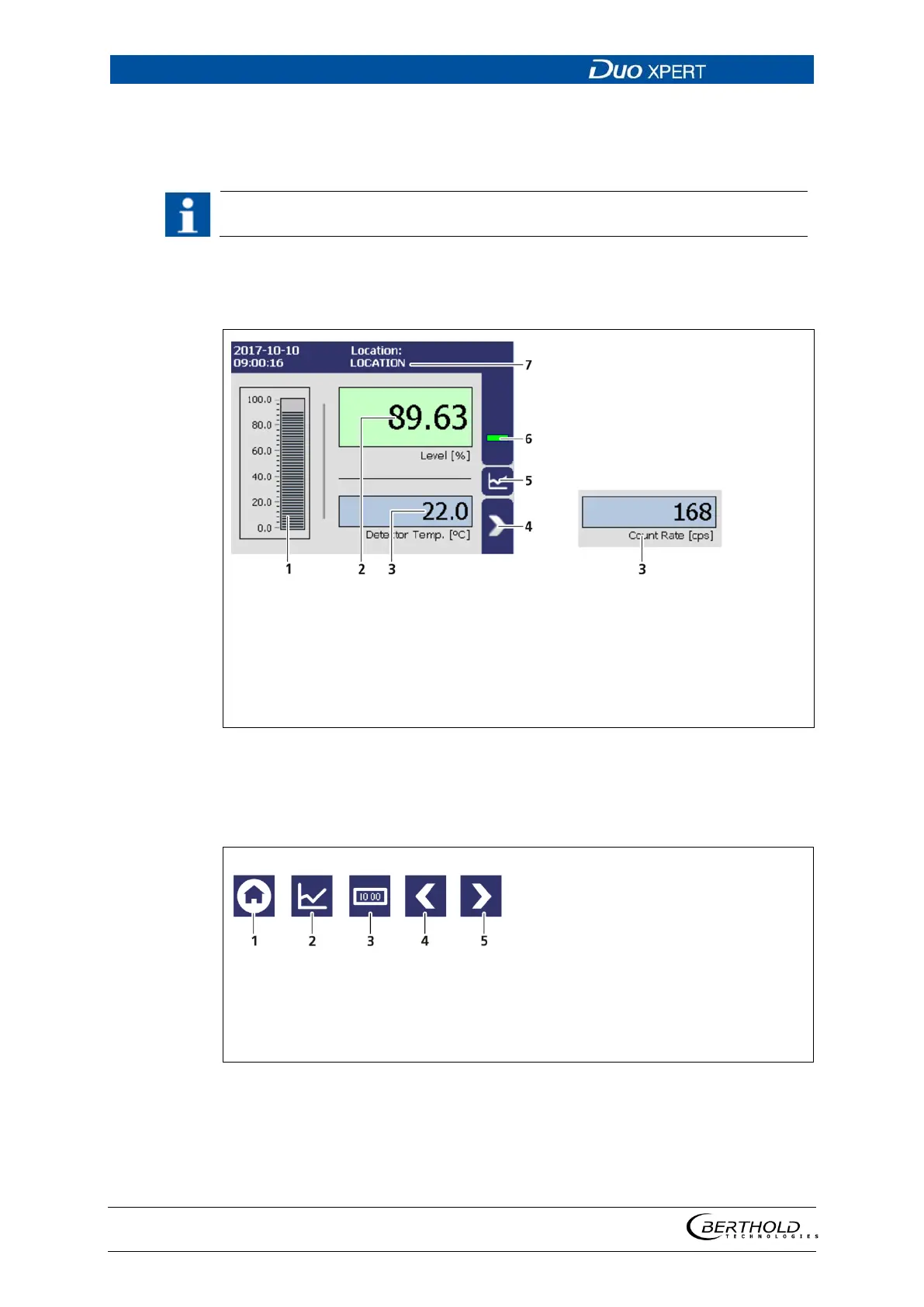
Click on the blue field in order to switch the display between detector temperature
(Fig. 32, item 3) and count rate (Fig. 32, item 3). The designation of the measuring
point (Fig. 32, item 7) can be changed in Chapter 7.1.1.
level scale [%]
level display [%]
Detector temperature / Count rate [cps]
Menu
Diagram display
Status information
Location of the measuring point
32 Standard display of the EVU
6.3 Navigation
Home (standard display)
Diagram display
Data
One menu level back
One menu level forward
33 Icons for navigation



 To Next Page