LB 470 Level 7 Main Menu Device Setup
56925BA2 Rev. 03, 11/2017
7.3.8 97BAlarms
Device settings | Setup | Alarms
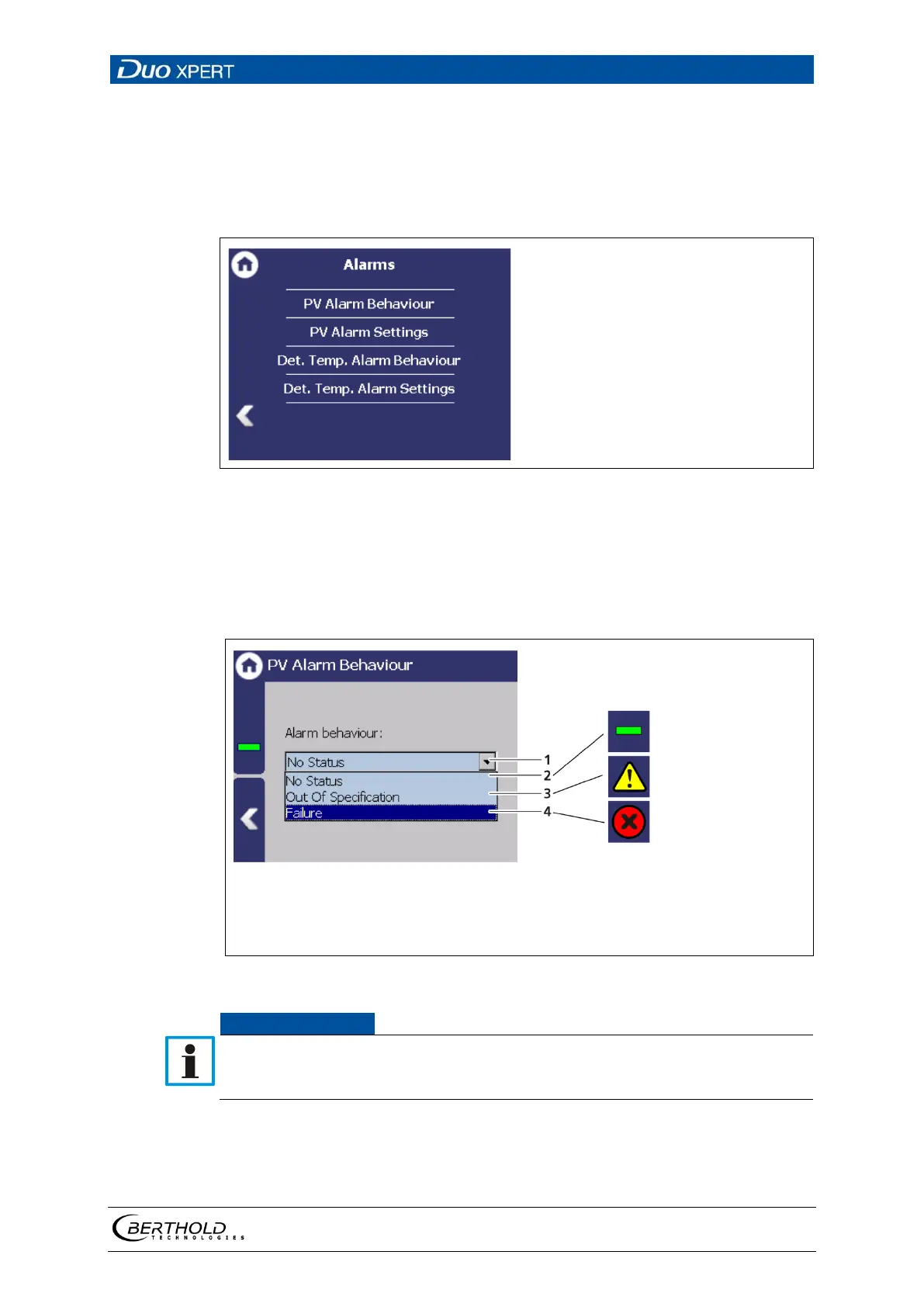
You can make the following settings and read information in the submenu
"Alarms":
125 Menu "Alarms"
PV Alarm Behaviour
Device Setup | Setup | Alarms | PV Alarm Behaviour
The behaviour in case of alarm (NE107 status) for the process value can be set in
the submenu ″PV alarm Behaviour ″.
Selection arrow NE107 Status
Selection "No Status" (no Event Viewer, relay circuit)
Selecting "Out of specification" (Event Viewer, relay circuit)
Selection
″
″
(Event Viewer, the relay circuit)
126 Submenu ″PV alarm Behaviour"
If the PV alarm function is set to "Failure", the measurement for the occur-
rence of a PV alarm is switched to the error current. Monitoring of the PV in
the master display is therefore no longer possible.



 To Next Page