LB 470 Level 6 Operation of the Software
56925BA2 Rev. 03, 11/2017
6.3.1 Diagram display
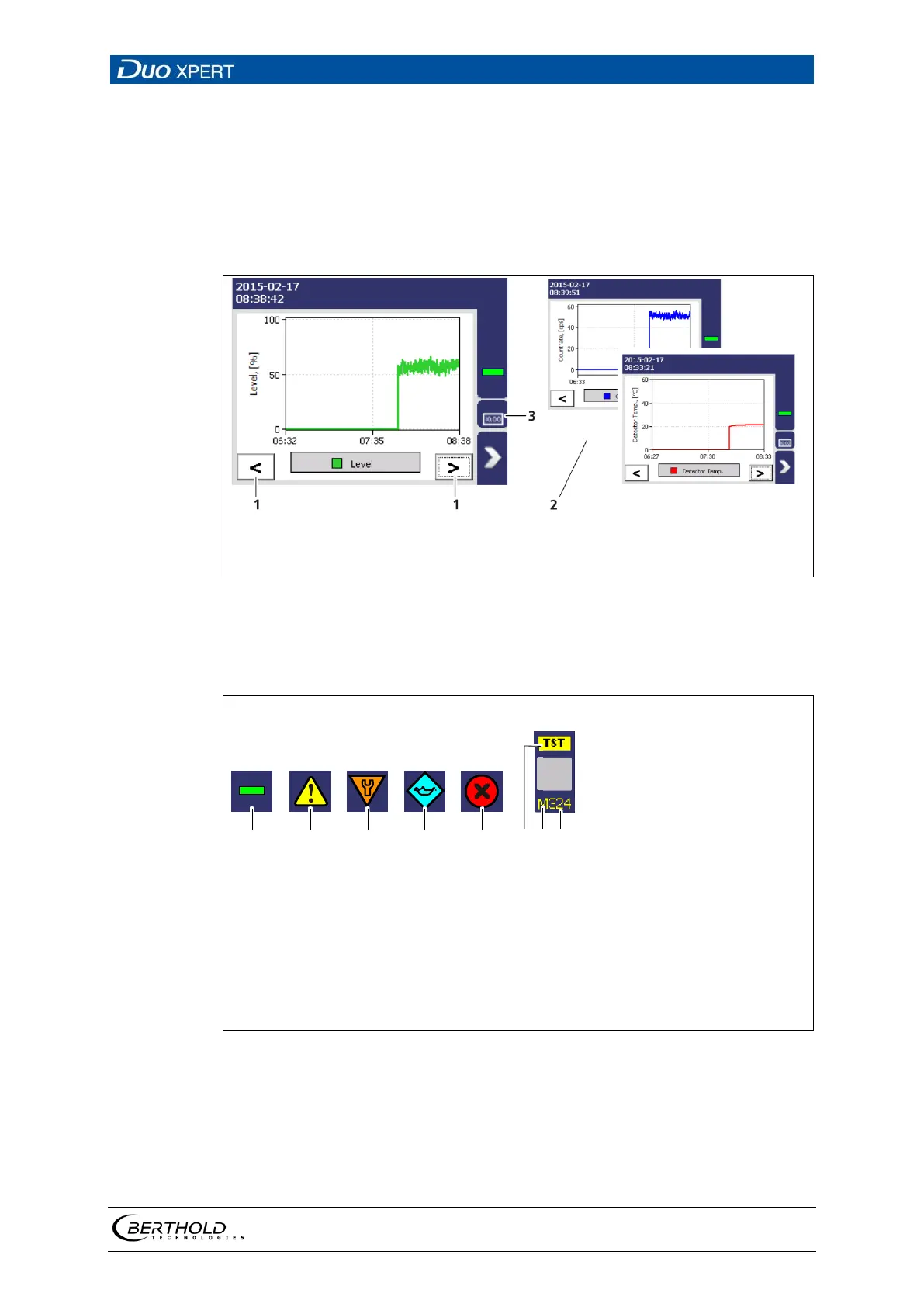
Clicking the diagram symbol (Fig. 32, item 5) changes the view to the diagram dis-
play. The arrow keys (Fig. 34, item 1) are used to switch between the diagrams
Level– Count Rate – Detector Temperature.
Clicking the display symbol (Fig. 34, item 3) changes the view to the standard dis-
play.
Arrow keys
Diagrams
Standard display
34 Diagram display of the EVU
6.4 Status messages
No event
Outside of specification
Function check
Maintenance required
Failure (error)
Information test (simulation)
Character D (detector) or M (measuring unit)
Event code
35 Status information



 To Next Page