LB 470 Level 8 Main Menu Diagnostics
56925BA2 Rev. 03, 11/2017
8.2.2 102BTransm. Event Overview
Diagnostics | Transm. Events | Transm. Event Overview
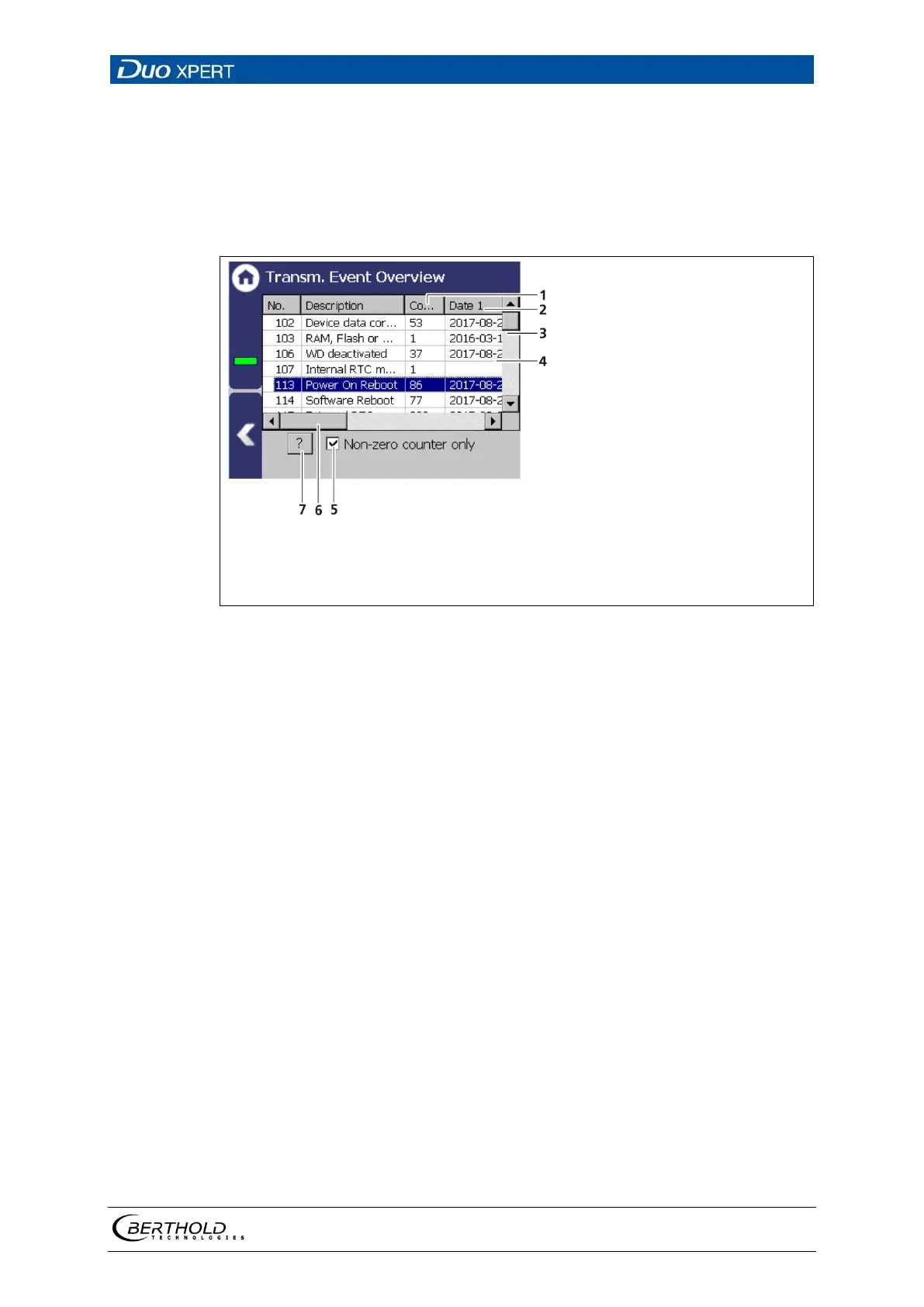
All events that can be logged are chronologically presented in tabular form in the
submenu "Event overview". Activate the check box ″Non-zero Counter only 0″ (Fig.
142, item 5) in order to display events that have occurred.
"Number" column
"Date" column
Vertical scroll bar
Event line
5
6
7
″
″
Horizontal scroll bar
Button < ? >
142 Event Overview (transmitter)
1. Click on a line in the list (Fig. 142, item 4).
2. Click on <? > (Fig. 142, item 7).
The event description appears.
3. Close the event description (Fig. 142, item 7) with the button <Close>.
4. Slide the bar of the horizontal scroll bar (Fig. 142, item 6) to the right to see
at what times (date, time) the event occurred.
The last 5 time points are displayed.



 To Next Page