8 Main Menu Diagnostics LB 470 Level
56925BA2 Rev. 03, 11/2017
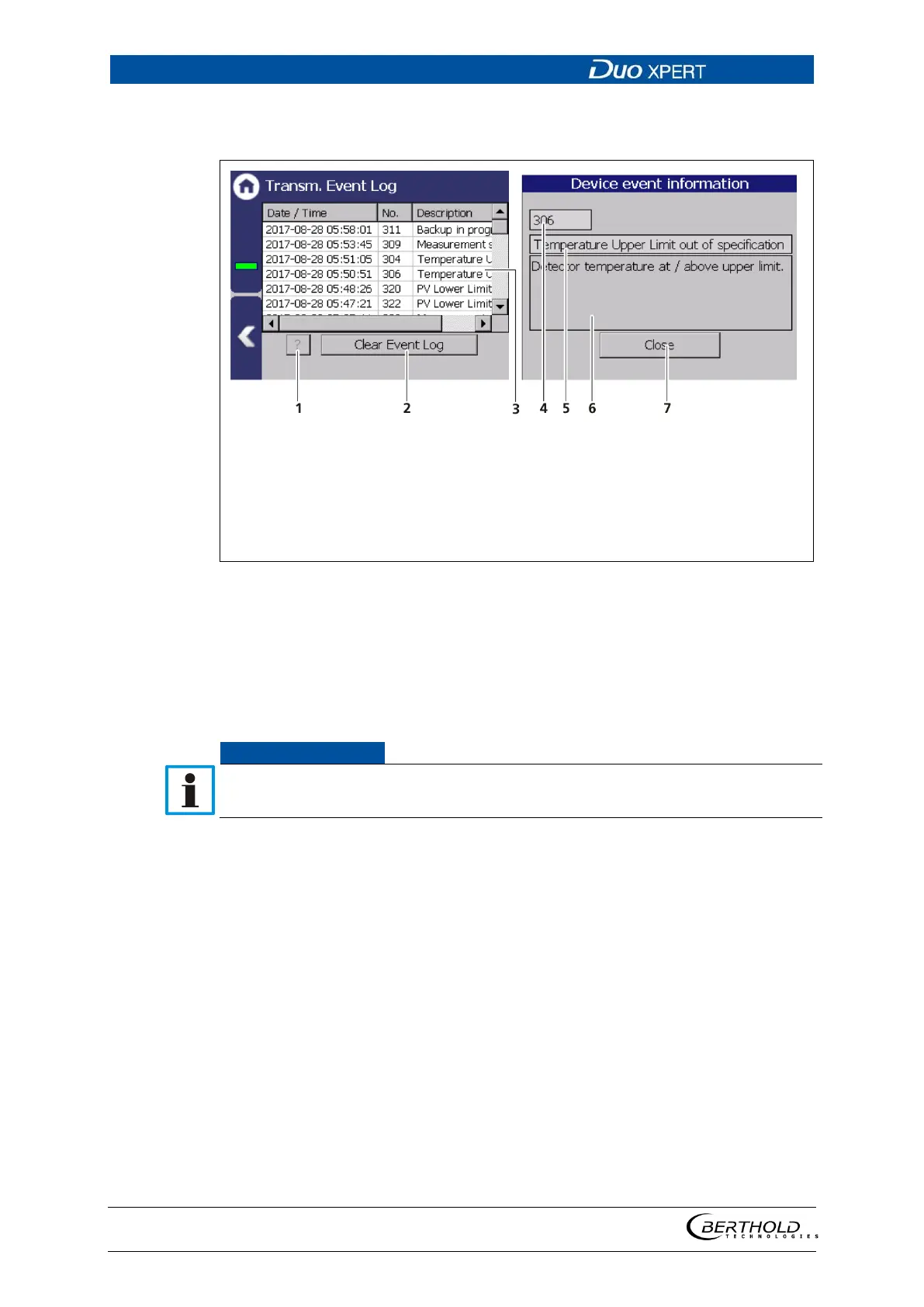
Display event description
Button <?>
Button <Clear event log>
Highlighted event
Event no.
Event title
Event description
Button <Close>
141 display an event log
1. Click on a line in the list (Fig. 141, item 3).
2. Click on <? > (Fig. 141, item 1).
The event description appears.
3. With the button <Close>, close the event description (Fig. 141, item 7).
With the button <Clear event log> (Fig. 141, item 2) all events are deleted irrev-
ocable.



 To Next Page