LB 470 Level 7 Main Menu Device Setup
56925BA2 Rev. 03, 11/2017
7.1.2 89BDevice information
Device Setup | Identification | Device information
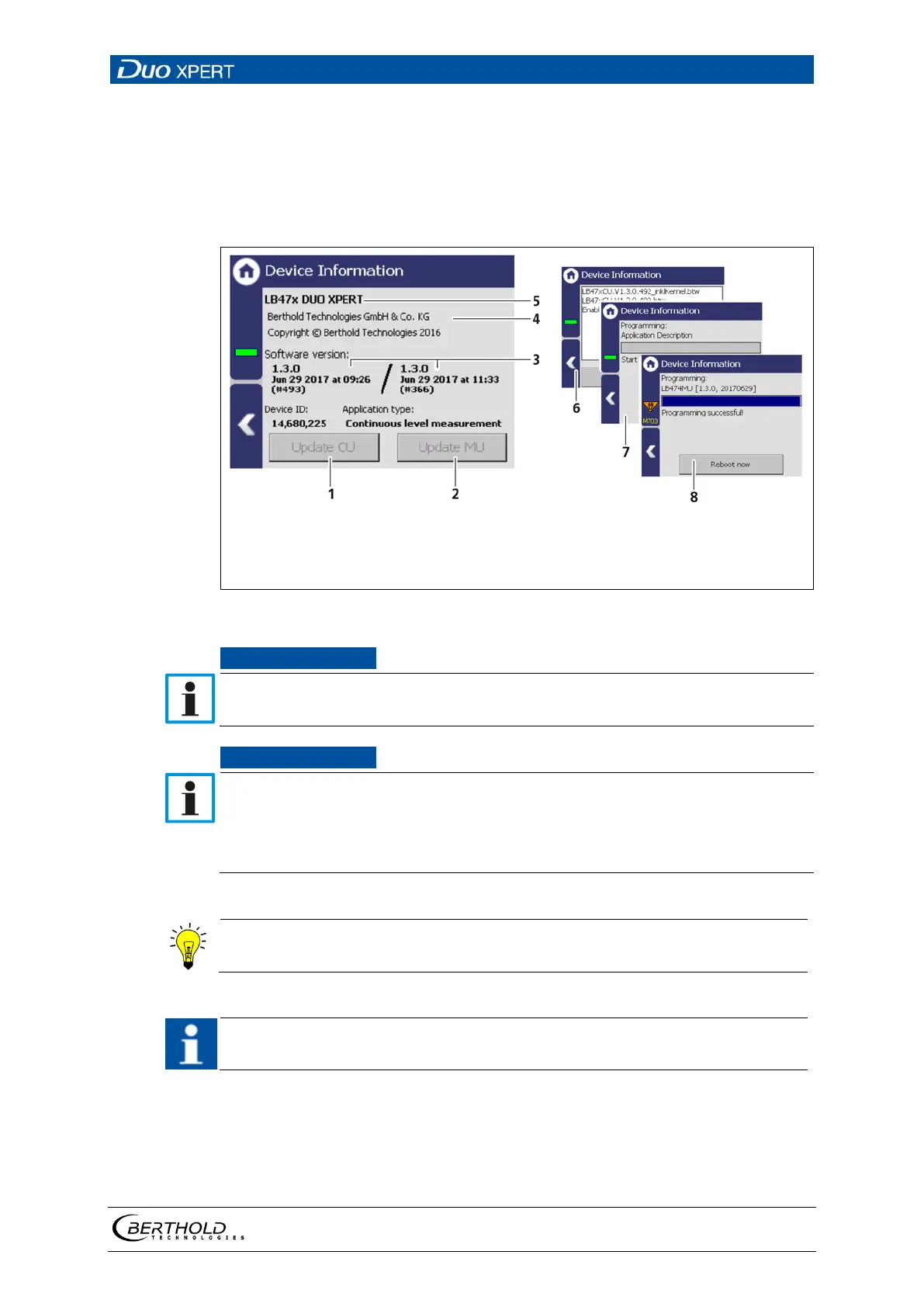
Information about hardware and software of the evaluation unit are displayed In
the submenu "Device information".
CU update (Control Unit)
MU update (Measurement Unit)
Software versions
Manufacturer
Device Information
Selection window update file
Process window
Result window
41 Device information
During an update where the first or second digit of the version changes, it is
necessary to reset the EVU to factory settings.
Carry out a backup of the measuring channel settings before resetting and
the update of the EVU (7.4.1 Backup).
The secured settings should then be imported after the successful software
The current software versions can be downloaded from the Berthold website
(www.berthold.com).
In order for the system to detect the update file it must not be located in an
index in the USB storage device.
Perform CU update
1. Save the current update file of the CU software on a USB storage device.
2. Connect a USB storage device to the device (Fig. 3, item 5).
3. The USB storage device is recognised by the system after a few seconds and



 To Next Page