LB 470 Level 3 System Description
56925BA2 Rev. 03, 11/2017
3.3.2 75BFront/rear view master EVU
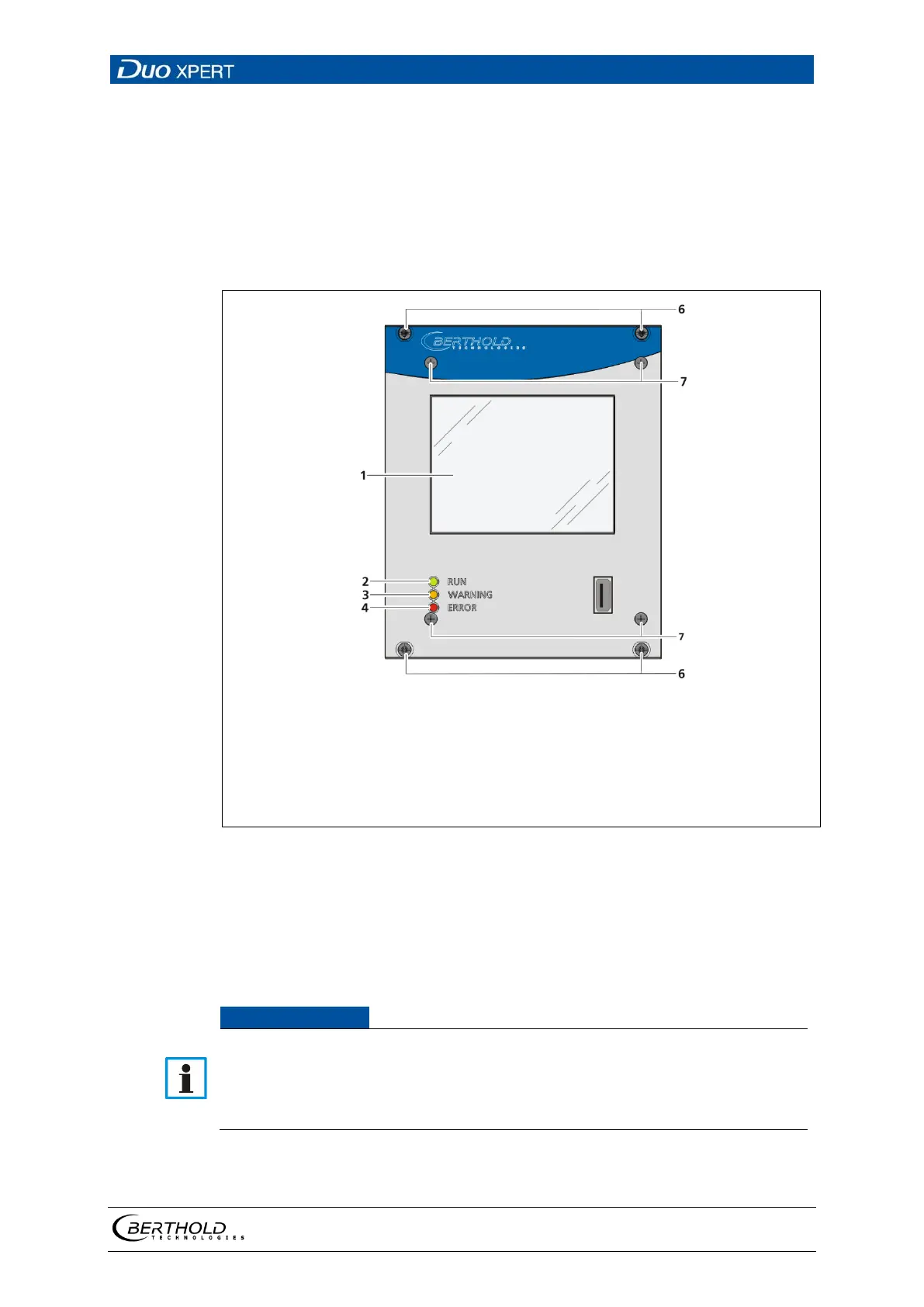
Front view master EVU
The following control elements are found on the front of the master EVU:
• LEDs for status display of individual operating states
• 3.5'' Touch display
• USB port.
3.5'' Touch display
RUN LED
WARNING LED
ERROR LED
USB port
Mounting screws
Screws front plate
3 Back view of the master EVU
Operation Display / Touch Screen
The EVU is operated via the touch screen. Alternatively, the device can be con-
nected to a mouse at the USB port. The device can also operated by remote control
(see chap. 7.3.1).
Damage to the touch screen
Pointed or sharp objects can damage the plastic surface of the touchscreen.
Operate the touch screen only with your fingers or with a touch pen or con-
nect a mouse.


 To Next Page