6 Operation of the Software LB 470 Level
56925BA2 Rev. 03, 11/2017
6.4.1 87BEvent reports
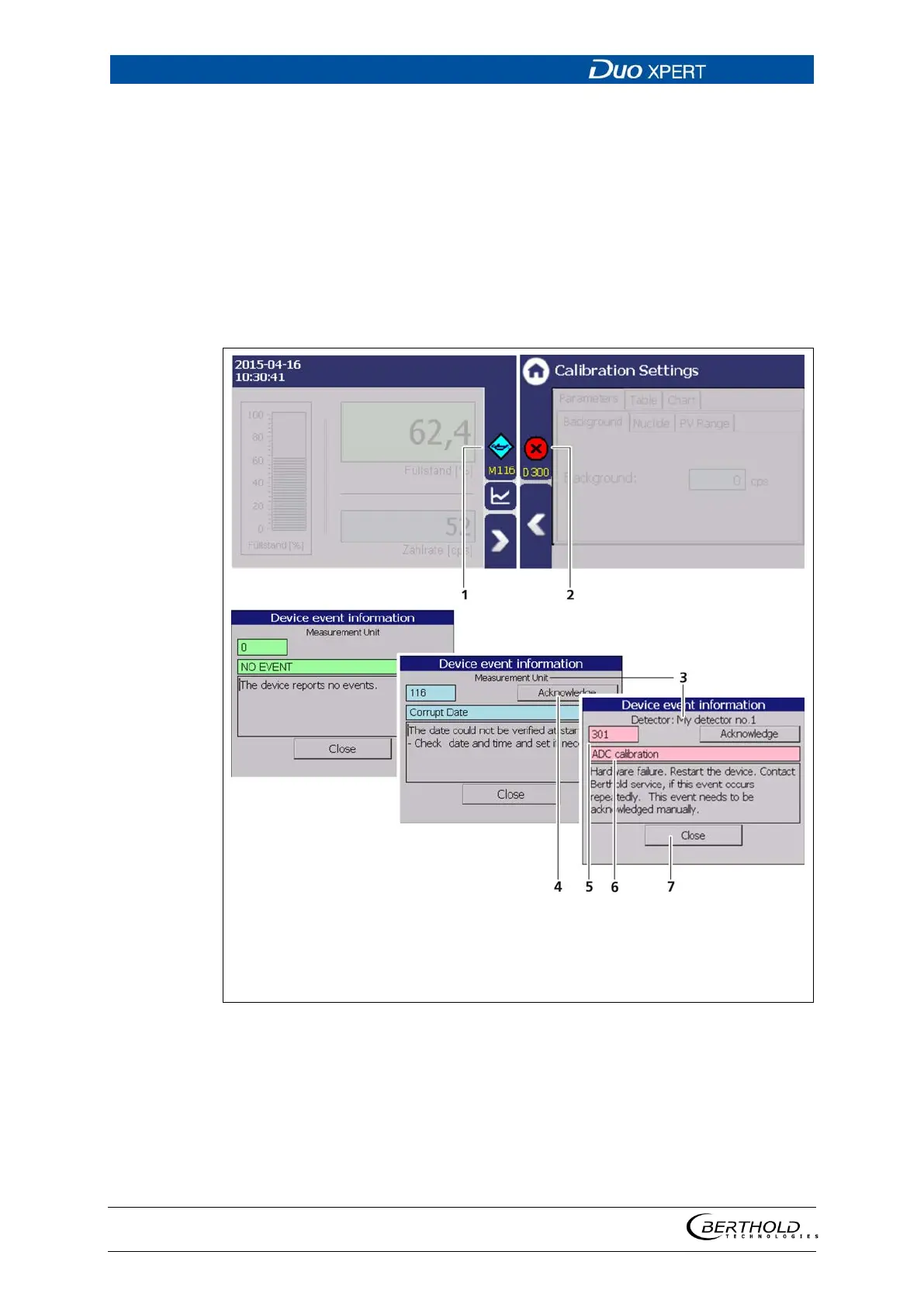
Events are displayed in the standard display and in the submenus as a symbol. All
events are displayed on the main screen. A specific “D” (for detector) indicates that
a detector has an event, the prefix “M” (for measuring unit) indicates that there is
an event in the LB 470 transmitter. In the event of a detector fault, the operating
manual of the detector must be observed.
Only the event with the highest priority will be displayed. Refer to the menus Trans-
mitter Events (chapter 8) and Detector Event Log "Detector-Service" (chapter 7.3.2)
for additional information.
Event reporting in the standard display
Event message in the menu structure
Device concerned (detector / measuring in-
strument)
Button <Confirm>
Error number
Title of event report
Button <Close>
36 Event reports
1. Click on the icon (Fig. 36, item 1, item 2) to display detailed information
about the event.
2. Click the button <Acknowledge> to confirm an event that requires a manual
confirmation.
The event description indicates the next event or reports no further events.



 To Next Page