LB 470 Level 8 Main Menu Diagnostics
56925BA2 Rev. 03, 11/2017
8.5 Export service data
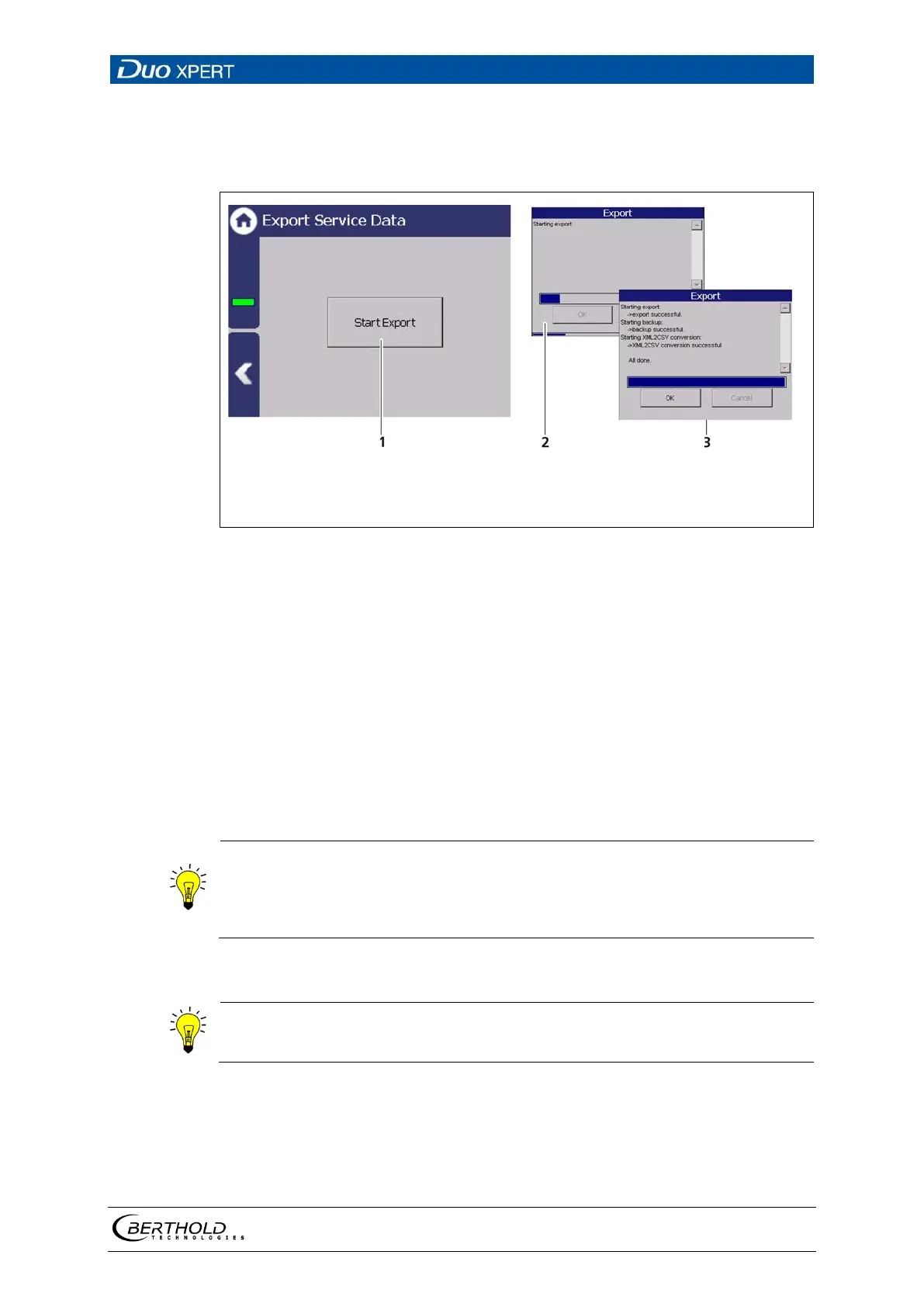
Diagnostics | Export Service Data
Button <Export service data>
Process window
Confirmation message
146 Export Service Data
1. Connect a USB storage device to the device (Fig. 3, item 5).
2. The USB storage is recognised by the system after a few seconds and the but-
ton <Export service data> (
Fig. 146, item 1) can be clicked.
3. Click on the button <Export service data> (Fig. 146, item 1).
The process window is displayed and the export of service data will be car-
ried out (Fig. 146, item 2).
After successful export a confirmation message Fig. 146, item 3) is displayed.
Four .txt files are copied to the USB drive when exporting:
•
ChangeLog
ErrorHistory
ErrorSummary
"Backup_LB470" is created and the Backup-File (.xml) is copied



 To Next Page