8 Main Menu Diagnostics LB 470 Level
56925BA2 Rev. 03, 11/2017
Export log data
1. Click on the button <Stop> (Fig. 144, item 2) to stop the data log process.
2. Connect a USB storage device to the device (Fig. 3, item 5).
3. Click on the button <Export> (Fig. 144, item 5).
The export process is started and can take several minutes to complete under
certain circumstances.
The message window ″Export successful!″ appears with a successful export.
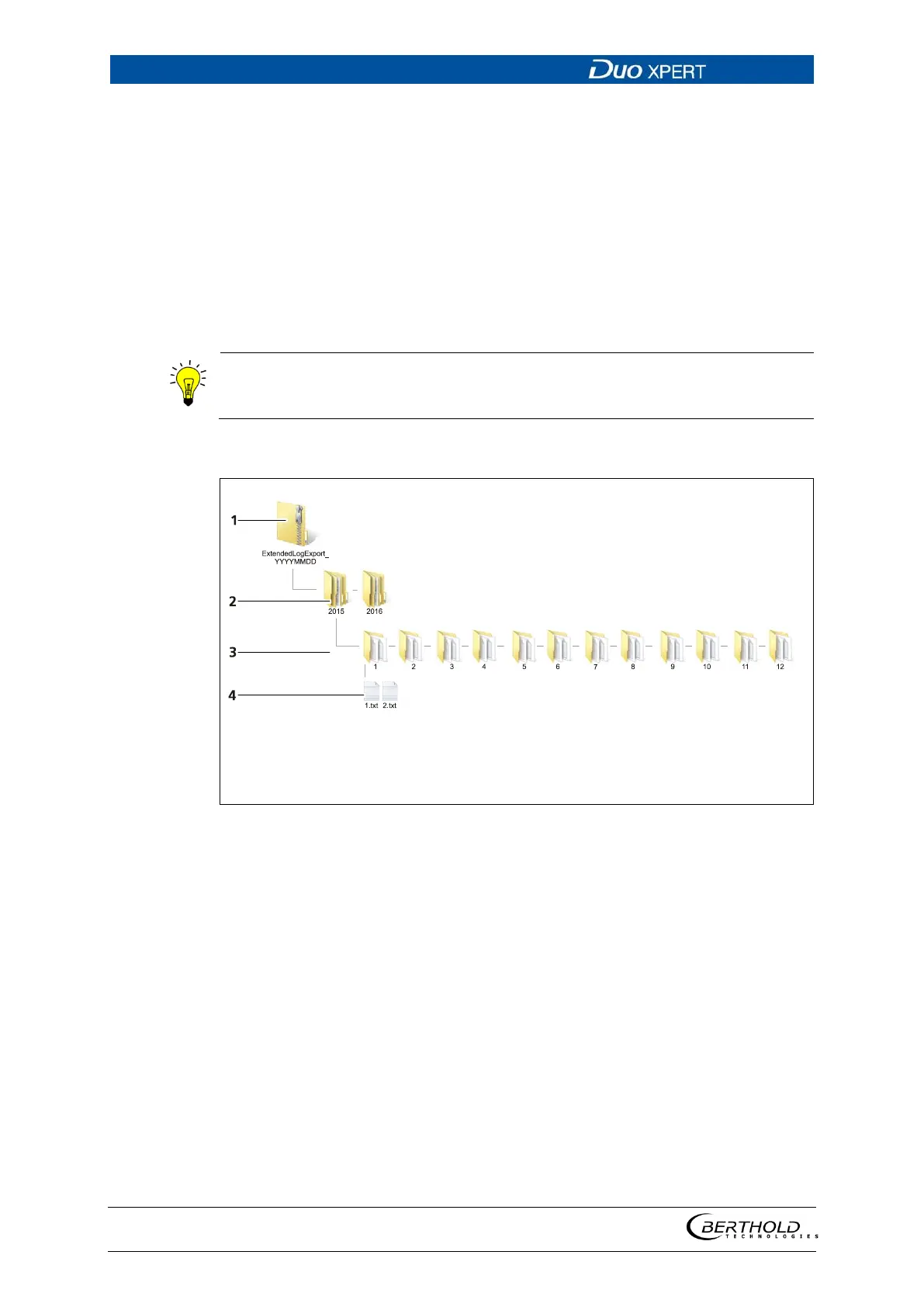
The export includes a zip file that is created in the folder
″ExtendedLogExport″.
The file name is derived from "ExtendedLogExport", the date and ti
me
(ExtendedLogExport_YYYYMMDD_
hr-min-sec).
Exported data structure
2
3
4
Folder year
Folder month
File Day
145 Data structure



 To Next Page