LB 470 Level 6 Operation of the Software
56925BA2 Rev. 03, 11/2017
3. Click <Close> to return to the submenu or to the standard display.
The icon disappears from the status information.
If you click the button <Close>, the event message is closed, the icon continues
to be displayed.
6.5 Input field
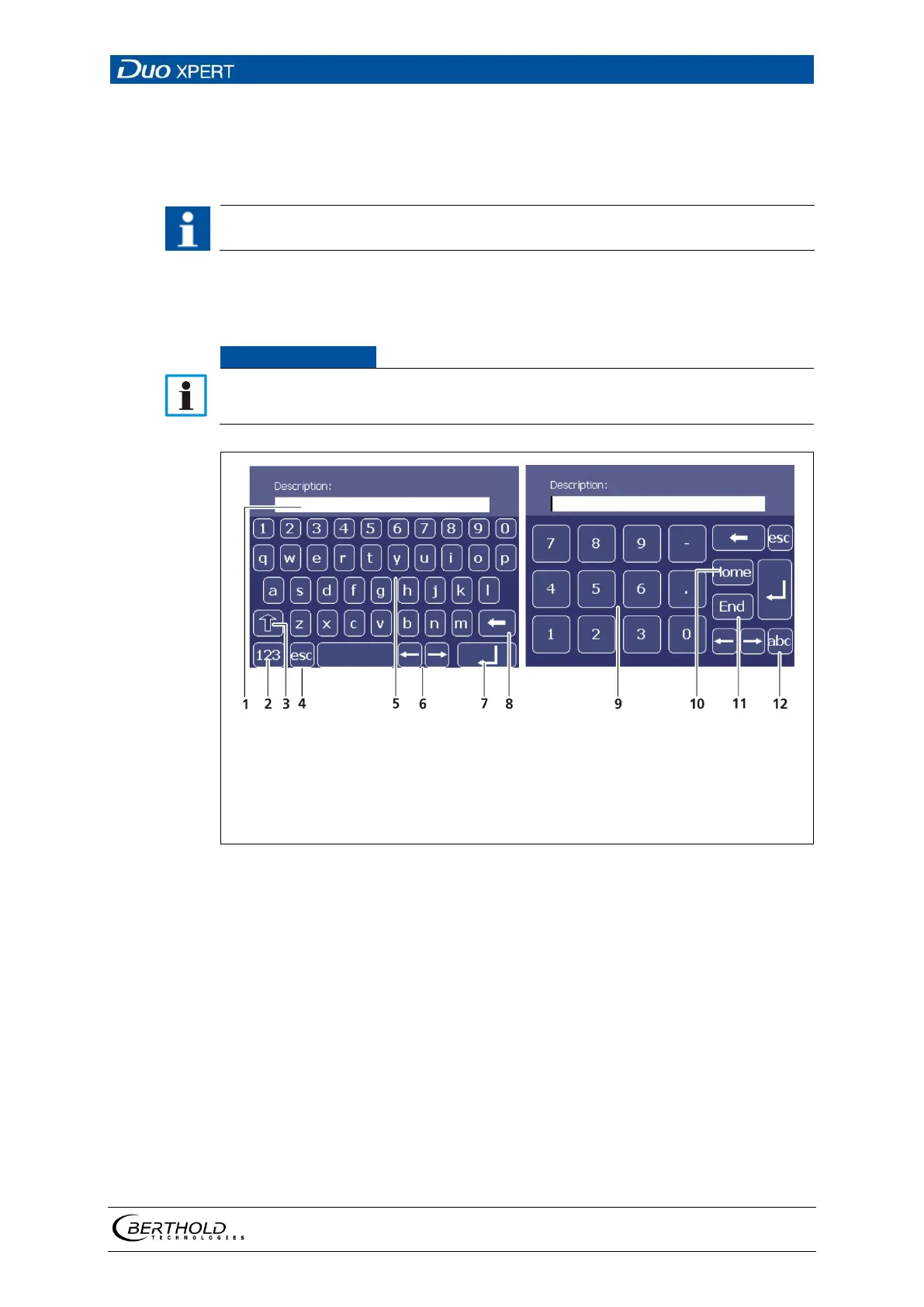
The input field appears by clicking on the blue display panels.
Input line
Shift key for numbers
Shift to upper case characters
Escape key
Keypad
Navigation buttons
Input key
Delete key
Number field
Home (item1) key
End key
Shift key for letters
37 Screen keyboard



 To Next Page