BestCode Next Series 8 Technical Manual October 2022 Page 72 of 290
Messages / Graphics
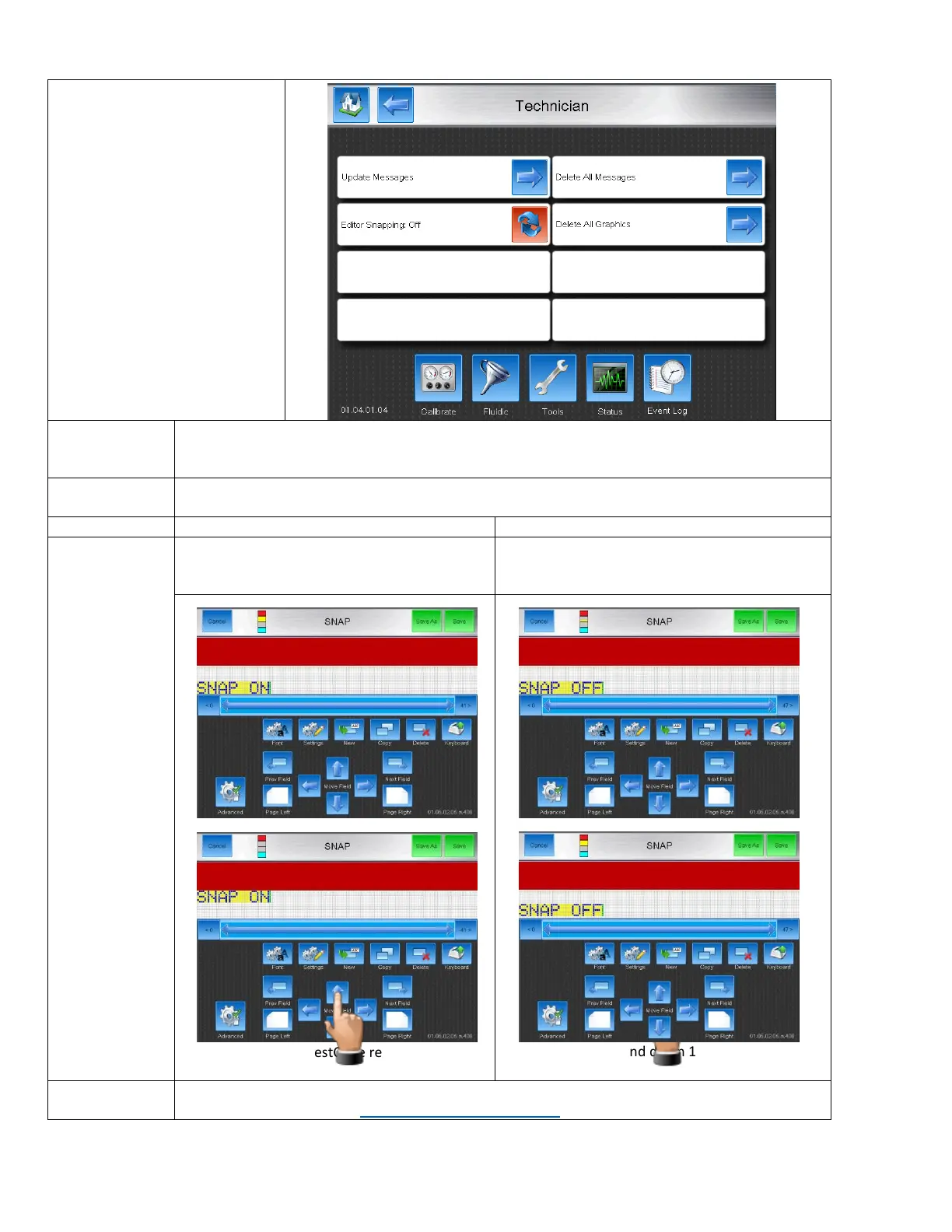
The Messages / Graphics screen is
used to update and delete all of
the messages on the machine.
Also used to modify snapping
feature in the message editor.
Updates messages from previous Firmware versions. If they are compatible, they will be updated
and moved into the current Firmware Version folder.
Restore function must be performed afterwards to load them in to the printer.
Deletes all of the messages on the Printer.
Uses the recommended Font positioning inside
the message editor. Helpful for quickly creating
multi-line print.
Allows maximum flexibility in the message
editors, allows row by row positioning on the
Font.
Print auto snaps to BestCode recommended
location.
Print can move up and down 1 drop at a time.
Maximum flexibility.
Deletes all of the graphics on the printer.
Video Guide available here: https://youtu.be/m5XS8LieKEw



 To Next Page