43
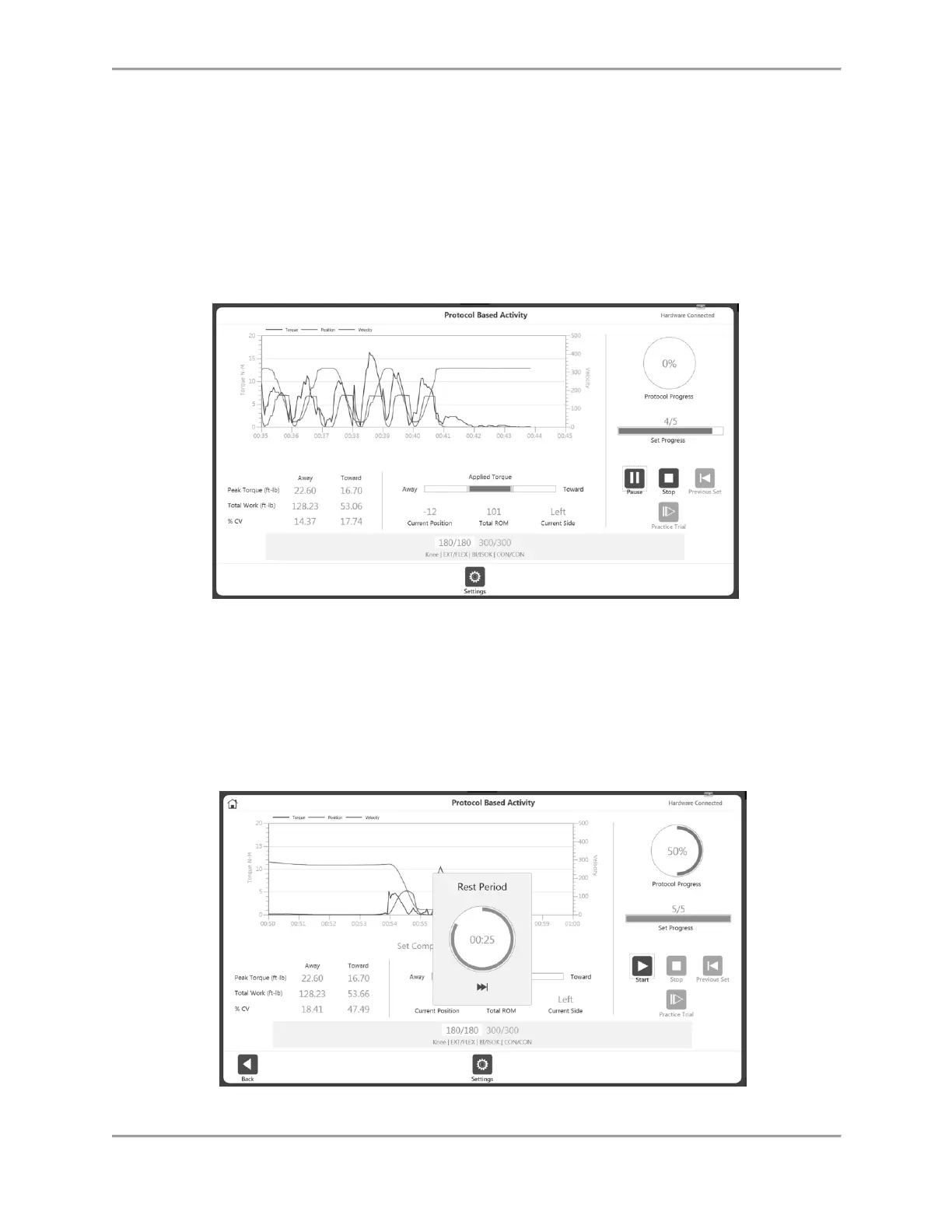
4. Once the activity has started:
a. A graph will be displayed.
b. Metric of Peak Tq, Total Work and %CV will be displayed on the bottom of the
graph.
c. Applied Torque displays the direction of the dyna shaft movement.
d. Set progress shows the progress in terms of number of reps, whereas the
Protocol progress displays the overall progress of the protocol.
e. At the bottom, it highlights the current set and End By options (Reps, Time,
Work) will be displayed on top of the progress bar for that selected set.
NOTE: If the patient becomes uncomfortable, click the Stop icon. The set will change
to red text, showing that the set has been aborted.
5. Once a set is complete, it will display the Rest Period countdown (as defined in each
protocol). After the count down, it will automatically start the next set (configurable
from application settings option). The Rest Period can be stopped by clicking the Skip
icon on the Rest Period pop-up.



 To Next Page