78
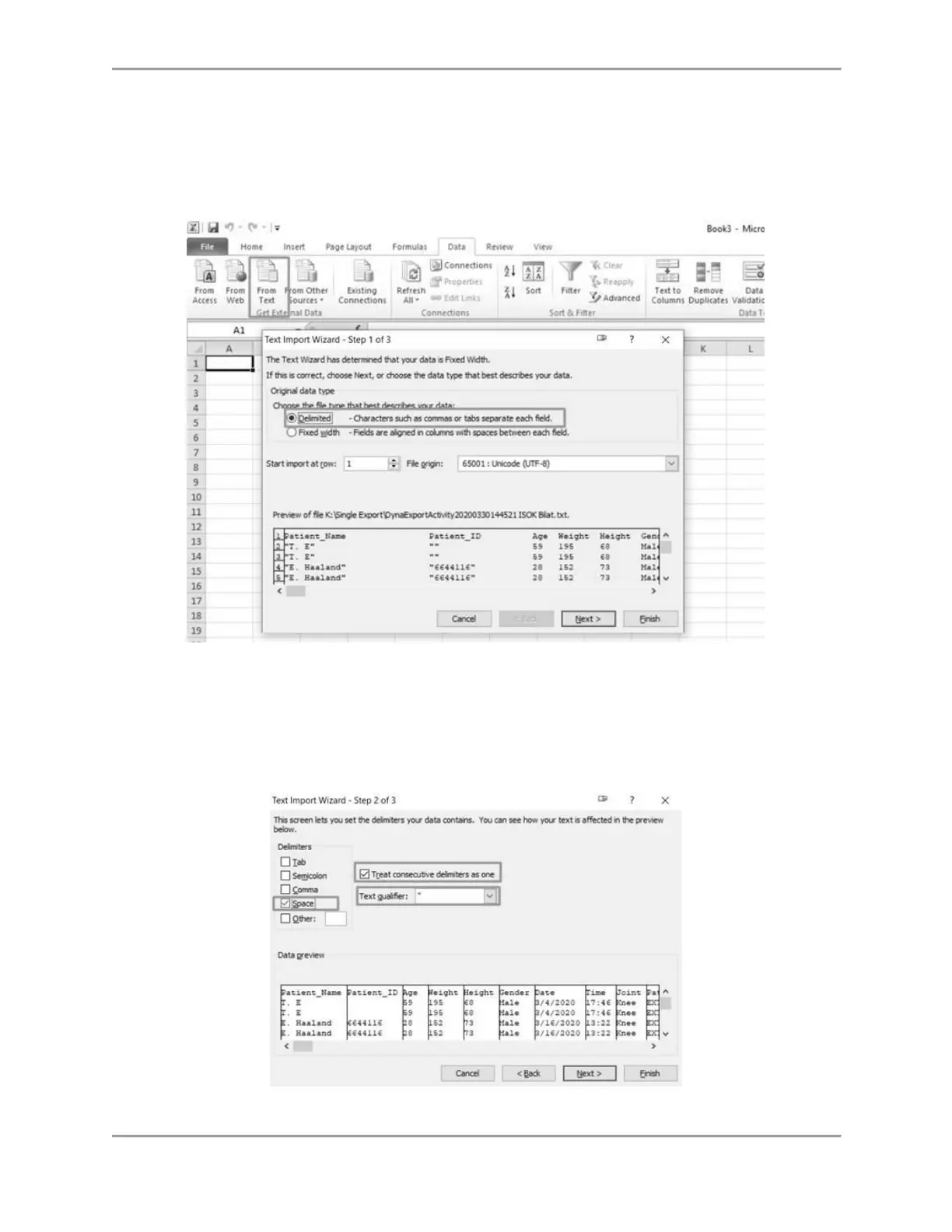
9. Click the Data tab.
10. Select the From Text icon.
11. Run through the Text Import Wizard, clicking the “Delimited” radio button and clicking
the Next button.
NOTE: The images below are based on Microsoft Office 2010. Other versions may have
the settings under a different menu.
12. Ensure only the box for “Space” is checked under Delimeters.
13. Check the box for “Treat consecutive delimiters as one” and select the asterisk (*) in the
Text qualifier field.
14. Select the Next button.
15. All metrics from the Comprehensive Report will be shown.



 To Next Page