101
1. 87 7. 8 7 7. 2 2 6 9 BLACKBOX.COM
NEED HELP?
LE AVE THE TECH TO US
LIVE 24/7
TECHNICAL
SUPPORT
1. 87 7. 87 7. 2 26 9
CHAPTER 12: ALERTS
12.1 ALERTS— HISTORY
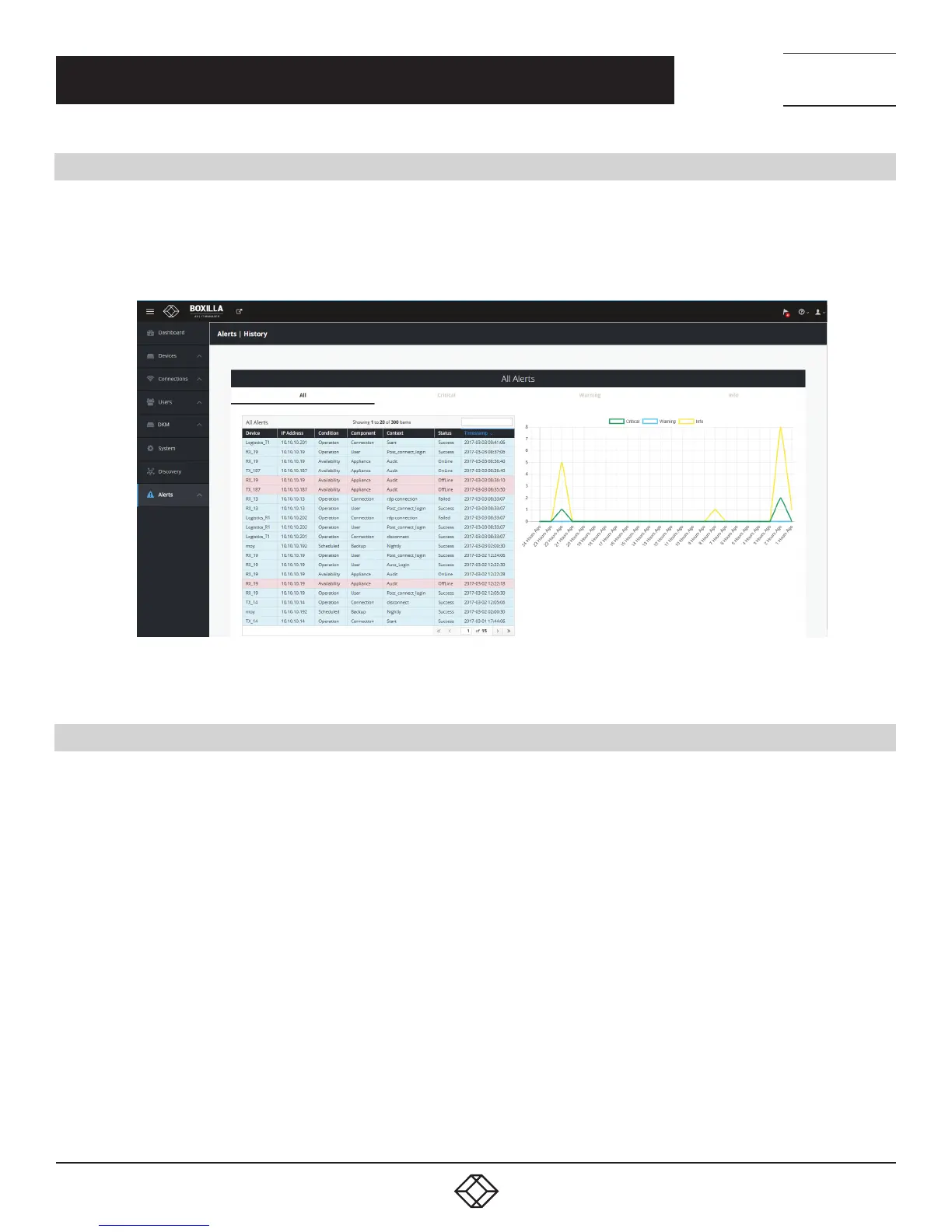
Alert history is a time-stamped log of events across the system. This history can be examined by either looking at all Alerts,
or filtering them down to just Critical, Warning or Info by selecting the appropriate tab on the Alerts—History screen as shown in
Figure 124.
FIGURE 124. ALERTS HISTORY
12.2 ALERTS—ACTIVE
Active Alerts are alerts that are currently active, e.g. devices that are offline, thresholds that are exceeded, and devices
with mis-matched software versions.
These active alerts are cleared when the devices are back online, device metrics return to below threshold levels,
and devices are upgraded to the domain’s active firmware version.



 To Next Page