77
CHAPTER 1: HEADLINE
1. 87 7. 8 7 7. 2 2 6 9 BLACKBOX.COM
NEED HELP?
LE AVE THE TECH TO US
LIVE 24/7
TECHNICAL
SUPPORT
1. 87 7. 87 7. 2 26 9
CHAPTER 10: DKM INTEGRATION
10.4 ADD CUSTOM SOURCE
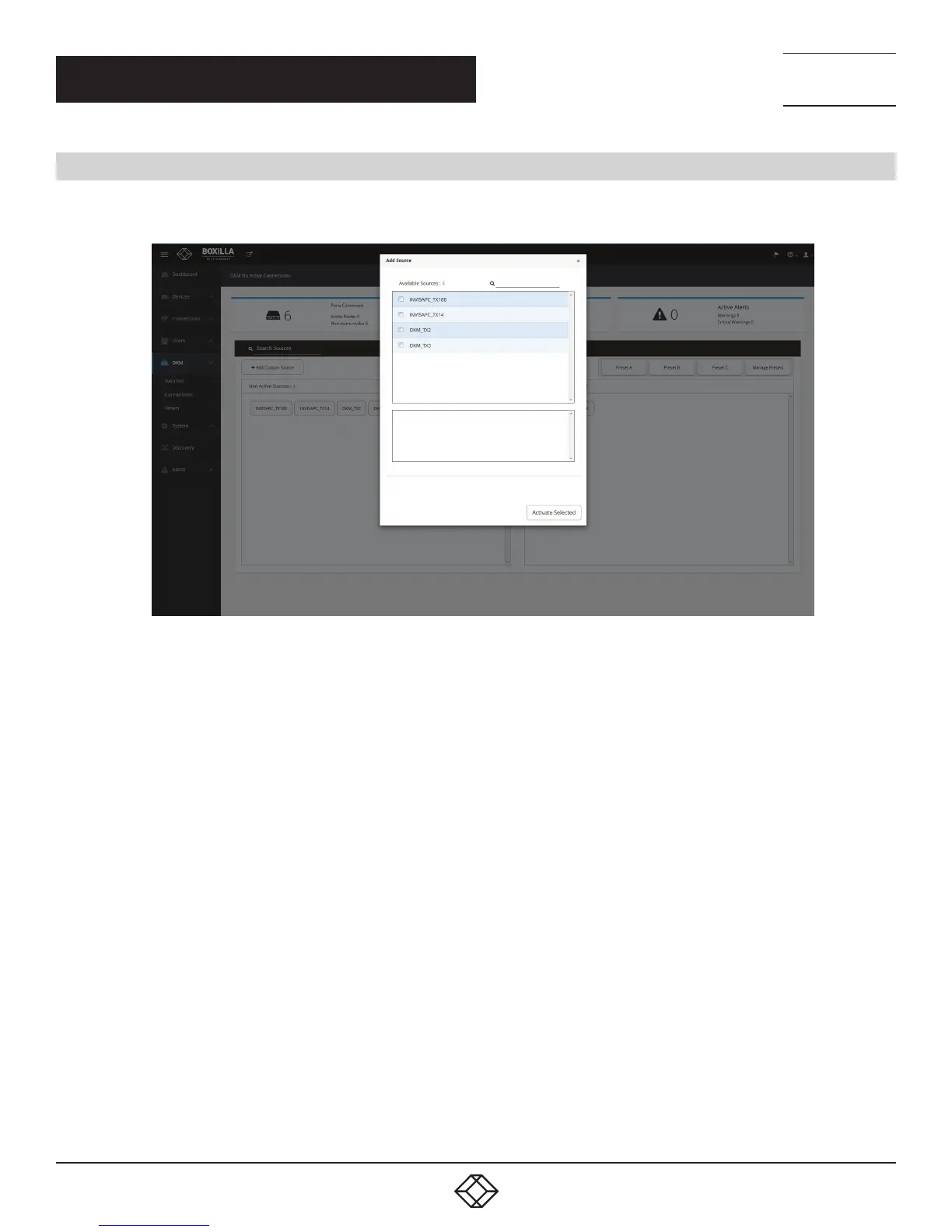
Under Viewer, click “Make a Connection” and select one or multiple sources from the list of available sources to activate,
which will create connections with the selected sources.
FIGURE 86. ADD CUSTOM SOURCE SCREEN
Once these connections are listed, each connection needs at least one destination added to form a functional connection.
Connections have the following options:
1. Detach Source: Break the connection by detaching the source.
2. Detach Destination: Break the connection by detaching the destination.
3. Add Destination: Add additional destinations to the source, e.g. if you wish to share the source.
You also have the option of saving the current connections in the Viewer as a preset via “Save Snapshot.” Save Snapshot
is located under “Manage Presets.”



 To Next Page