60
1. 87 7. 8 7 7. 2 2 6 9 BLACKBOX.COM
NEED HELP?
LE AVE THE TECH TO US
LIVE 24/7
TECHNICAL
SUPPORT
1. 87 7. 87 7. 2 26 9
CHAPTER 9: USERS
Users are defined in the Emerald or InvisaPC system to provide rights to manage the system, rights to connect to different target
devices and rights to set parameters for connections.
9.1 USER TYPES
There are three types of users that can be created in an Emerald or InvisaPC system:
1. Administrator: Users of this class have full rights to configure the system. They can create/modify/delete users and connection,
change network settings, etc.
2. Power User: Users of this class can modify resolution for connections to virtual desktops and change his/her local password.
3. Standard Users: Users of this class can only select from a list of pre-defined connections to access and view system
information. They cannot change any configuration settings.
The Boxilla has one default user —admin, which is a member of the administrator group. This user is defined by default and cannot
be deleted. Boxilla currently supports up to 1,000 individual users.
To manage users, an administrator selects the Users button on the main menu.
9.2 USER—MANAGE
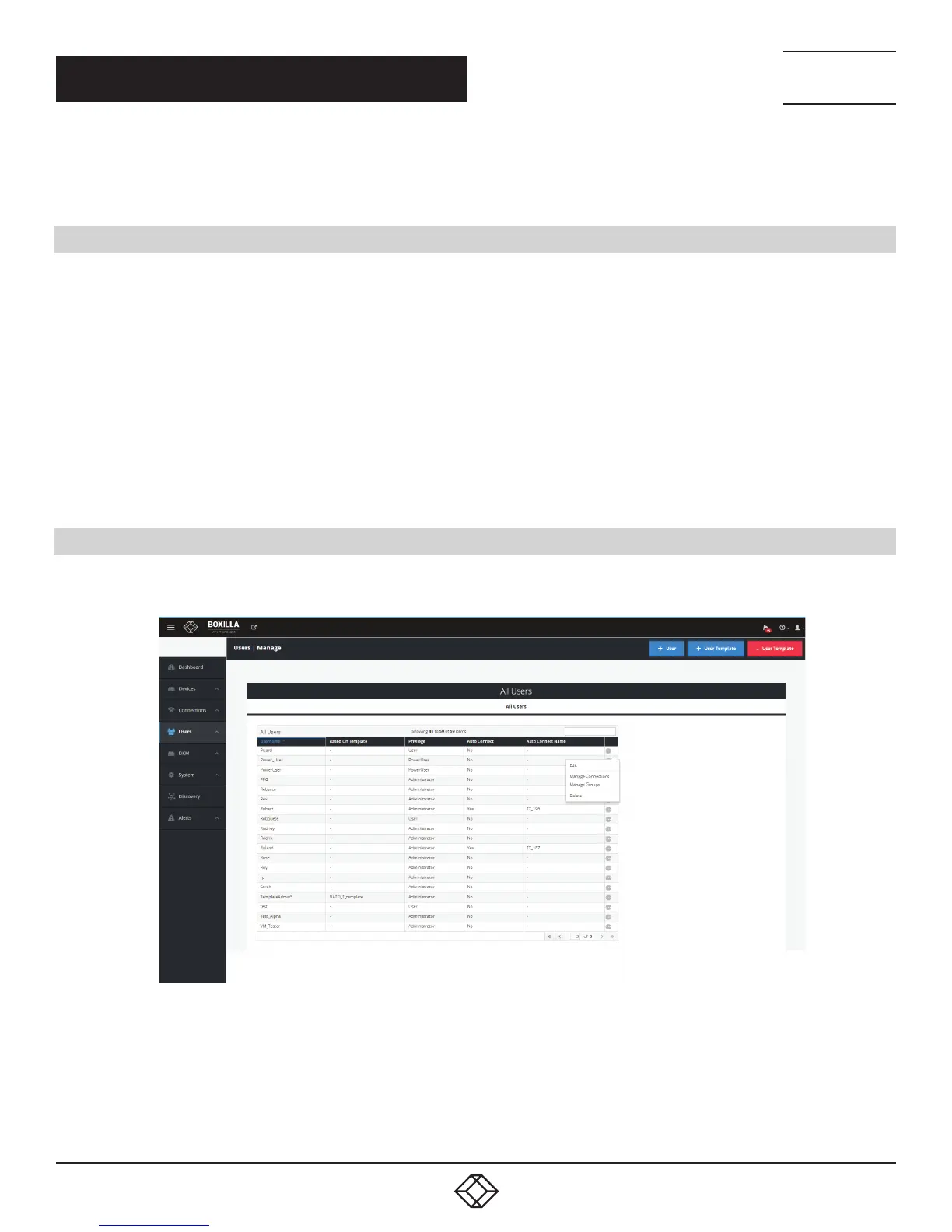
The User—Manage screen is used to create, edit and delete users as shown in Figure 63. It provides a list of the currently created
users.
FIGURE 63. USERS—MANAGE



 To Next Page