97
1. 87 7. 8 7 7. 2 2 6 9 BLACKBOX.COM
NEED HELP?
LE AVE THE TECH TO US
LIVE 24/7
TECHNICAL
SUPPORT
1. 87 7. 87 7. 2 26 9
CHAPTER 11: SYSTEM
11.6 SYSTEM — SETTINGS —THRESHOLDS
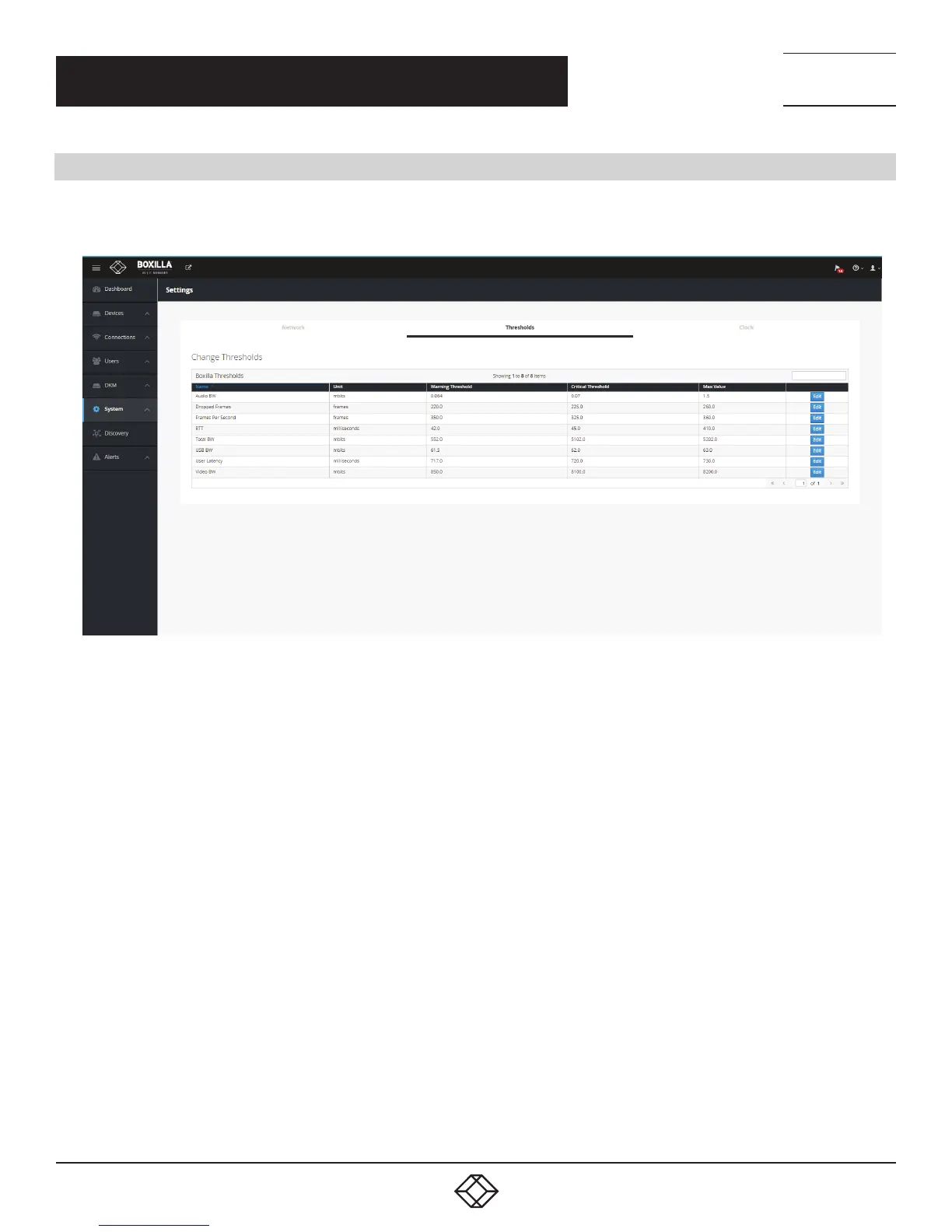
The System —> Settings—> Threshold tab shows the level used to define an alert for various measurements recorded on a
connection and enables the Administrator to change them.
FIGURE 119. ALERT THRESHOLDS
The Warning Threshold sets the level above which a measurement must be below to be classified as normal or at “info” level.
Measurements above the Warning Threshold and below Critical Threshold are classified as at “Warning” level. Measurements at or
above the Critical Threshold are classified as “Critical” level.
The color coding on graphs and tables for measurements (such as Bandwidth) follow these rules:
Info Level (or normal level): color set as Green
Warning Level: color set as Amber
Critical Level : color set as Red



 To Next Page