31
1. 87 7. 8 7 7. 2 2 6 9 BLACKBOX.COM
NEED HELP?
LE AVE THE TECH TO US
LIVE 24/7
TECHNICAL
SUPPORT
1. 87 7. 87 7. 2 26 9
Devices part of the managed domain can be reviewed, upgraded and configured. These actions are performed by clicking the
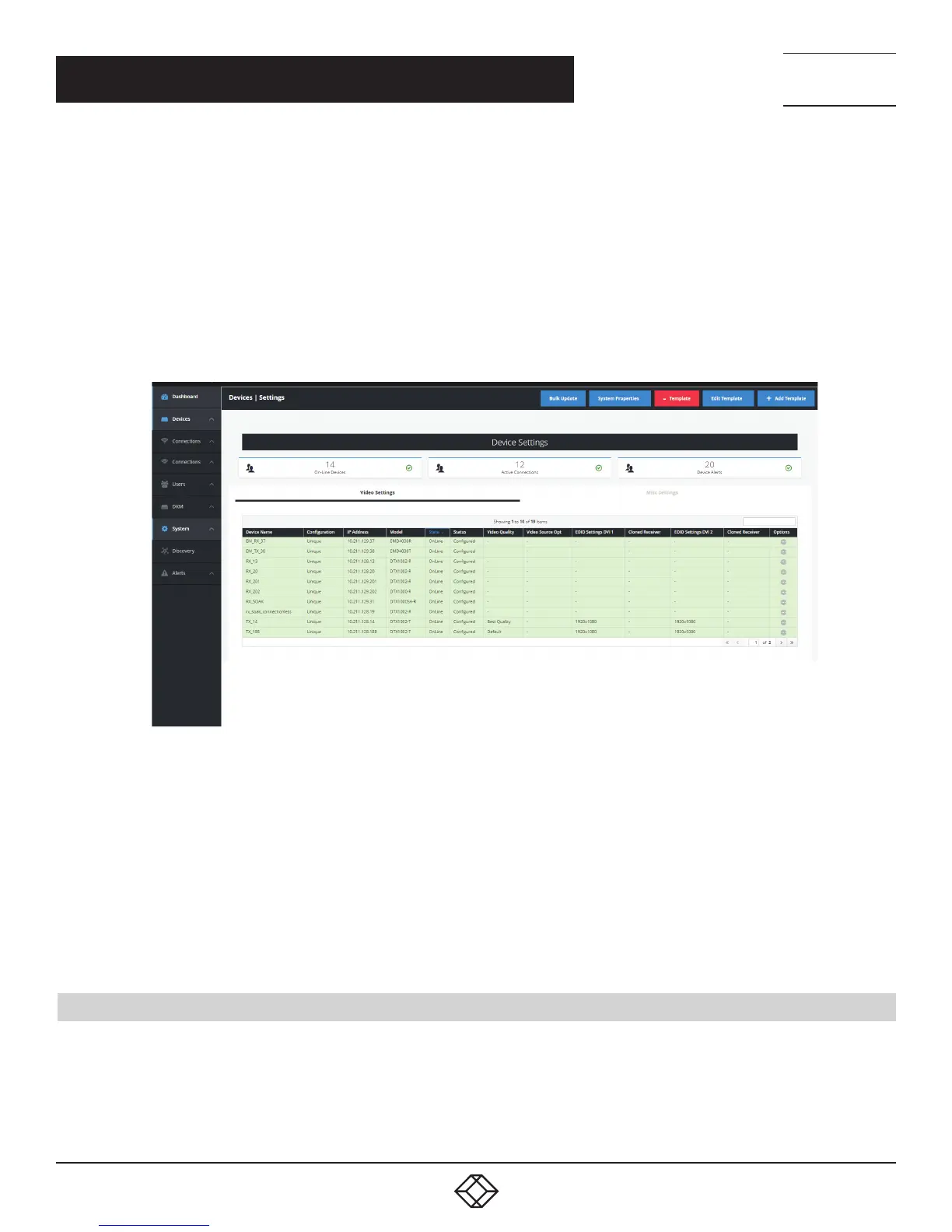
devices’ options from the main menu. Figure 22 shows the Device—Settings Page. This page shows all the devices that are part of
the managed domain.
Boxilla constantly polls devices to determine their state and operational statistics. The state of a device in the table can be:
Online—means the device is contactable from Boxilla during recent polling cycles;
Offline—means the device did not respond during any of the last few polling cycles. This can mean the device is powered-down
or is not reachable on the network;
Demo—means the device is a simulated device for demonstration purposes;
Under the Devices drop-down menu on the left of the Dashboard screen, you will see four options: Settings, Upgrades, Global and
Statistics. These options are described in the following sections. Click on Settings and the following screen appears.
FIGURE 22. DEVICES SETTINGS SCREEN
Click on Video Settings in the middle of this screen to see the Device Name, Configuration, IP Address, Model, State, Status, Video
Quality, Video Source Opt, EDID Settings DVI 1, Cloned Receiver, EDID Settings DVI 2, Cloned Receiver and Options for each TX or
RX unit.
Click on Misc Settings in the middle of this screen to see the Device Name, Configuration, IP Address, Model, State, Status, HID
Configuration, Shared Mouse Timer, Power Mode, HTTP Enabled and Options settings for each TX or RX unit.
NOTE:
a) It’s not possible to configure the TX settings of an Emerald TX device.
b) A user can configure the HTTP_Enable attribute for Emerald RX devices, but it is not possible to configure the Power Mode
setting for Emerald RX devices.
7.1 DEVICES—SETTINGS
With Boxilla 2.0, you now have the option to configure unique, template or system-wide settings. Here you can:
Create/edit/delete device templates
Edit system properties
Edit individual device settings
Apply bulk updates to appliances
CHAPTER 7: DEVICES



 To Next Page