48
1. 87 7. 8 7 7. 2 2 6 9 BLACKBOX.COM
NEED HELP?
LE AVE THE TECH TO US
LIVE 24/7
TECHNICAL
SUPPORT
1. 87 7. 87 7. 2 26 9
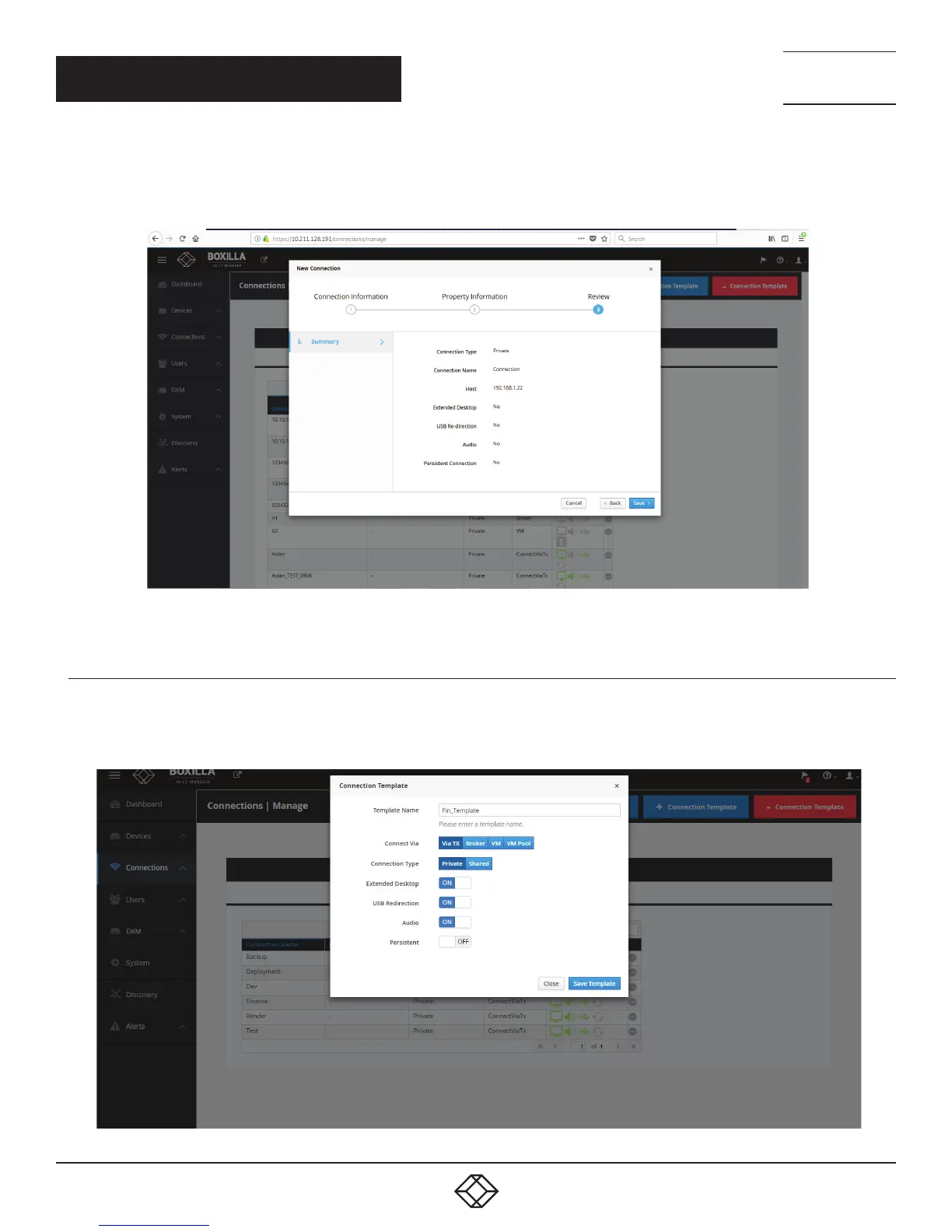
When Connection Type is Private, the following parameters are shown in the New Connection screen: Connection Type (Private),
Connection Name, Host IP address, Extended Desktop, USB Redirection, Audio, and Persistent Connection.
FIGURE 40. CONNECTION TYPE — PRIVATE
8.1.2 CONNECTIONS—ADD CONNECTION TEMPLATE
Connection Templates are used to aid in the creation of connections. Templates define a set of properties as shown in Figure
41. The template can be used when creating a connection to ensure that the same properties are attached to a group of the
connection. Clicking on +Connection Template launches the screen to set these properties.
FIGURE 41. ADD CONNECTION TEMPLATE
CHAPTER 8: CONNECTIONS



 To Next Page