47
1. 87 7. 8 7 7. 2 2 6 9 BLACKBOX.COM
NEED HELP?
LE AVE THE TECH TO US
LIVE 24/7
TECHNICAL
SUPPORT
1. 87 7. 87 7. 2 26 9
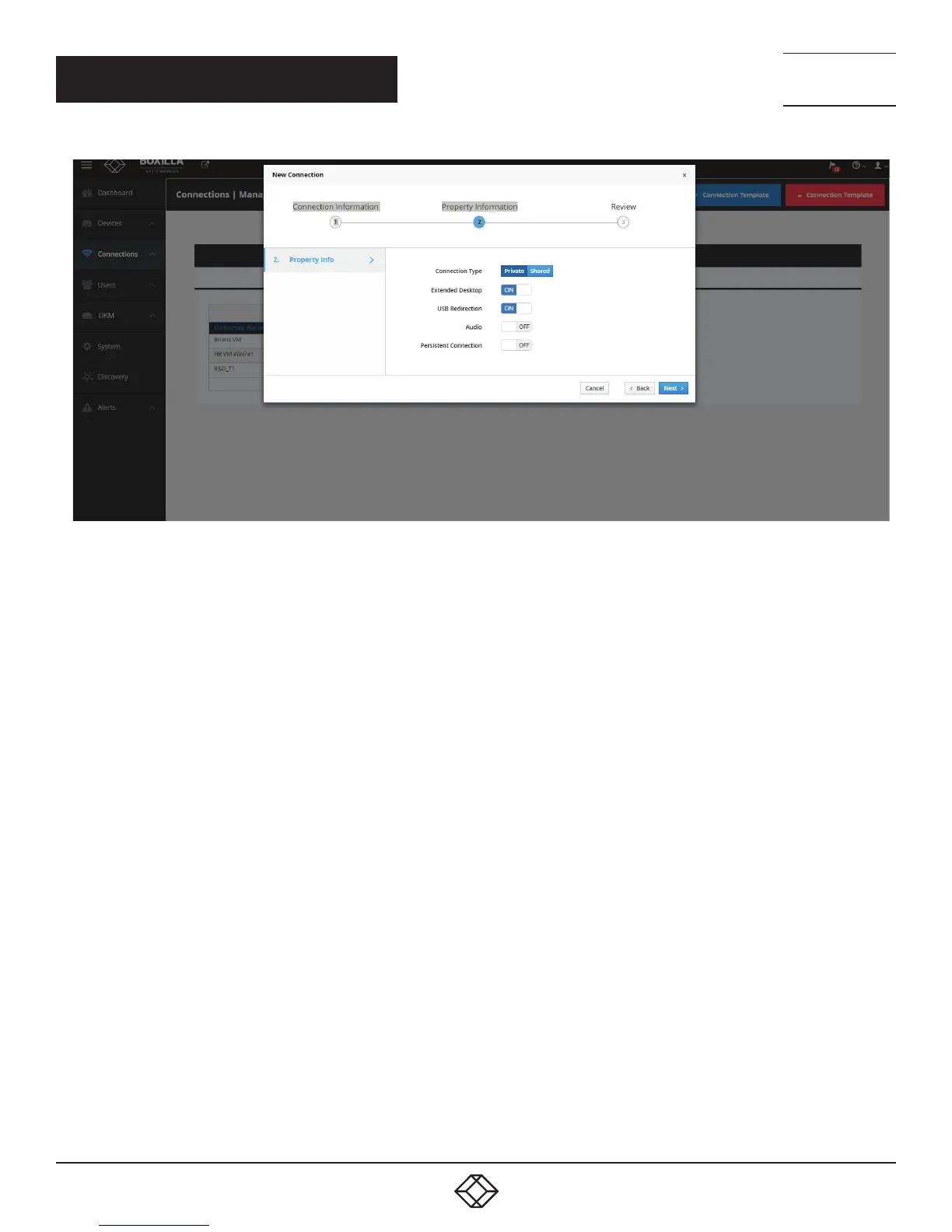
FIGURE 39. ADD CONNECTIONS—PROPERTIES
The extra parameters that can be defined are:
Connection Type: This defines the connection as being private to this user when the connection is made or is open to be shared
with other users. A shared connection allows the keyboard, video and mouse to be shared to all users that join the connection.
Audio and USB re-direction disabled on shared connections.
Extended Desktop: On a dual-video head Emerald or InvisaPC, this enables both video heads to operate if connected to a source
that supports dual-head operation (e.g. Dual-head Emerald or InvisaPC Transmitter). This setting has no effect on a single-video
head Emerald or InvisaPC.
USB Redirection: When set, this enables non-keyboard and non-mice devices to be redirected for this connection.
Audio: When set, this enables audio to be supplied to the remote audio connectors.
Persistent Connection: When turned on, Persistent Connection will constantly try to connect to the Receiver until successful. This is
useful when using Emerald or InvisaPC for digital signage or an application with no keyboard/mouse that needs to stay connected
to a defined source.
When Connect Via is set to VM (i.e. connect directly to a VM), there is an extra parameter to define:
NLA: When set, this enables Network Level Authentication, requiring that the user be authenticated to the RD Session Host server
before the session is created. This setting needs to match the NLA setting on the target VM for a successful connection.
.
CHAPTER 8: CONNECTIONS



 To Next Page