46
1. 87 7. 8 7 7. 2 2 6 9 BLACKBOX.COM
NEED HELP?
LE AVE THE TECH TO US
LIVE 24/7
TECHNICAL
SUPPORT
1. 87 7. 87 7. 2 26 9
CHAPTER 8: CONNECTIONS
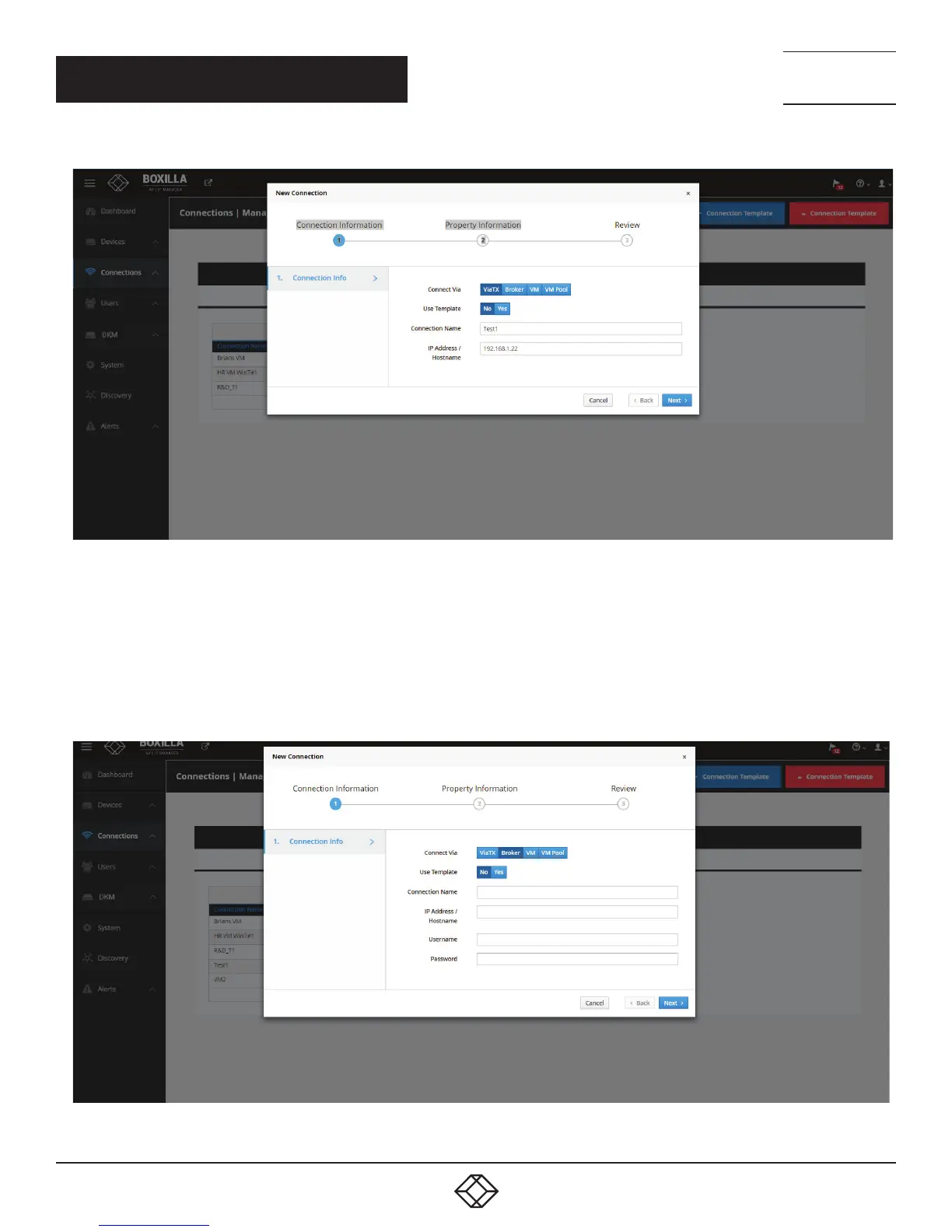
FIGURE 37. ADD CONNECTION—TX
The other parameters on this screen are:
Connection Name: this is a unique name for the new connection. The name can be between 1 and 32 characters. The name can be
composed of any Alphanumeric characters and special characters except for “ ”/ \ [ ] : ; | = , + * ? < > `’.
IP Address/Hostname: the IP address of the Emerald or InvisaPC Transmitter or the Virtual Desktop in IP v4 format.
If the Connect Via is set as “Broker” as shown in the figure below, extra parameters can be defined.
FIGURE 38. ADD CONNECTION—BROKER OR VM



 To Next Page