72
CHAPTER 1: HEADLINE
1. 87 7. 8 7 7. 2 2 6 9 BLACKBOX.COM
NEED HELP?
LE AVE THE TECH TO US
LIVE 24/7
TECHNICAL
SUPPORT
1. 87 7. 87 7. 2 26 9
CHAPTER 10: DKM INTEGRATION
10.3 STEPS TO ADD SWITCHES
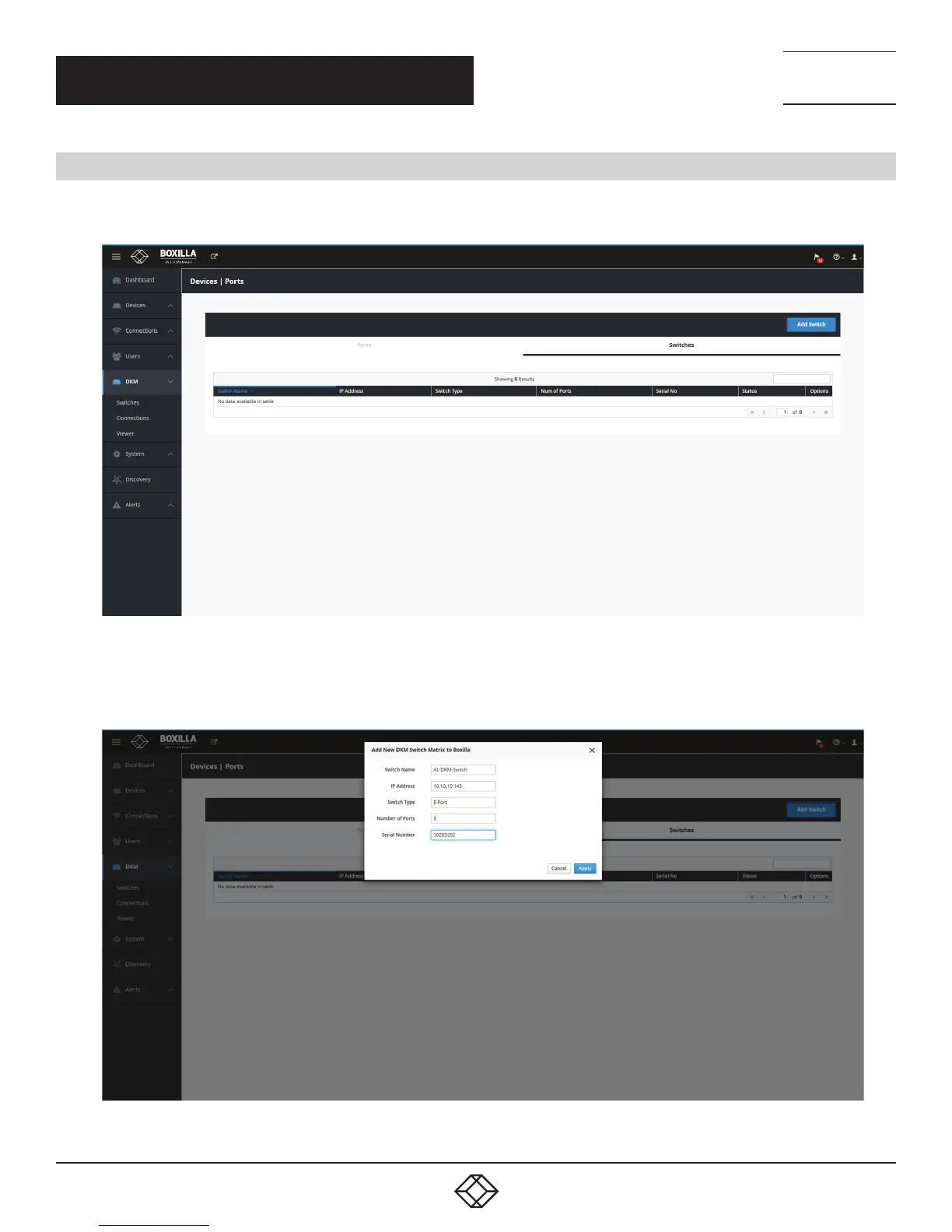
Under Boxilla, to add the DKM switch, navigate to DKM —Switches and click the “Add Switch” blue button on the top right
of the screen.
FIGURE 77. ADD SWITCH SCREEN
The Add new switch box will appear on the page. The only critical detail here is the IP address. Fill in the details and press Save.
FIGURE 78. ADD NEW SWITCH BOX



 To Next Page