57
1. 87 7. 8 7 7. 2 2 6 9 BLACKBOX.COM
NEED HELP?
LE AVE THE TECH TO US
LIVE 24/7
TECHNICAL
SUPPORT
1. 87 7. 87 7. 2 26 9
CHAPTER 8: CONNECTIONS
8.4.2 MANAGE PRESETS
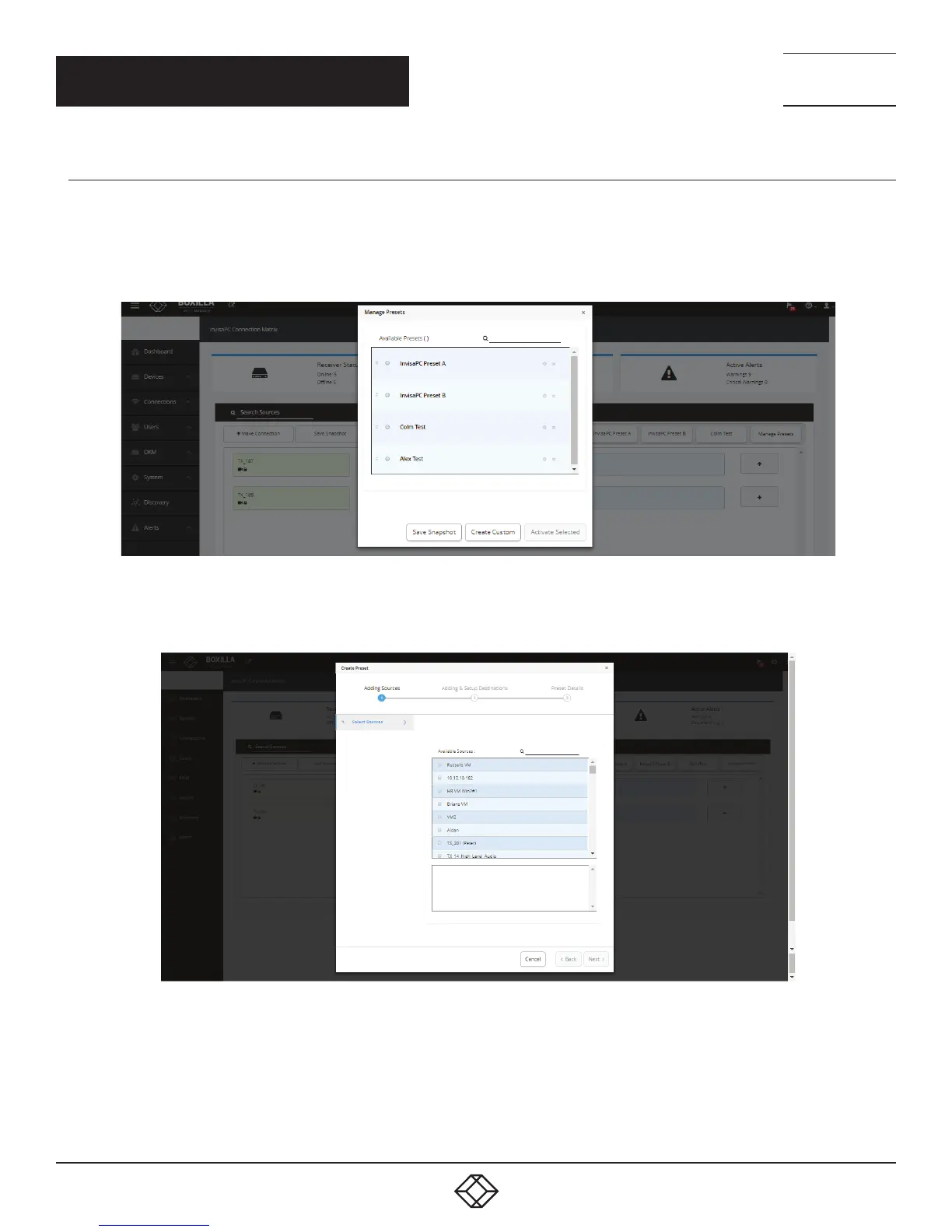
Click on the Manage Presets button, and the Manage Presets screen pops up. Under this page all the existing presets will be listed.
In Emerald or InvisaPC Viewer — Preset Manage, you can rearrange the preset priority to change what presets display on th main
Viewer screen. Essentially, you can pick your top three presets.
FIGURE 57. MANAGE PRESETS SCREEN
To create a new / custom template , click on “ Create Custom” and select the required sources from the available list.
FIGURE 58. SELECT SOURCES SCREEN
Click next and select the destinations per source. Save the preset with a name and type (Partial or Full).



 To Next Page