39
1. 87 7. 8 7 7. 2 2 6 9 BLACKBOX.COM
NEED HELP?
LE AVE THE TECH TO US
LIVE 24/7
TECHNICAL
SUPPORT
1. 87 7. 87 7. 2 26 9
7.2 DEVICES—UPGRADE
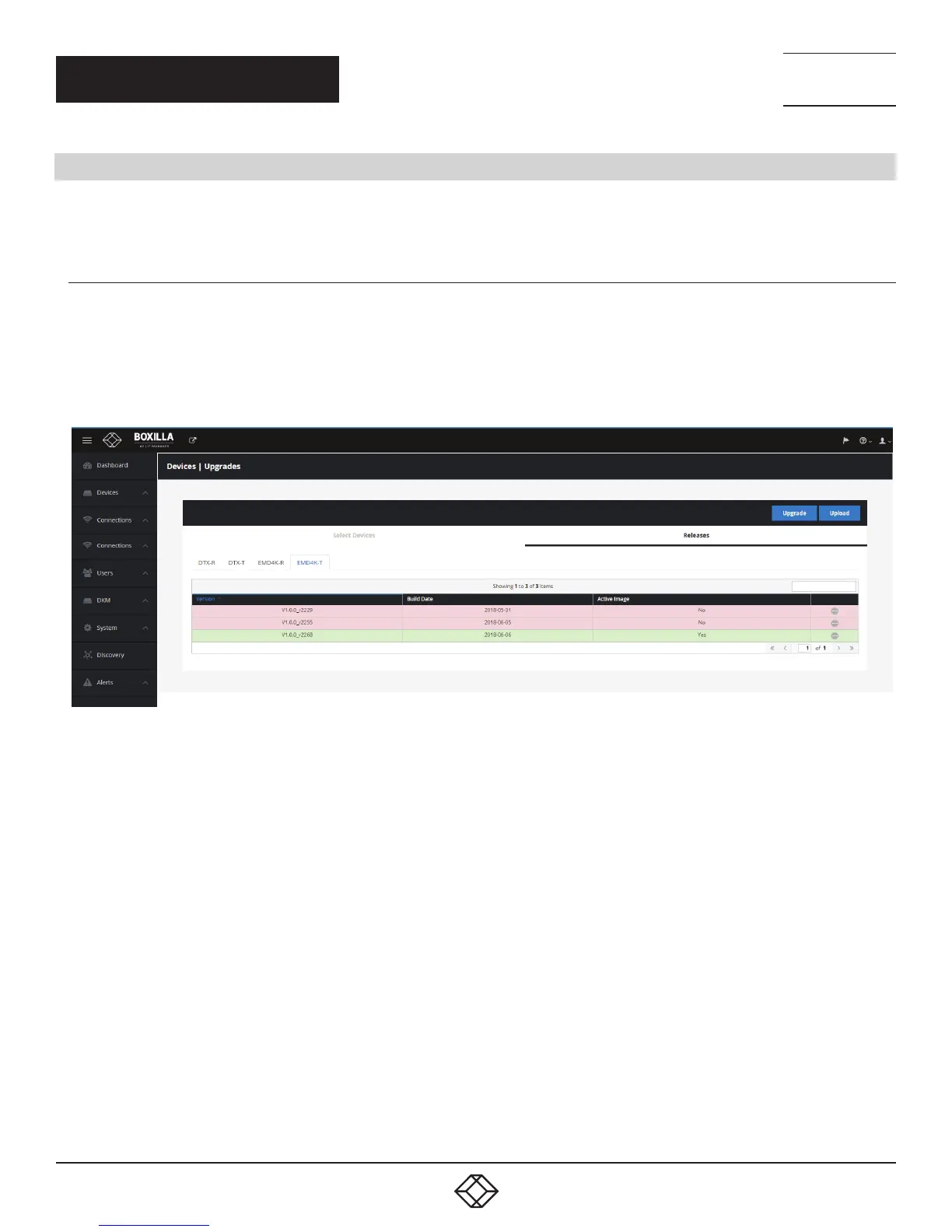
Boxilla centrally upgrades devices that are part of its managed domain. The administrator performs this via the Devices— Upgrade
page shown in Figure 32.
7.2.1 DEVICES— UPGRADE—RELEASES
The Releases tab shows the list of available versions of firmware that can be used to upgrade devices. The administration selects
the firmware to be used for upgrades. To select a specific firmware release, click the “Activate” button for the specific version
of firmware from the Release options (“•••” icon). For Emerald or InvisaPC, this needs to be done for both Receivers (DTX-R or
EMD4K-R) and Transmitters (DTX-T or EMD4K-T).
FIGURE 32. DEVICE UPGRADE PAGE
The Administrator loads a new version of firmware by clicking on the “Upload” button on the page and choosing the file to be
uploaded. The upload file can be stored anywhere the client browser can access (on local hard-drive, USB thumb-drive, a network
file, etc.). This new firmware version will be added to appropriate Device list (i.e. Receiver or Transmitter list).
To delete a firmware version, the administrator just needs to click on the “delete” option for that release.
CHAPTER 7: DEVICES



 To Next Page