25
1. 87 7. 8 7 7. 2 2 6 9 BLACKBOX.COM
NEED HELP?
LE AVE THE TECH TO US
LIVE 24/7
TECHNICAL
SUPPORT
1. 87 7. 87 7. 2 26 9
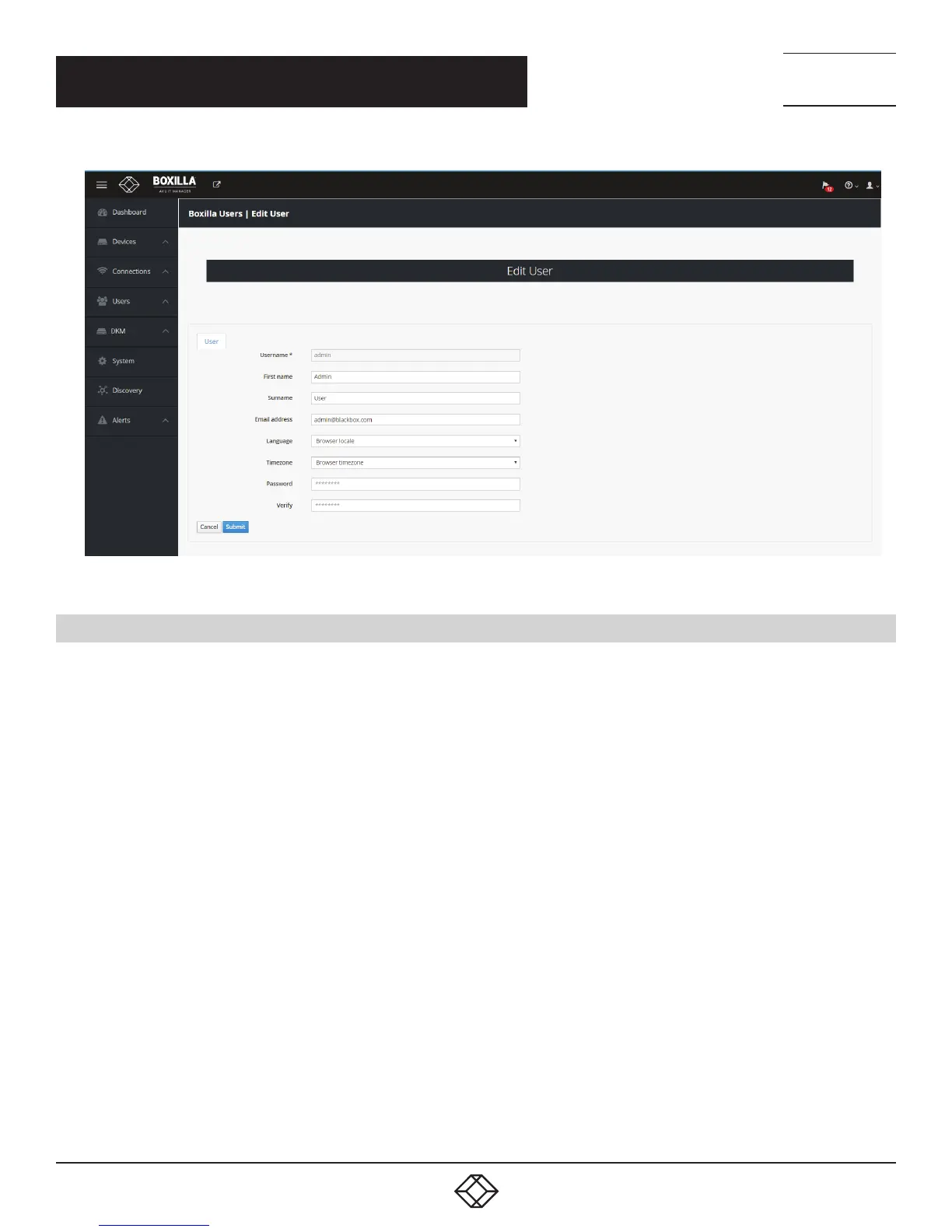
FIGURE 16. EDIT ADMIN USER
5.3 IMPORTANT FIRST CONFIGURATION STEPS
There are several important configuration steps that must be carried out when starting a new Boxilla server for the first time.
1. Set the IP address for the Boxilla Server.
2. Change the default password for the default user “admin” (for security).
NOTE: Make sure that your computer can view the new IP address; otherwise, the Boxilla server will appear to be offline.
Depending on your network configuration and that of the computer, you may need to change the computer’s configuration
to be able to see Boxilla server’s new network address.
IMPORTANT NOTE: If an existing Boxilla server must be replaced, follow the important advice given within Appendix A: Swapping
Out a Boxilla Server.
CHAPTER 5: BOXILLA CONFIGURATION



 To Next Page