24
1. 87 7. 8 7 7. 2 2 6 9 BLACKBOX.COM
NEED HELP?
LE AVE THE TECH TO US
LIVE 24/7
TECHNICAL
SUPPORT
1. 87 7. 87 7. 2 26 9
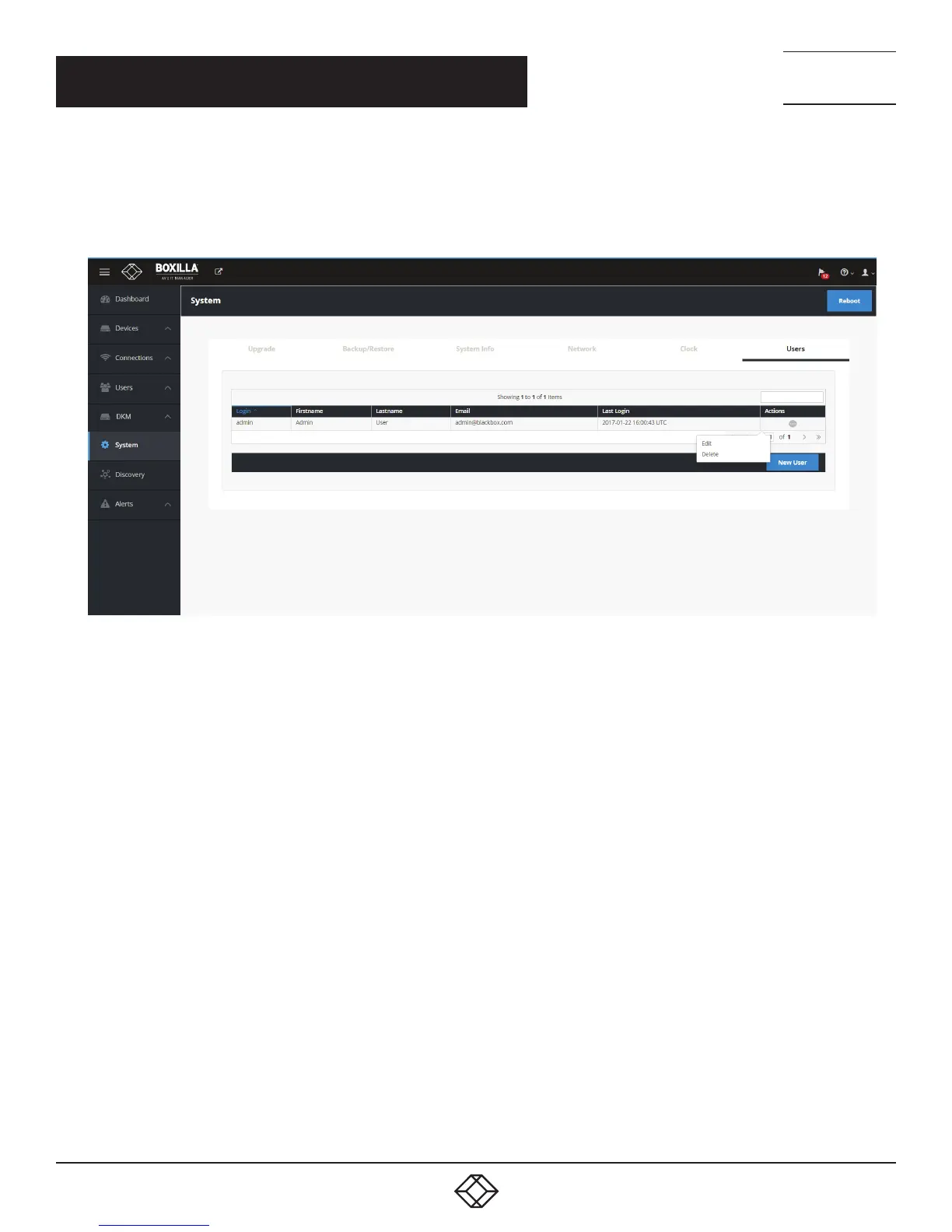
You are strongly recommended to change the default admin password as one of your first actions:
Click on System button on the main menu and then select the Users tab as shown in Figure 15.
Click the “…” icon on the Admin row and click on the edit option.
FIGURE 15. CHANGING ADMIN USER PASSWORD
This allows the Admin user to be edited. The default password would be changed for security. The other properties can be used as
required.
CHAPTER 5: BOXILLA CONFIGURATION



 To Next Page