36
1. 87 7. 8 7 7. 2 2 6 9 BLACKBOX.COM
NEED HELP?
LE AVE THE TECH TO US
LIVE 24/7
TECHNICAL
SUPPORT
1. 87 7. 87 7. 2 26 9
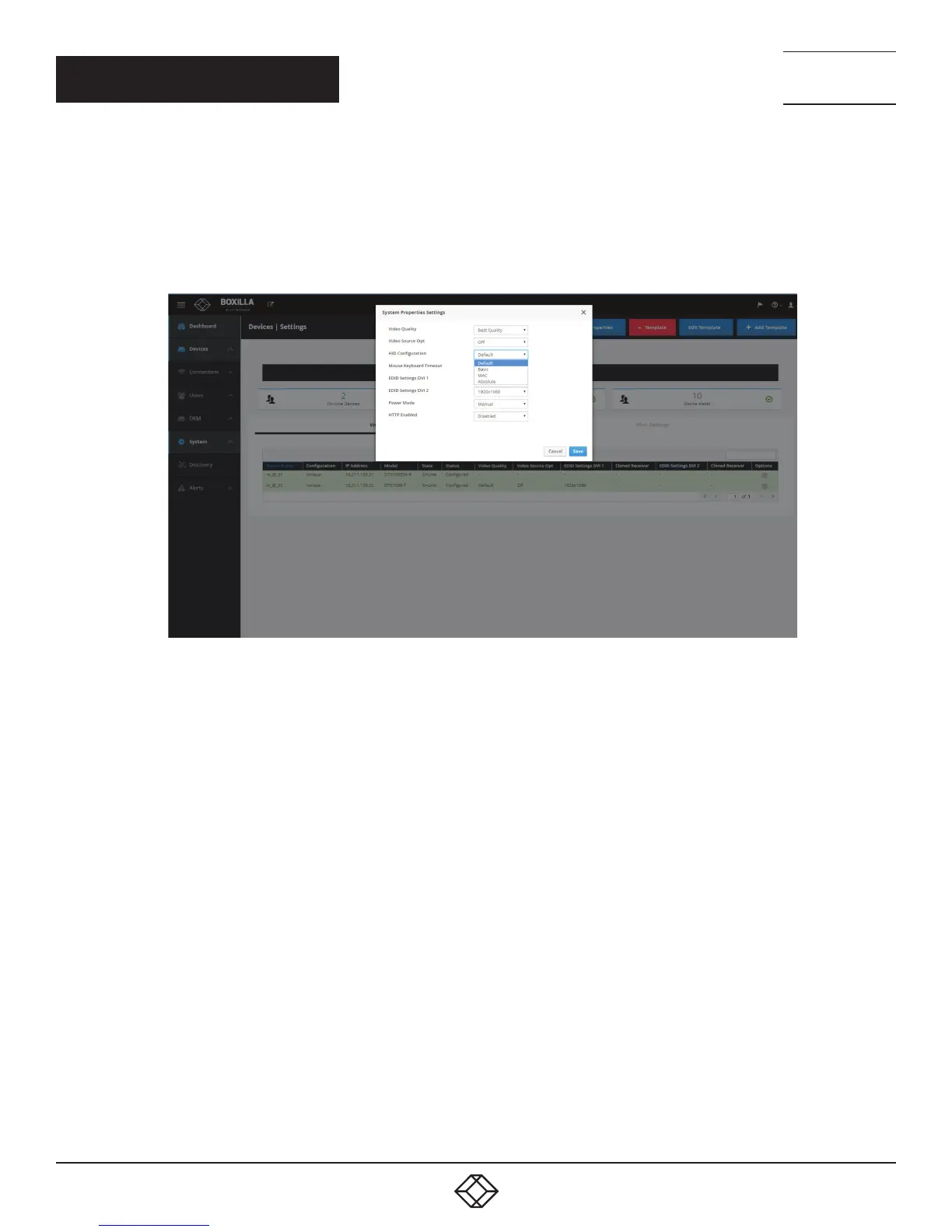
Absolute mouse:
This feature can be used to enable interoperability with KM switches with built-in “Glide & Switch” capability such as ServSwitchTC
and Freedom. For normal usage, where mouse is directly connected to Receiver, then the Default or Basic options should be used.
OSD option:
FIGURE 28. ABSOLUTE MOUSE SCREEN
Mouse Keyboard Timeout: Choose an option from 0 to 5 seconds.
EDID Settings DVI 1: Choose from 1920 x 1080, 1920 x 1200, 1680 x 1050, 1280 x 1024, or 1024 x 768.
EDID Settings DVI 2: Choose from 1920 x 1080, 1920 x 1200, 1680 x 1050, 1280 x 1024, or 1024 x 768.
Power Mode: Choose Manual or Auto.
HTTP Enabled: Choose Enabled or Disabled.
To save the settings, click the Save button. Otherwise, click the Cancel button.
CHAPTER 7: DEVICES



 To Next Page