52
1. 87 7. 8 7 7. 2 2 6 9 BLACKBOX.COM
NEED HELP?
LE AVE THE TECH TO US
LIVE 24/7
TECHNICAL
SUPPORT
1. 87 7. 87 7. 2 26 9
CHAPTER 8: CONNECTIONS
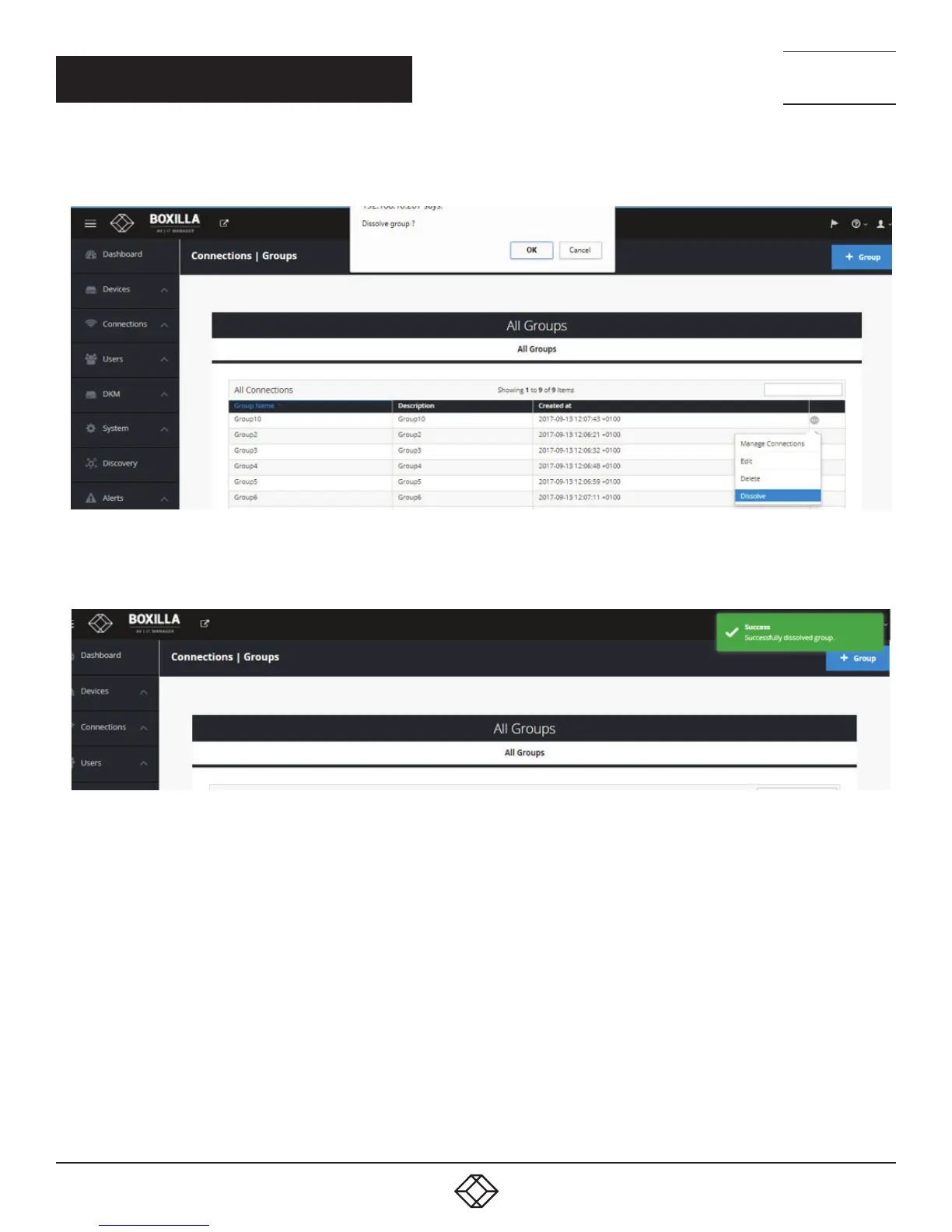
To dissolve a connection group (Map Connections from Connection Group to Individual Connections):
FIGURE 48. DISSOLVE CONNECTION GROUP SCREEN
Once you confirm with OK, a success message will be prompted.
FIGURE 49. SUCCESS MESSAGE
By dissolving a group, the group no longer appear under Connections-Groups but the active connections are retained with the users
logged in.
Unlike Delete groups, Dissolve Groups doesn’t leave any impact on connections.
After dissolving a Connection Group, all Connections from the Connection Group are moved to the list of Managed Connections
for each User that was assigned to the Connection Group.
Delete Connection Group: Delete the Connection Group and everywhere it is used.



 To Next Page