68
CHAPTER 1: HEADLINE
1. 87 7. 8 7 7. 2 2 6 9 BLACKBOX.COM
NEED HELP?
LE AVE THE TECH TO US
LIVE 24/7
TECHNICAL
SUPPORT
1. 87 7. 87 7. 2 26 9
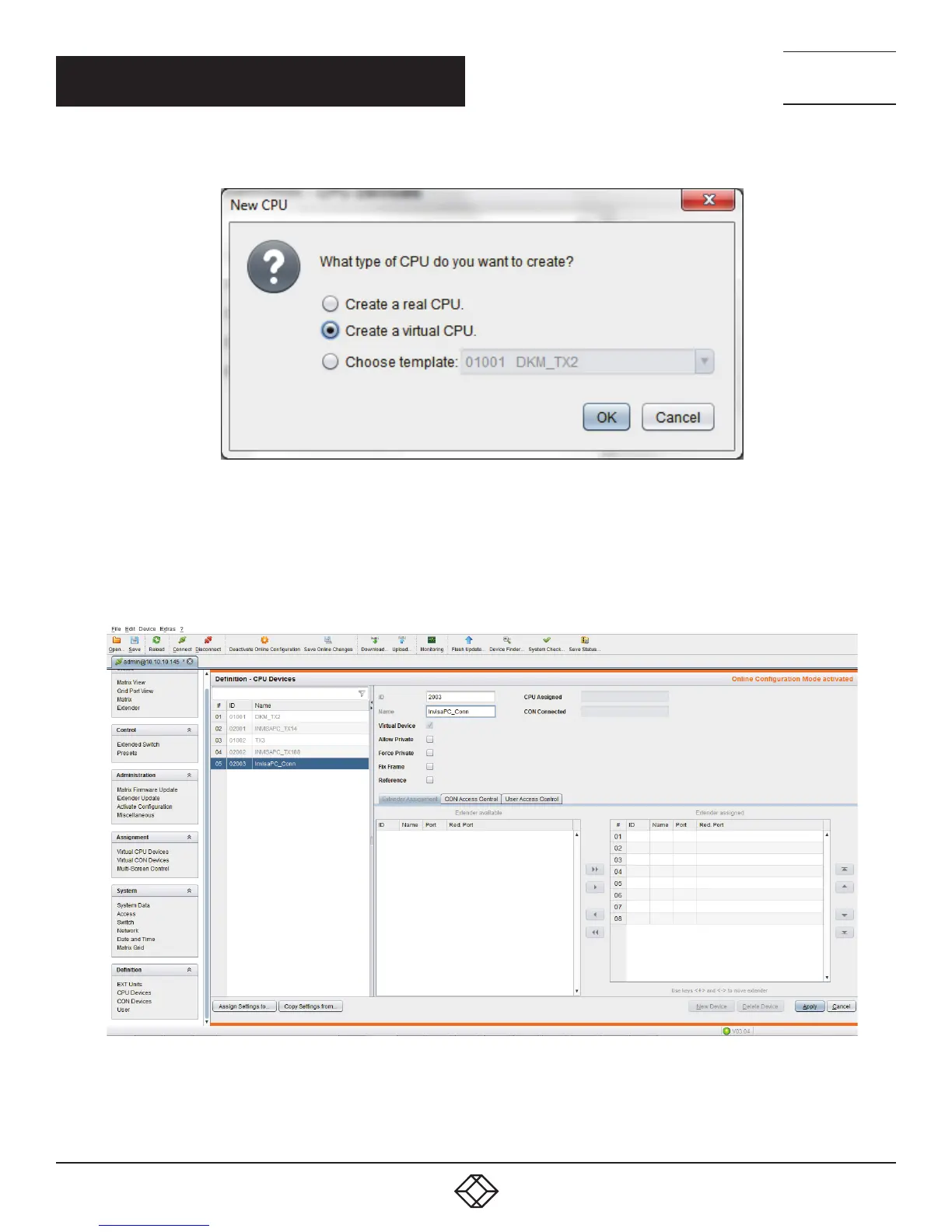
FIGURE 72. CREATE A VIRTUAL CPU OPTION
You will then have the option to name your Virtual CPU.
IMPORTANT: This name must be the same as the InvisaPC Connection name that you want it to be associated with.
FIGURE 73. NAME VIRTUAL CPU SCREEN
Press “Apply.”
CHAPTER 10: DKM INTEGRATION



 To Next Page