DCX3000 Switch
724-746-5500 | blackbox.com
Page 14
3.1.10 Console connections: Video
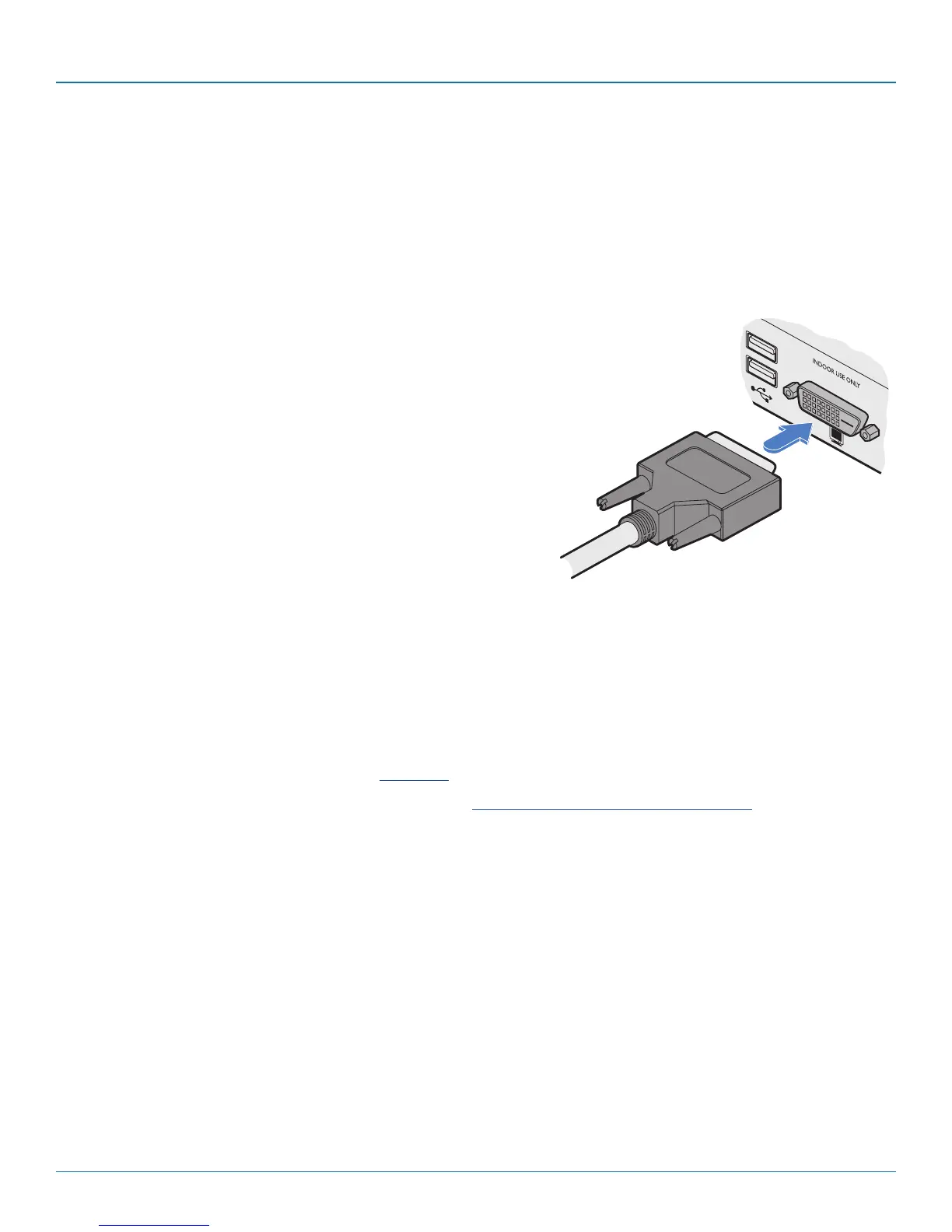
A Single Link DVI-D port is provided on the rear panel of the user module.
The DCX3000 Remote module supports one video display with pixel clocks up to 165MHz (equivalent to a maximum resolution
of 1920 x 1200 at 60Hz - aka ‘WUXGA’).
If a second display is required to support a dual video installation, use another DCX3000 Remote module to drive the second dis-
play, and combine the two user modules into a single Console within the DCX Matrix configuration application.
3.1.10.1 To connect the video display
1 Connect the DVI-D video cable from your video display to the video output port on the rear
panel of the user module.
From your
video display
3.1.10.2 EDID management
The DCX3000 Switch provides a number of fixed EDID (Extended Display Identification Data) profiles that will suit a large number
of video display configurations. If additional EDID definitions are required for your installation, you can clone new definitions from
connected video displays and add these to the list of available definitions.
For details about cloning EDIDs from displays, see Add EDID.
For details about applying an EDID to a particular computer, see Configure > Computers > Transmitters.
3.1.10.3 DCX3000 Remote module switches
The two switches on the DCX3000 Remote module are reserved for future use and must both remain in the OFF position.













 To Next Page