DCX3000 Switch
724-746-5500 | blackbox.com
Page 26
4.6 Configure > Consoles
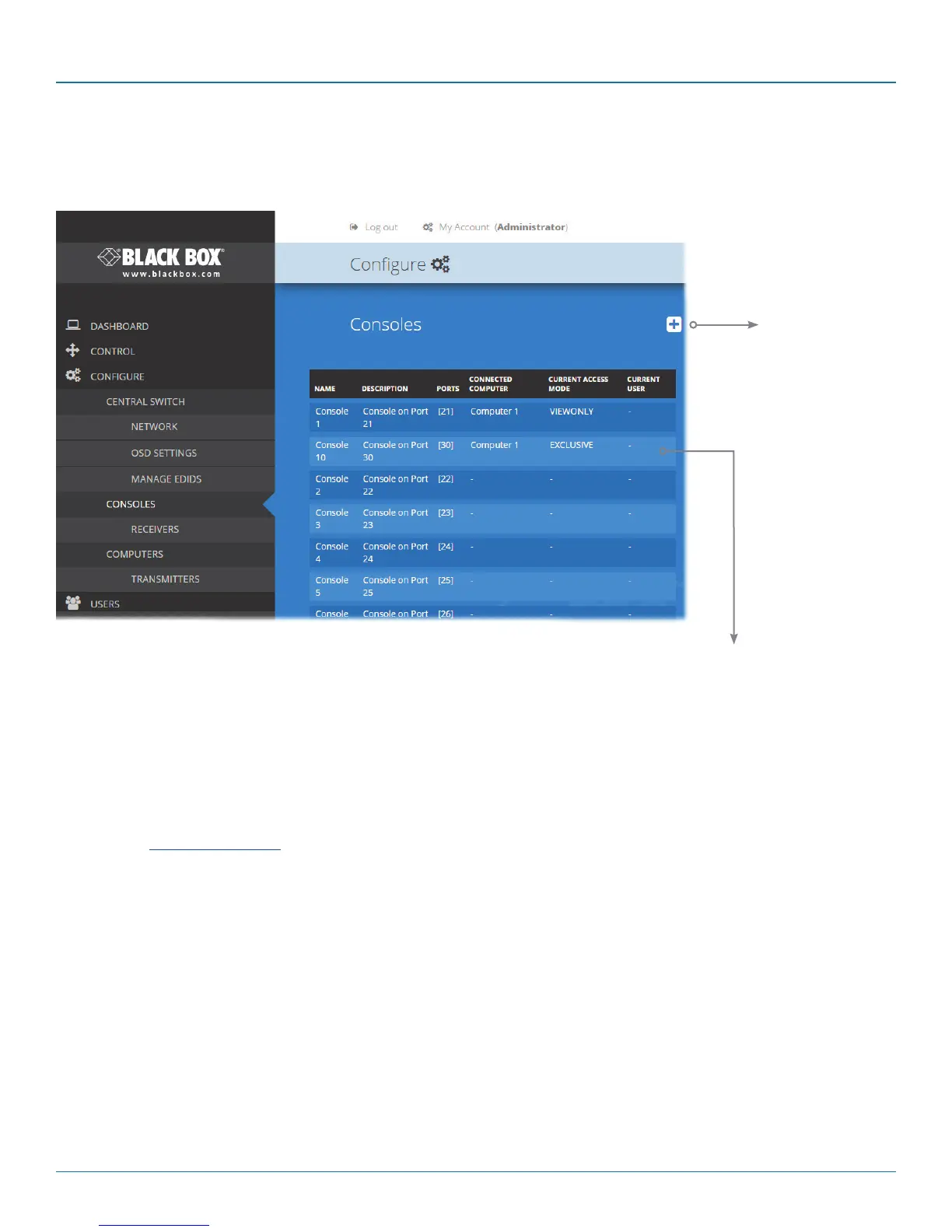
A Console is a collective term for a set of peripheral devices arranged around one or more DCX3000 Remote modules. This page
lists all registered consoles alphabetically by their Names:
In addition to the Name and Description, the columns also provide the following useful
details for each console entry:
• Ports - each DCX3000 Remote module connects to a single port on the DCX3000
Switch. This column lists the port(s) used by the DCX3000 Remote module(s)
associated with the console.Two or more DCX3000 Remote modules can be
combined to form multi-head consoles, each connecting to a separate port.
Note: For consoles with multiple displays (multi-head), additional user console ports
are required. If there are no spare user console ports available then any unused
computer ports on the rear panel can be deleted in order to free them up as
spares. See Reallocating ports.
• Connected Computer - shows to which computer the console is currently
connected.
• Current Access Mode - indicates how the console is permitted to access
computers, e.g. View only, Shared, Exclusive, etc.
• Current User - lists the user, if any, that is currently logged into the console.
Edit
Click an entry to view/edit
its details and access per-
missions. See opposite.
Add new
Click to add a new
console. See oppo-
site.













 To Next Page