Chapter 4: Configuration
724-746-5500 | blackbox.com
Page 27
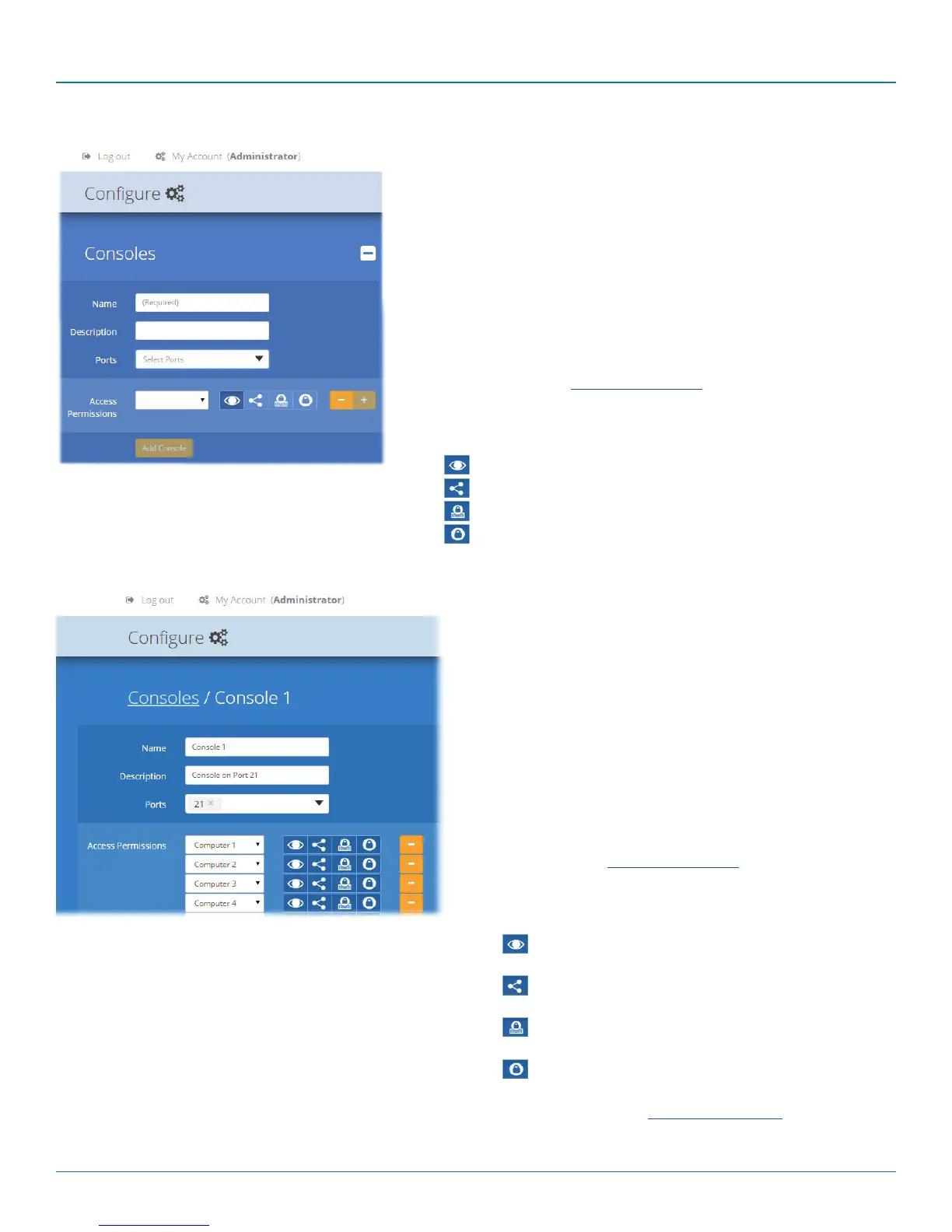
4.6.2 Configure > Consoles > Edit an entry
Click on an entry within the Configure > Consoles list to display
this page. Here you can edit the configuration details for a cho-
sen console.
• Name - the main identifier for the console.
• Description - a further opportunity to add more information
about the console.
• Ports - shows the user port number(s) (located on the main
switch) used by the DCX3000 Remote module(s) associated
with this console. For multi-head consoles, ensure that the
port used by the primary DCX3000 Remote module (the one
that has the primary display and peripherals attached) is the
first one in the list. If you require more than the usual 10
console ports, see Reallocating ports.
• Access Permissions - choose which computers this console is
permitted to access. For each computer choose one of the
four icons to set the access method:
•
View only - console user can view a computer’s
output but not alter it,
•
Shared access - console user can view and
control a computer along with other consoles,
•
Exclusive - multiple console users can view a
computer but only one can control it, or
•
Private - console user can view and control the
computer privately while other users are locked out.
For further details, see Access permissions.
When you have made your changes, click the Update
button.
4.6.1 Add new
Click the [+] icon to begin adding a new console, either before or after
connecting the DCX3000 Remote module(s):
• Name - the main identifier for the new console.
• Description - a further opportunity to add more information about the
console.
• Ports - add the user port number (located on the main switch) used by
the DCX3000 Remote module associated with this console. For multi-
head consoles, ensure that the port used by the primary DCX3000
Remote module (the one that has the primary display and peripherals
attached) is the first one in the list. If you require more than the usual
10 console ports, see Reallocating ports.
• Access Permissions - click the [+] button to select one or more
computers that this console will be permitted to access. For each
computer choose one of the four icons to set the access method:
•
View only,
•
Shared access,
•
Exclusive, or
•
Private modes.













 To Next Page