DCX3000 Switch
724-746-5500 | blackbox.com
Page 42
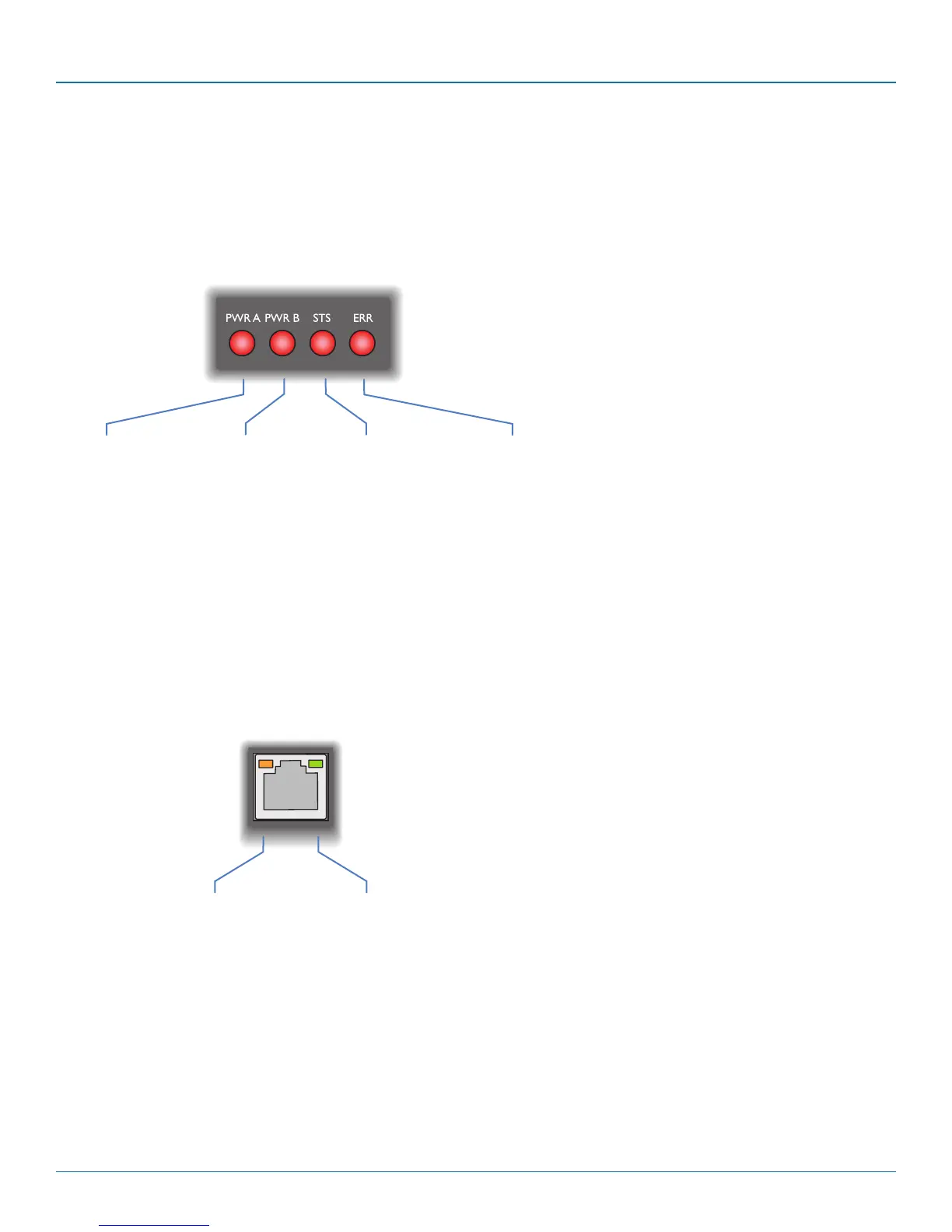
5.3 Indicators
The DCX3000 Switches, the DCX3000 SAM and DCX3000 Remote modules contain various indicators to provide you with status
information.
5.3.1 DCX3000 Switch - Red front panel status indicators
The red status indicators on DCX3000 Switch front panels provide various key power and operation feedback:
5.3.2 DCX3000 Switch - Green and amber network status indicators
The green and amber status indicators on the network link port provide further status information:
Green
Off: No link
Flashing: Network activity
On: Quiescent link
Amber
Off: 10 or 100Mbps
On: 1000Mbps
Power input A
This indicator will be
on when power is
supplied to power
socket A
STS (Status)
On: Running primary
firmware image
1Hz flash: Running
backup firmware
image
2Hz flash: Upgrade
mode engaged
ERR
Flashing: Either,
Power input failed or internal error - refer
to the Maintenance > Diagnostics page for
details
or
A firmware mismatch has been detected
with one or more connected devices - refer
to the Dashboard page for details
Power input B
This indicator will be
on when power is
supplied to power
socket B













 To Next Page