Chapter 5: Operation
724-746-5500 | blackbox.com
Page 43
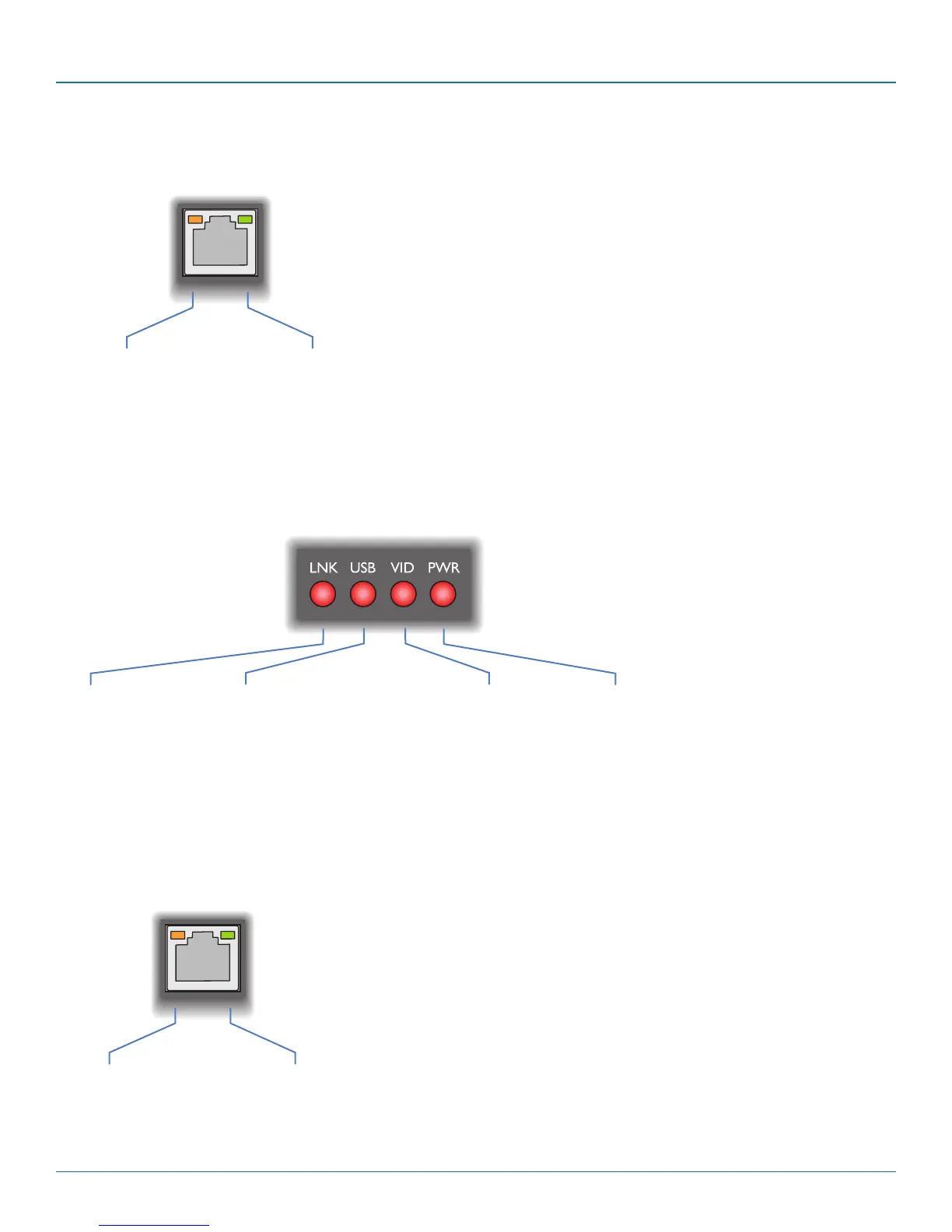
LNK
Off: No power or no link
Flashing: Switch refused
link connection due to
incompatible firmware
versions
On: Link established
VID
Off: No power
present or the
video is not locked
On: Power present
and video locked
PWR
Off: No power present
Slow flashing: A firmware upgrade is
being forced by the DCX3000 Switch
Fast flashing: Receiver in USB recovery
mode
On: Power present
USB
Off: No power or no active USB
connection
Flashing: USB connection is contended in
shared mode (keyboard LEDs also flash)
On: USB is routed to a DCX3000
SAM module, either via the DCX3000
Switch or directly, in a simple extender
installation
5.3.5 DCX3000 SAM module - Green and amber status indicators
The green and amber indicators on the link port of each DCX3000 SAM (computer) module provide the following status information:
Green
Off: No power
Slow flashing: Power present but no data link
Fast flashing: A firmware upgrade is being forced by either the DCX3000 Switch or a DCX3000 Remote
On: Power present and link established
Amber
Off: No power
Flashing: Power present but
no video
On: Power present and
video locked
5.3.3 DCX3000 Remote module - Green and amber status indicators
The green and amber indicators on the link port of each DCX3000 Remote module provide the following status information:
Green
Off: No power
Flashing: Power present but no data link
On: Power present and link established
Amber
Off: No power
Flashing: Power present but
either no video or
video not locked
On: Power present and
video locked
5.3.4 DCX3000 Remote module - Red front panel status indicators
The red indicators on the front panel of each DCX3000 Remote module provide the following status information:
Special condition
PWR on, Amber flashing and Green off: Software fault
requiring the DCX3000 Remote module to be recovered.
See Configure > Consoles > Receivers.
Special condition
Amber flashing and Green off: Software fault requiring the DCX3000
SAM module to be recovered. See Configure > Computers >
Transmitters.













 To Next Page